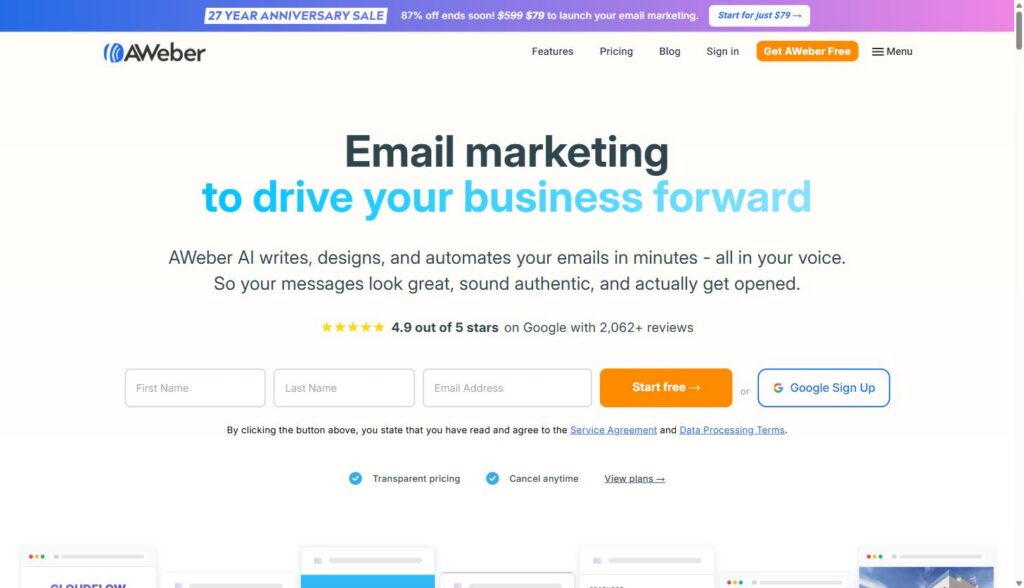
AWeber is an email marketing platform built for small businesses, creators, and marketing teams that need to write, design, and automate email campaigns without hiring a developer. For B2B SaaS and agency marketers, that means lead nurture sequences, client newsletters, and reporting emails can run on autopilot instead of eating up a Monday morning.
Affiliate disclosure: MV3 Marketing participates in affiliate and partner programs, including AWeber’s. This post contains affiliate links, and if you sign up through one, MV3 may earn a commission at no additional cost to you. We only recommend tools our team has actually researched and would use with clients.
What AWeber actually does
AWeber has been building email marketing software since 1998, which puts it among the older platforms still actively shipping new features. The current pitch is built around AI assistance layered on top of the standard email marketing toolkit: list building, a drag-and-drop email builder, automation workflows, landing pages, and reporting. On its own marketing site, AWeber cites a 4.9 out of 5 star rating on Google from more than 2,062 reviews, which is a meaningful sample size for a company its size.
For a B2B SaaS or agency marketing team, the pitch is less about flashy AI and more about the boring stuff working reliably: emails that land in the inbox instead of spam, automations that route leads based on what they actually do, and a builder that does not require a designer on staff. That is the lens for the rest of this walkthrough.
Longevity is worth mentioning up front because email tools come and go, and a nurture sequence or automation workflow built on a platform that shuts down or gets acquired into oblivion is a real cost. A company that has kept shipping features for over two decades is a reasonable bet for infrastructure you plan to depend on for years, not just a quarter.
Building emails without a design team
The email builder is drag-and-drop, with a separate theme panel that controls fonts, colors, buttons, and dividers for the whole campaign at once, so you are not restyling every block by hand. AWeber also integrates directly with Canva inside the editor, which matters if your team already builds graphics there and does not want to export and re-upload images every time.

A few features are specifically aimed at teams that do not have a copywriter on staff:
- Smart Designer auto-generates a branded template from your website, which is a fast way to get a usable starting point instead of a blank canvas.
- AI Writing Assistant drafts email copy so a first draft exists before anyone opens a blank document.
- Subject Line Generator produces subject line options aimed at open rates, useful for teams that want to A/B test without guessing.
- Newsletter Assistant generates a recurring newsletter draft written in your brand voice, which is the feature most relevant to a weekly client or prospect newsletter.
None of this replaces a human editor. What it does is remove the blank-page problem, which is usually the actual bottleneck for teams that know they should be sending regular email and consistently do not.
If you want to see the full editor and pricing before committing to anything, AWeber’s free trial gives you 14 days to build a real campaign rather than click through a demo.
Automation that actually nurtures leads
This is the part that matters most for a SaaS or agency pipeline. AWeber’s automation is built around a visual workflow builder: a trigger (a subscriber joins a list, clicks a link, gets tagged), a wait step, and an action (send a message, apply a tag, move to another workflow). It is the same logic as more expensive marketing automation platforms, just scoped to email and landing pages instead of a full CRM.
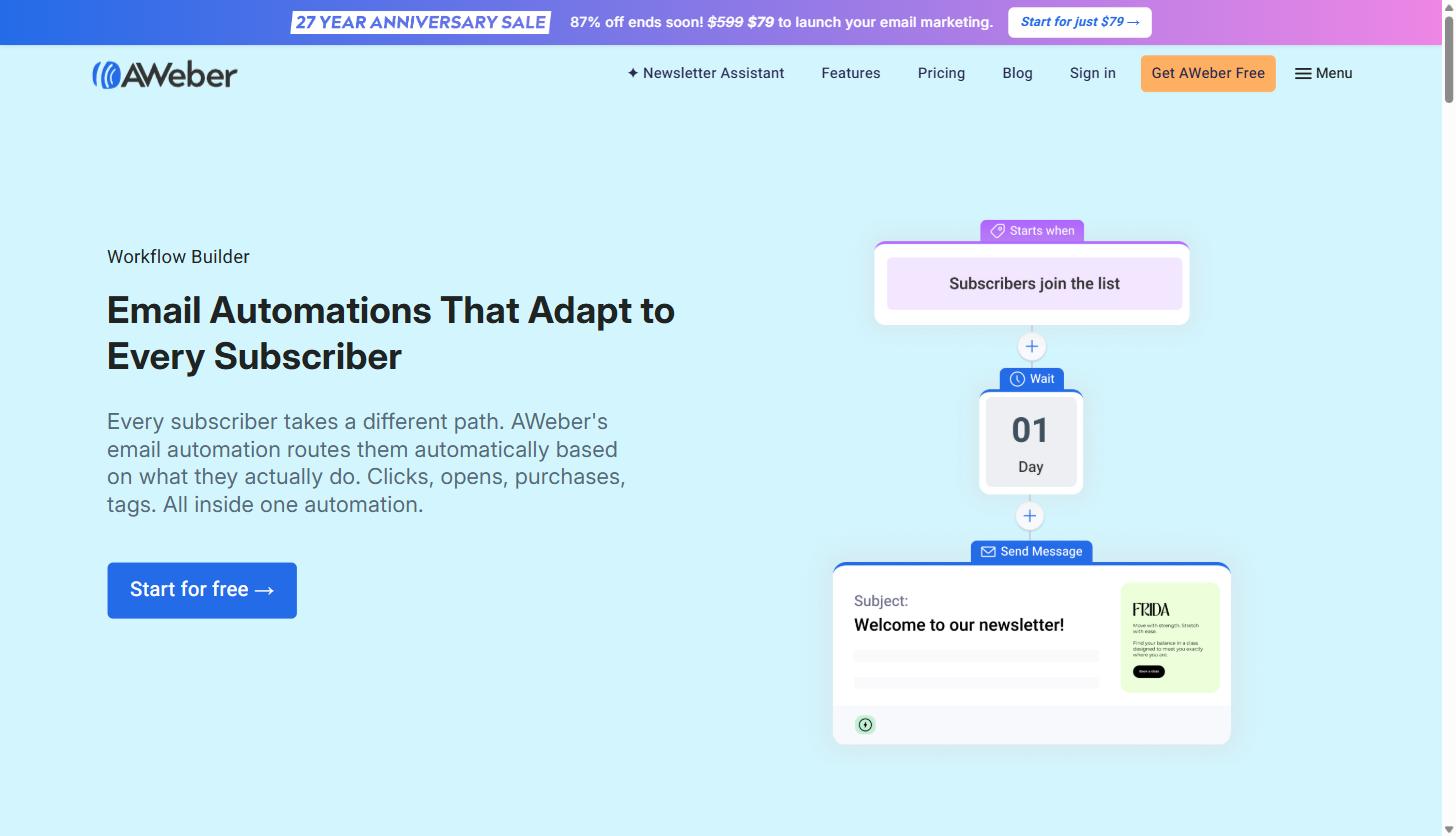
Three automation features are worth knowing about specifically:
- Behavioral automation sends different follow-up emails depending on what a subscriber does, opens, clicks, or ignores, rather than blasting the same sequence to everyone regardless of engagement.
- RSS-triggered emails automatically send a message when you publish a new blog post, podcast episode, or YouTube video, which works well for a content-driven nurture sequence that should stay current without manual sends.
- Tagging and segmentation let you send the right message to the right subscriber list, for example separating trial users from paying customers, or separating prospects by the service page they came from.
AWeber states that personalized emails built this way generate meaningfully higher engagement than generic blasts, which lines up with what most B2B teams already assume about segmentation. The practical value is that a lead nurture sequence built once keeps running without someone remembering to hit send every Tuesday.
The platform also supports email split testing and importing shared campaigns, so a workflow that works for one product line or client account does not need to be rebuilt from zero for the next one. For an agency running the same nurture logic across several client accounts with different branding, that reuse matters more than any single feature on its own.
Deliverability: the part nobody thinks about until it breaks
An automation is worthless if the email lands in spam. AWeber describes its deliverability team as having more than 50 years of combined experience, backed by dedicated infrastructure meant to keep sender reputation intact. For agencies managing email on behalf of multiple client domains, or SaaS companies sending both transactional and marketing email, this is not a minor detail. A platform with a poor sending reputation can tank open rates industry-wide, regardless of how good the copy is.
Growing the list before you can nurture it
Automation only works if there is a list to run it against, so AWeber bundles list-building tools in with the email side rather than treating it as a separate product. The AI Signup Form Builder generates embeddable or pop-up forms without custom code, and the AI Page Builder does the same for standalone landing pages, both pulling from a template library rather than starting from a blank page.
On the paid plans, landing pages support video embeds, Google Analytics tracking, and Facebook pixel tracking, which matters if paid social is feeding any part of your funnel and you need the pixel to fire on a page you actually control instead of a third-party form host. Teams can also buy or connect a custom domain for landing pages directly inside AWeber, so a gated resource or webinar signup page does not have to live on a separate subdomain with mismatched branding.
On the integrations side, AWeber connects to Facebook, PayPal, WordPress, Shopify, WooCommerce, Zapier, and what the company describes as hundreds of additional apps. For a SaaS company already running WordPress for the marketing site, the native WordPress plugin is the more direct route for adding signup forms without a separate embed script to maintain.
Practical use cases for service business and agency marketing teams
Most of the feature list above is generic to any email platform. Here is where it gets specific to running email for a SaaS company or an agency managing multiple client accounts.
Lead nurture sequences
A demo request or a gated download should not be a dead end. Set up a workflow that fires the moment someone fills out a form: welcome email immediately, a case study or use case email two days later, a soft demo-booking nudge a few days after that. Because the automation branches on behavior, someone who clicks through to book a call can be pulled out of the sequence automatically instead of getting a redundant follow-up asking them to do the thing they already did.
Newsletter and thought leadership
A recurring newsletter is one of the easiest ways to stay in front of a SaaS buyer’s long consideration cycle. The RSS-triggered send means a newsletter can pull automatically from a company blog, and the Newsletter Assistant gives a starting draft so the send does not slip when the team gets busy with client work.
Client reporting and retention email
Agencies can use tagging and segments to separate client lists by account, then automate a recurring performance recap or check-in email. It will not replace a real dashboard or a QBR deck, but it keeps a lightweight touchpoint running for accounts that do not need a full meeting every month.
Webinar and event promotion
A webinar or launch event needs a short, high-frequency sequence: an invite, a reminder a day out, a last-chance email a few hours before, and a follow-up to no-shows with the recording. Because the workflow can branch on whether someone registered, attended, or ignored the invite entirely, one automation covers all three audiences instead of building three separate campaigns by hand.
If lead nurture is the piece missing from your pipeline right now, you can start building the sequence today with AWeber’s free trial and see whether the automation logic fits how your team actually sells.
Pricing breakdown
AWeber’s pricing is usage-based, scaling with subscriber count, and offers a 14-day free trial before anything is charged. As of this research, billed annually, the published tiers were:
| Plan | Starting price (billed annually) | What you get |
|---|---|---|
| Lite | $12.50/month | 1 email list, 3 landing pages, 3 automations, 3 users, 24/7 support |
| Plus | $20/month | Unlimited email lists, landing pages, automations and users, advanced reporting, priority 24/7 support, lower transaction fees on sales |
| Done For You | $20/month plus a one-time setup fee | Everything in Plus, plus AWeber’s team builds your template, landing page, signup form, and welcome series for you within 7 days |
Both subscriber volume and email send volume affect the price as your list grows, and companies with more than 100,000 subscribers are directed to contact sales directly rather than use the self-serve calculator. Every paid plan includes the core automation and landing page tools; the differences between Lite and Plus come down to limits (number of lists, automations, and users) and support priority, not access to the automation engine itself.

For a small SaaS marketing team or a lean agency, the Plus plan is the one worth evaluating first since it removes the list and automation caps that would otherwise force an upgrade a few months in.
AWeber versus sending manually
The honest comparison for most small marketing teams is not AWeber against another platform. It is AWeber against a Gmail-and-spreadsheet workflow, which is what a lot of early-stage SaaS companies are actually doing. Manual sending means no automation branching, no deliverability infrastructure protecting your sender reputation, no segmentation beyond whatever you can filter in a spreadsheet, and no reporting beyond guessing at reply rates. A dedicated platform trades a monthly subscription for automation that runs without someone remembering to trigger it, plus the sending infrastructure that keeps a domain’s reputation intact.
AWeber also publishes direct comparisons against other established platforms, including Mailchimp, GetResponse, ConvertKit, and Constant Contact, on its own site if you want to weigh feature sets side by side before choosing a tool. The right platform for any given team depends on existing tech stack, list size, and how deep the automation needs to go, so it is worth testing more than one during a free trial period before committing to an annual plan.
What tends to separate the outcome is not the platform alone, it is whether anyone commits to actually building and maintaining the sequence. A well-built automation on a mid-tier platform will outperform an unfinished one on the most expensive tool on the market. Budget the time to build the first workflow properly before worrying about which logo is on the invoice.
Getting started with a first nurture sequence
A reasonable first project inside AWeber is a three-email welcome sequence for new demo requests or newsletter signups: an immediate confirmation and expectation-setting email, a value-driven email two or three days later (a case study, a comparison guide, or a relevant resource), and a direct offer to book time about a week in. Build the workflow once, connect it to your signup form, and let the automation run while you focus on the accounts that are actually replying.
From there, tagging based on engagement (who opened, who clicked, who ignored three emails in a row) lets a second workflow branch that list into a re-engagement sequence or a sales handoff, without building either from scratch.
Start a free AWeber trial and build that first sequence this week rather than let it sit on next quarter’s list of things to get to.
Common questions from marketing teams evaluating AWeber
Is email marketing actually worth the subscription cost?
Email is one of the few channels a company fully owns rather than rents. There is no algorithm deciding whether a subscriber sees your message the way there is on social platforms, and AWeber’s own marketing cites the widely used industry estimate of roughly $36 in return for every $1 spent on email marketing. That figure comes from broader email marketing industry research rather than being AWeber-specific, but it is consistent with why most SaaS companies keep email as a core channel even as they add others.
How long does it take to get a first campaign live?
For a team building it themselves, a welcome sequence and a connected signup form can realistically be live within a day using the existing template library. For teams that would rather not build it themselves, the Done For You plan has AWeber’s team deliver a branded template, a landing page, a signup form, and a welcome series within 7 days, plus 30 days of edits afterward.
Does the free trial require a credit card?
The 14-day trial is available directly from the pricing page without needing to talk to sales first, which makes it straightforward to test the automation builder against a real use case (like the welcome sequence described above) before deciding on a plan.
Where email fits into the bigger picture
Email nurture works best when it is not carrying the whole funnel by itself. If your team is also investing in demand generation to fill the top of the funnel, the sequences described above are what turns those leads into booked calls instead of names sitting unopened in a list. And if some of the terminology in this piece was unfamiliar, from lead nurture to segmentation to sender reputation, the MV3 marketing glossary covers the rest of the vocabulary that shows up across email, SEO, and paid channels.
Landing pages are the other half of most email campaigns, since a nurture sequence usually needs somewhere to send the click. If you have not looked at how that page actually needs to be built and tested, the walkthrough on building a SaaS landing page that converts covers the other side of that equation.
Email marketing platforms are not interchangeable, but for a SaaS or agency team that needs automation, decent deliverability, and a builder that does not require a developer, AWeber covers the fundamentals without a steep learning curve. The 14-day free trial is enough time to build a real sequence and judge whether it fits how your team actually works, rather than deciding from a features page alone.
Share this article

Vance Moore is Chief Growth Officer at MV3 Marketing and leads its team of SEO professionals, engineers and auditors.
Ready to audit your organic growth opportunity?
$2,500 flat. 5 business days. Six deliverables tied to pipeline , not rankings. No retainer required.
Get the Organic Growth Audit →