Brand24 is an AI-powered social listening and brand monitoring platform that tracks mentions of your company, product, or campaign across social media, news sites, blogs, forums, podcasts, videos, and review sites, then scores each mention for sentiment and influence. It’s built for marketing teams, PR managers, and agencies who need to know what’s being said about a brand in near real time, without manually searching a dozen platforms every morning.
Disclosure: MV3 Marketing participates in affiliate and partner programs, including Brand24’s. This post contains affiliate links, and MV3 may earn a commission if you sign up through one of them, at no additional cost to you. We only cover tools we’ve researched and believe are genuinely useful for SaaS and agency marketing teams.
If you run marketing for a B2B SaaS company, or you run an agency managing several client brands at once, you already know the problem. Someone mentions your product on Reddit, a journalist quotes a competitor in a roundup, a customer posts a complaint thread on X that starts picking up replies, and you find out about it two days later because someone forwarded you a screenshot. By then the conversation has moved on without you.
Brand24 exists to close that gap. It’s a monitoring tool, not a publishing tool, which means it doesn’t post anything on your behalf. What it does is sit in the background scanning the open web for your keywords (brand name, product name, campaign hashtag, competitor names, executive names) and surface every mention in one feed, tagged with sentiment and reach data so you can decide what actually needs a response.
What Brand24 Actually Monitors
Brand24 pulls mentions from a very wide net of sources rather than just the two or three social networks most “social listening” tools default to. That includes X/Twitter, Facebook, Instagram, YouTube, TikTok, LinkedIn, Reddit, Telegram, forums, blogs, news sites, podcasts, review platforms, and app stores. The company states it monitors mentions across roughly 25 million online sources and has delivered more than 25 billion mentions to customers over its history, which gives a sense of the scale of the crawl even if any individual customer only cares about a tiny slice of it.
For a SaaS marketing team, that source list matters more than it sounds like on paper. A lot of the conversation about your product doesn’t happen on the polished channels you control. It happens in a G2 review, a Reddit thread comparing tools in your category, a YouTube comment section, or a niche Slack-adjacent forum. A tool that only watches Twitter and Instagram misses most of that.
The core workflow starts with setting up a “project,” which is really just a keyword or set of keywords you want tracked (your brand name, a product name, a campaign hashtag, or a competitor). Brand24 then builds a live mentions feed for that project, updated on a schedule that depends on your plan, ranging from every 12 hours on the entry-level plan up to real time on the higher tiers.
If you want to see whether Brand24 fits your workflow before committing, you can start a free trial here and run it against your own brand name for a week to see what it surfaces.
Sentiment Analysis: Turning a Mention Feed Into a Signal
Raw mention volume isn’t that useful on its own. A spike in mentions could mean a viral product launch or a viral complaint, and you can’t tell the difference from a number alone. This is where Brand24’s sentiment analysis comes in. Every mention gets automatically classified as positive, negative, or neutral using natural language processing, and the platform states it can process this analysis in more than 90 languages with what it describes as real-time analysis immediately after a mention is collected.
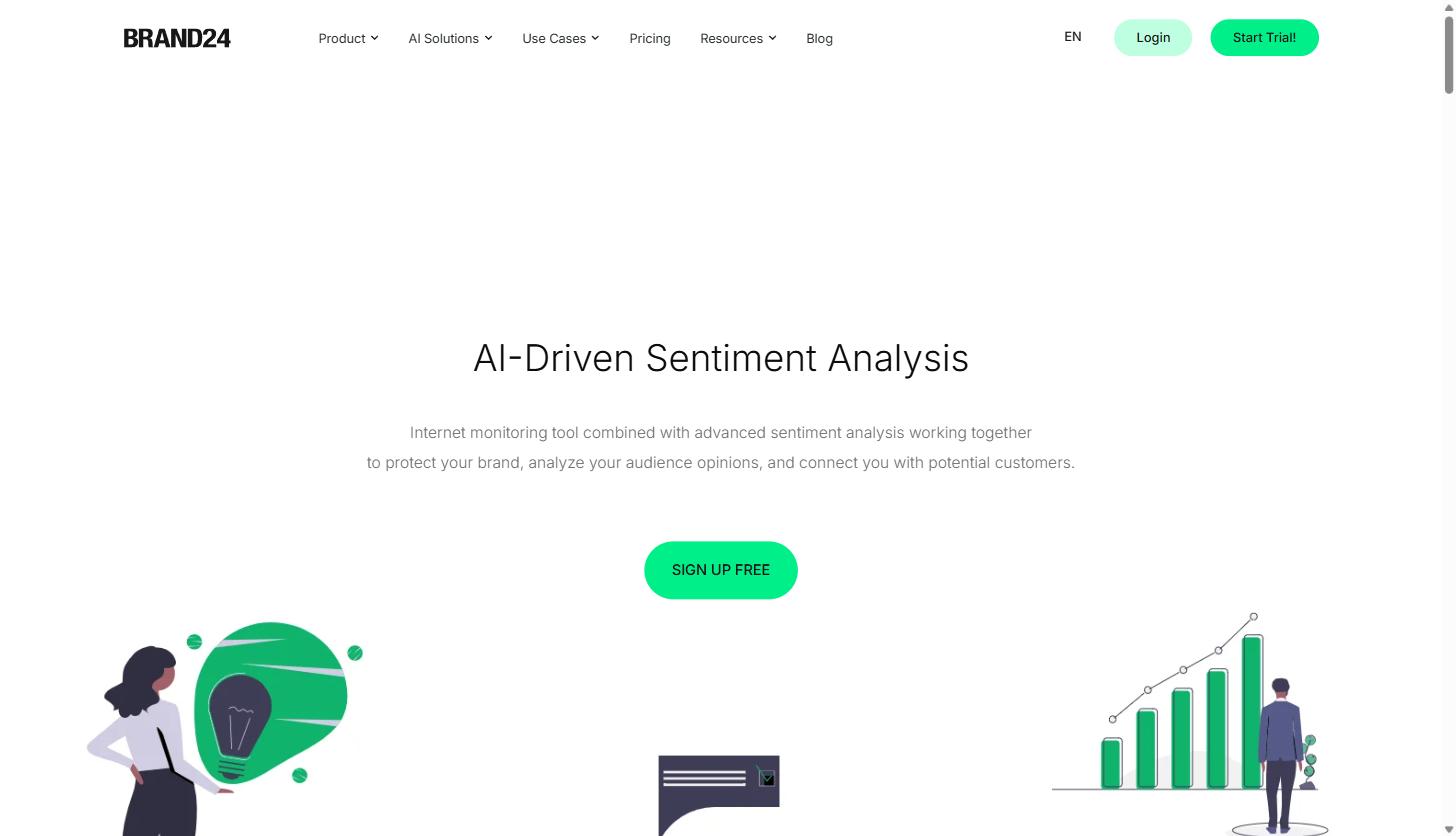
Brand24 is upfront that automated sentiment scoring isn’t perfect, and sarcasm, slang, and highly niche industry language can still trip it up, which is true of every automated sentiment engine on the market and not a Brand24-specific weakness. The practical value isn’t that the AI gets every single mention right. It’s that sentiment scoring lets you sort a feed of hundreds of mentions by “negative” first, so a support or PR person can triage the handful that actually need attention instead of reading every single post in chronological order.
Brand24 also includes anomaly detection that flags unusual spikes or drops in mention volume, so if conversation about your brand suddenly triples overnight, whether from a product launch, a press hit, or a PR problem, you get an alert rather than discovering it three days later during a routine check.
Influence Scoring and Finding Who Actually Matters
Not every mention carries the same weight. A post from an account with 40 followers and a post from a journalist with a large, engaged following are technically both “one mention,” but they don’t deserve the same response priority. Brand24 assigns an Influence Score to the authors and sources behind each mention, based on their reach and engagement, and surfaces this through an Influencers tab where you can filter for the accounts driving the most conversation around a keyword.
For a SaaS marketing or PR team, this is useful in two directions. First, it helps you spot journalists, analysts, or industry voices talking about your category so you can build a relationship before you need something from them. Second, it works the same way on competitor projects: if you’re tracking a competitor’s brand name as a separate project, the Influencers tab shows you who is amplifying their announcements, which is a reasonable starting point for identifying people worth pitching your own story to.
Competitor Monitoring and Alerts
Brand24 doesn’t have a dedicated “vs competitor” mode so much as a pattern most agencies and in-house teams use: create a separate project for each competitor’s brand name, product name, or campaign hashtag, and let it collect mentions the same way it does for your own brand. Once you have two or more projects running side by side, you can compare mention volume, sentiment split, and reach between your brand and a competitor over the same time window, which is a fast way to build the “share of voice” slide that tends to show up in quarterly marketing reviews.
On the alerting side, Brand24 supports real-time email notifications and a Slack integration, so a spike in negative sentiment or a sudden jump in mention volume shows up in a channel your team is already watching instead of requiring someone to log in and check manually. Combined with the anomaly detection mentioned earlier, this is the closest thing to an early warning system for a PR situation that most SaaS marketing teams will set up without hiring a dedicated crisis comms vendor.
Teams doing active digital PR work in particular tend to lean on this kind of alerting to catch coverage the moment it goes live, rather than finding out about a placement secondhand.
Practical Use Cases for Service Businesses and Agency Teams
Competitor and category monitoring. Set up a project for every meaningful competitor plus a broad category term, and you get a running view of who’s launching what, how the market is reacting, and which competitor announcements are actually landing versus getting ignored.
PR and crisis alerts. If a bug, outage, or bad customer experience starts trending, the anomaly detection and Slack alerts mean the marketing and support teams find out at the same time as the internet does, not a day later. That window matters enormously for how a situation gets handled.
Campaign mention tracking for agency clients. Agencies running campaigns for multiple SaaS clients can set up a project per client per campaign hashtag or launch keyword, then pull the mention volume, sentiment, and reach data straight into a client report instead of manually screenshotting social posts. Brand24 supports scheduled, automated reporting so this doesn’t have to be a manual weekly task.
Influencer and journalist identification. Rather than paying for a dedicated influencer marketing platform, teams that just need to know “who is already talking about us or our category” can use the Influencers tab as a lightweight discovery tool, particularly for B2B categories where the relevant “influencers” are often analysts, niche newsletter writers, or subreddit moderators rather than traditional creators.
Product feedback mining. Because Brand24 pulls from review sites, forums, and app stores in addition to social platforms, product and customer success teams can use it to surface unprompted feedback that never makes it into a support ticket or an NPS survey.
Most teams start with one or two of these and expand once they see what’s actually in the feed. Brand24’s free trial is long enough to test a real use case like a competitor launch or a PR moment rather than just clicking around the dashboard.
Brand24 Pricing: What Each Tier Actually Includes
Brand24 publishes its pricing openly rather than gating it behind a sales call, and the plans scale primarily on three things: how many keywords (projects) you can track, how many mentions per month the plan covers, and how often the data refreshes. As of this writing, billed annually, the published tiers are:
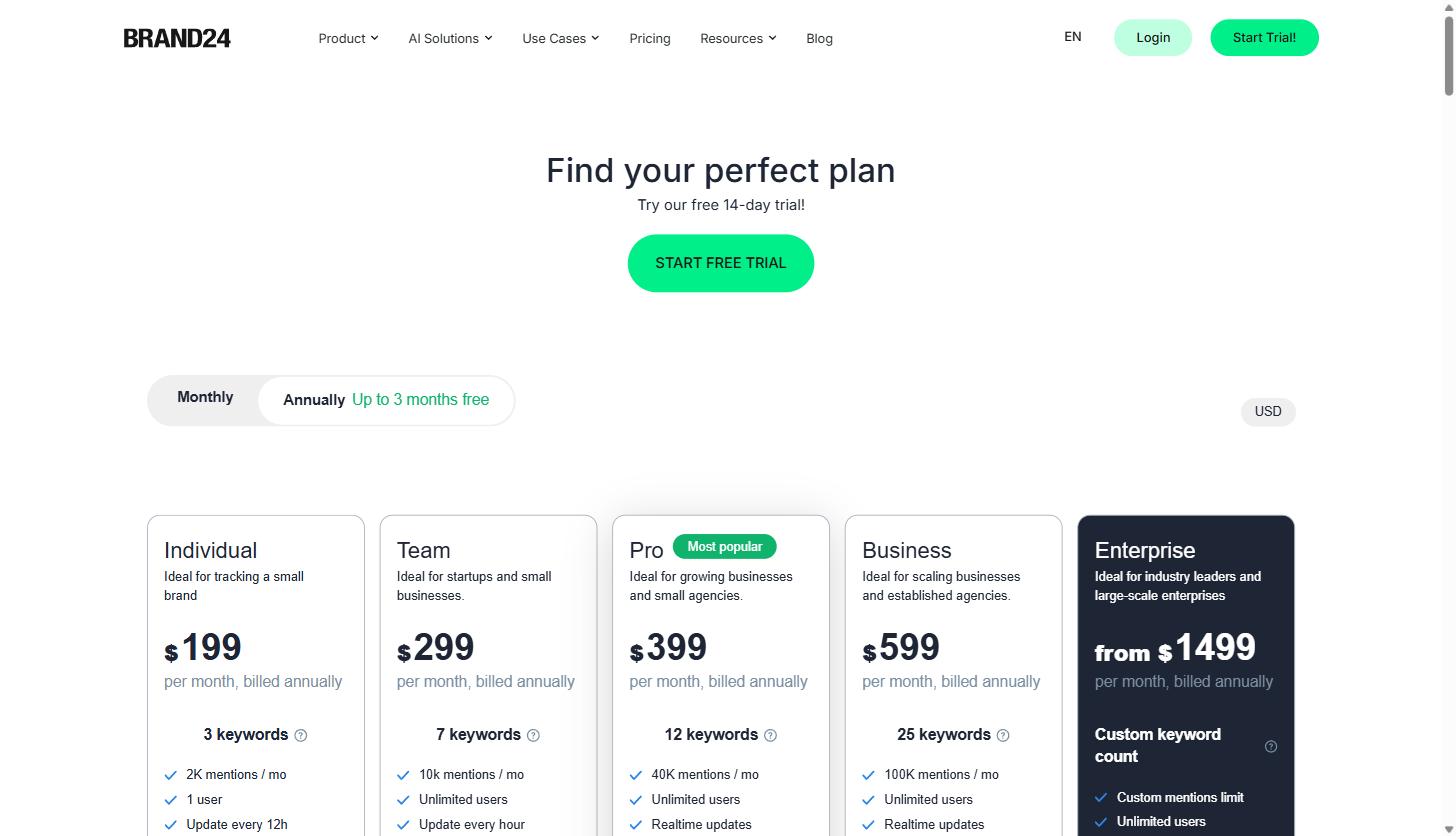
| Plan | Price (billed annually) | Keywords | Mentions/mo | Update frequency |
|---|---|---|---|---|
| Individual | $199/mo | 3 | 2,000 | Every 12 hours |
| Team | $299/mo | 7 | 10,000 | Hourly |
| Pro (most popular) | $399/mo | 12 | 40,000 | Real time |
| Business | $599/mo | 25 | 100,000 | Real time |
| Enterprise | From $1,499/mo | Custom | Custom | Real time |
A few things worth calling out for a SaaS or agency buyer specifically. The Individual plan is limited to one user and updates only twice a day, which makes it a poor fit for anything beyond a solo founder keeping an eye on their own brand name. Team is the first tier with unlimited users, which matters for a marketing team where more than one person needs to see the same feed. Pro is the point where updates become real time rather than hourly, and it’s also where the keyword count (12) starts to comfortably cover a brand name, a couple of product names, and a handful of competitors in one place.
Agencies managing several client brands should expect to land on Business or Enterprise, since each client typically needs their own project (or several), and the keyword caps on the lower tiers get consumed quickly once you’re tracking five or six clients. All plans come with a 14-day free trial, which is enough time to load in your actual brand name and a competitor or two and see real mention volume rather than a demo account.
Setting Up Your First Project
Getting a project running in Brand24 doesn’t require any technical setup or a developer. After signing up, you name a project (usually your brand or product name), add the keyword variations you want tracked (including common misspellings, abbreviations, or the way customers actually talk about the product in casual conversation, which is often different from the official product name), and exclude any words that would create false positives. A generic product name that’s also a common English word, for example, needs negative keywords added so the feed doesn’t fill up with unrelated noise.
From there, Brand24 starts populating the mentions feed, and you can layer on filters for sentiment, source type, language, and date range. Most teams set up their own brand as the first project, then add one project per major competitor, and a project per active campaign hashtag when something is actively launching. Because each project consumes part of your plan’s keyword allowance, it’s worth deciding up front which competitors and campaigns actually warrant dedicated tracking rather than adding everything by default.
For agencies, the same pattern repeats per client, which is why the keyword and mention caps on the lower plans get consumed fast once you’re past two or three active client accounts.
Reporting and Client Deliverables
For an agency, the dashboard itself is only half the value. The other half is getting mention volume, sentiment trends, and share-of-voice comparisons out of the platform and into something a client can read without a login of their own. Brand24 supports automated report generation that can be scheduled on a recurring basis and exported, which turns what would otherwise be a manual end-of-month task (pulling screenshots, tallying mentions by hand, writing up a sentiment summary) into something that runs in the background and lands in an inbox on schedule.
This matters more than it sounds like for agencies specifically. A monthly PR or social report that used to take an analyst two or three hours to assemble becomes a export-and-annotate task instead, which is the kind of time savings that actually shows up in agency margins rather than just being a nice-to-have dashboard feature nobody opens.
Common Questions
Does Brand24 post content or only monitor it? Only monitor. Brand24 is a listening and analytics tool, not a scheduling or publishing platform. If you need a tool that also schedules and publishes social posts, that’s a separate category of product entirely.
How accurate is the sentiment scoring? Reasonably good for straightforward English-language mentions, less reliable for sarcasm, industry-specific slang, or languages with less training data behind them. Treat automated sentiment as a sorting and triage tool rather than a source of truth, and spot-check the negative bucket manually before it drives a decision.
Can one account track multiple client brands for an agency? Yes, by creating a separate project per brand or campaign, though the keyword and monthly mention caps on each plan tier determine how many clients realistically fit before you need to move up a tier.
Is there a free trial? Brand24 offers a 14-day free trial on its plans, which is enough time to load in a real brand name and competitor set and see actual mention volume rather than a demo environment.
Brand24 vs. Manually Monitoring Mentions
The honest alternative to a tool like Brand24 isn’t usually a competing platform, it’s doing this manually: setting up a handful of Google Alerts, checking X search periodically, and asking the team to flag anything they happen to see. That approach works right up until a mention shows up on a platform nobody thought to check, or a conversation happens overnight while everyone’s asleep, or the volume gets high enough that manually reading everything stops being realistic.
The real value of a monitoring platform isn’t that it does something a person couldn’t theoretically do by hand. It’s that it does it continuously, across far more sources than any one person checks regularly, and it attaches sentiment and reach context automatically instead of leaving that judgment call to whoever happens to see the post first. For a SaaS marketing team juggling content, campaigns, and reporting, that’s the difference between finding out about a PR moment while it’s still manageable and finding out after it’s already been screenshotted into a group chat.
None of this replaces judgment. A tool flags what’s happening; a person still has to decide whether a negative mention needs a public response, a private outreach, or nothing at all. What Brand24 does is make sure that decision gets made with full information instead of partial information a few days late.
Getting Started
If brand and campaign visibility across the open web is currently something your team finds out about by accident rather than by design, it’s worth testing this properly rather than guessing. Load in your actual brand name, a product name, and one or two competitors, and watch the feed for a week. For a deeper look at how monitoring fits into a broader marketing and GEO strategy, our glossary covers related terms like share of voice and brand mention tracking in more depth.
You can start a free 14-day Brand24 trial here and see what’s actually being said about your brand before your next content or PR push goes out.
Share this article

Ryan Brooks leads technical SEO at MV3 Marketing, specializing in schema architecture, entity graphs, crawlability, and the structural signals that determine whether AI answer engines cite a page.
Ready to audit your organic growth opportunity?
$2,500 flat. 5 business days. Six deliverables tied to pipeline , not rankings. No retainer required.
Get the Organic Growth Audit →