Unbounce is a dedicated landing page builder and conversion optimization platform built for marketing teams who need to launch, test, and improve campaign-specific pages fast, without waiting on developers. It’s aimed at PPC managers, demand gen teams, and agencies running paid traffic where the landing page itself, not just the ad, decides whether a click turns into a lead.
A quick disclosure before we get into it
MV3 Marketing participates in affiliate and partner programs, including Unbounce’s. If you sign up through the links in this article, we may earn a commission at no extra cost to you. That doesn’t change what we’re telling you about the product. We only recommend tools we’d actually put in front of a client.
What Unbounce actually is, and who it’s for
Unbounce is a standalone landing page platform. It’s not a website builder and it’s not trying to replace your CMS. It exists for one job: build a page that’s isolated from your main site’s navigation, template constraints, and dev queue, so a marketing team can ship a page for a specific campaign, test it, and kill it or scale it based on real conversion data.
That distinction matters more than it sounds. Most B2B SaaS marketing teams run their core website on WordPress, Webflow, or a custom stack managed by engineering. Getting a new page live, especially one built around a single offer for a single ad campaign, often means a ticket, a sprint, and a two week wait. Unbounce exists to remove that bottleneck for pages that live outside the main site: PPC landing pages, gated content pages, webinar registration pages, and campaign-specific pages for account based marketing.
You can try Unbounce here if you want to see the builder for yourself while you read through what it actually does.
Inside the builder: what you’re actually working with
Unbounce’s builder is drag-and-drop, meaning you’re placing and resizing elements directly on the page rather than working through a form-based settings panel. That’s standard for the category at this point, but a few specifics are worth knowing before you commit to a plan.
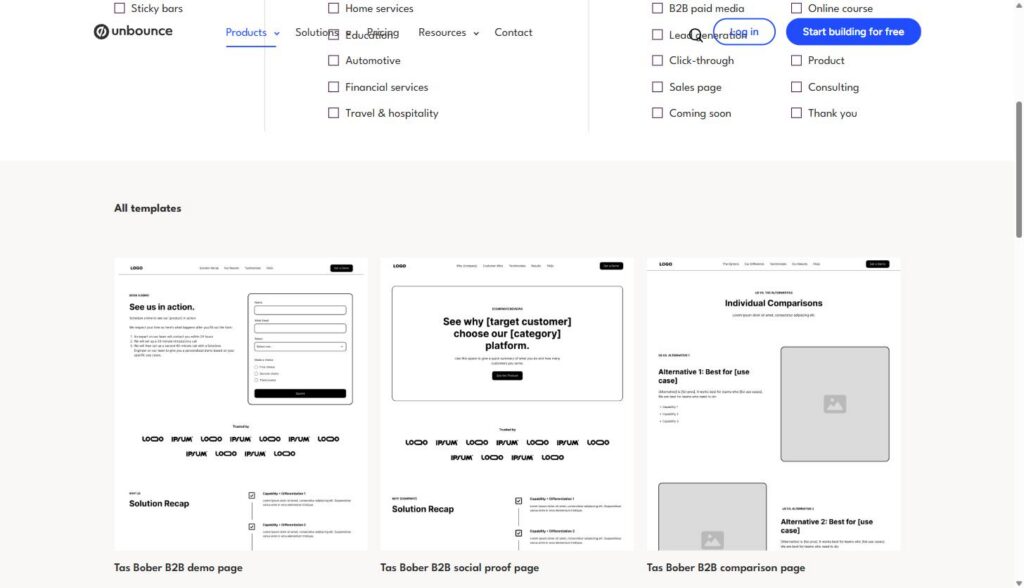
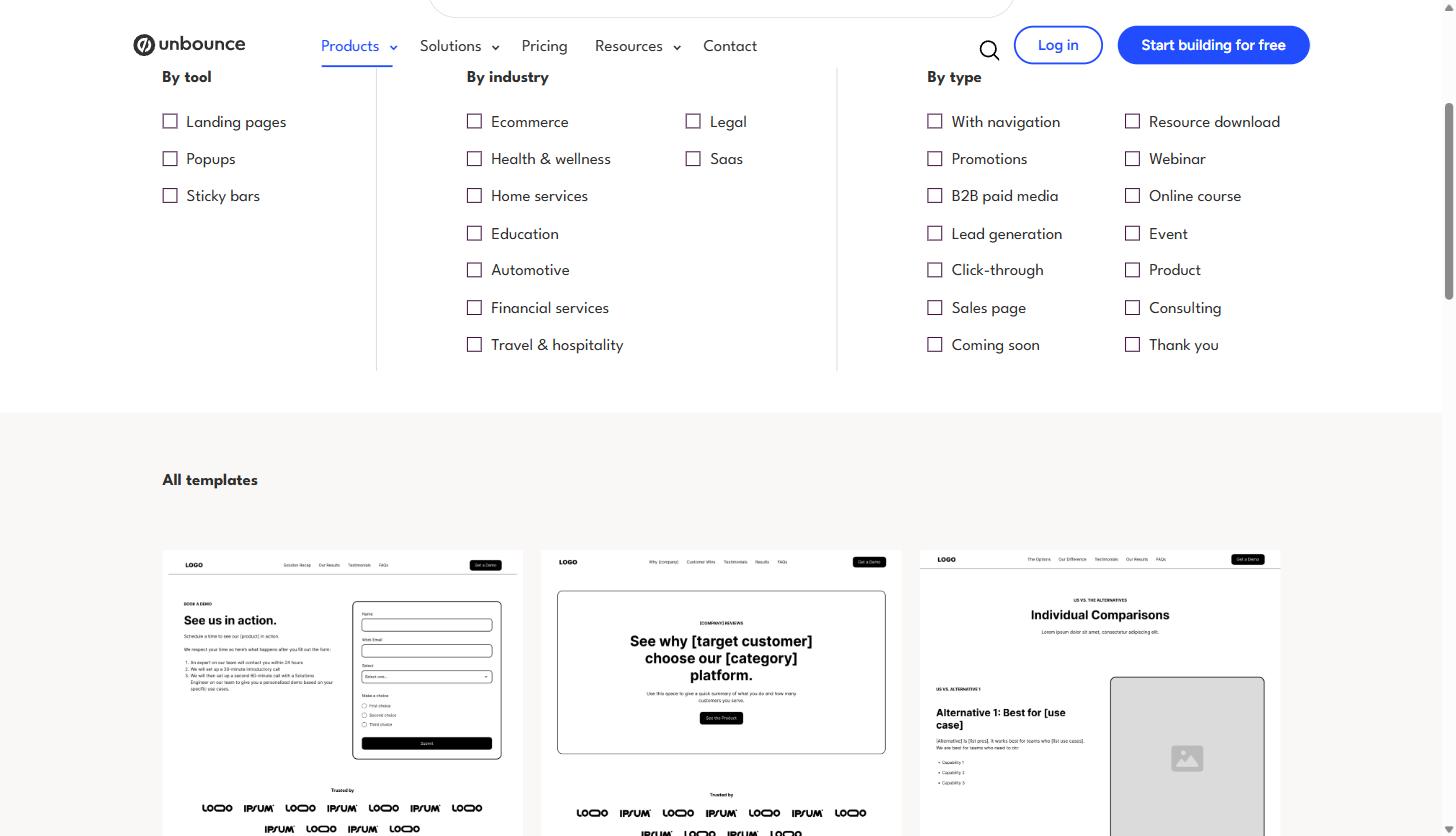
The page library includes more than 100 templates, organized by industry and page type (demo request, comparison page, social proof, lead generation, webinar, product page, and more). We pulled up the live template gallery while researching this piece and the B2B-specific templates are noticeably built for SaaS buying patterns: comparison layouts with a built-in “why us vs. alternative” structure, and demo-request pages with the form placed above the fold instead of buried at the bottom.
Beyond templates, the builder gives you:
- Custom scripts and a Script Manager, so you can drop in JavaScript, CSS, or HTML and then apply that same script across multiple pages without rebuilding it each time.
- Custom mobile pages, meaning your mobile layout isn’t just a responsive squeeze of the desktop version. You can control every element independently for mobile, which matters given how much paid traffic lands on a phone first.
- Direct domain publishing, so pages can live on your existing domain or subdomain rather than an unbounce.com URL, which keeps your tracking and SEO signals consistent.
- Dynamic Text Replacement, which swaps in headline or copy variations based on the search query or ad a visitor clicked through from, so a page built for one campaign can still feel tailored to dozens of keyword variants.
- Free access to more than 850,000 Unsplash images and 950+ Google Fonts built directly into the editor, so you’re not jumping between tabs to source visuals.
None of this replaces good page strategy. A well-built page with weak copy still won’t convert. But the mechanical friction of getting a page live, tested, and iterated on is genuinely lower here than building the same thing as a one-off template in a general CMS.
The AI copy tool: Smart Copy
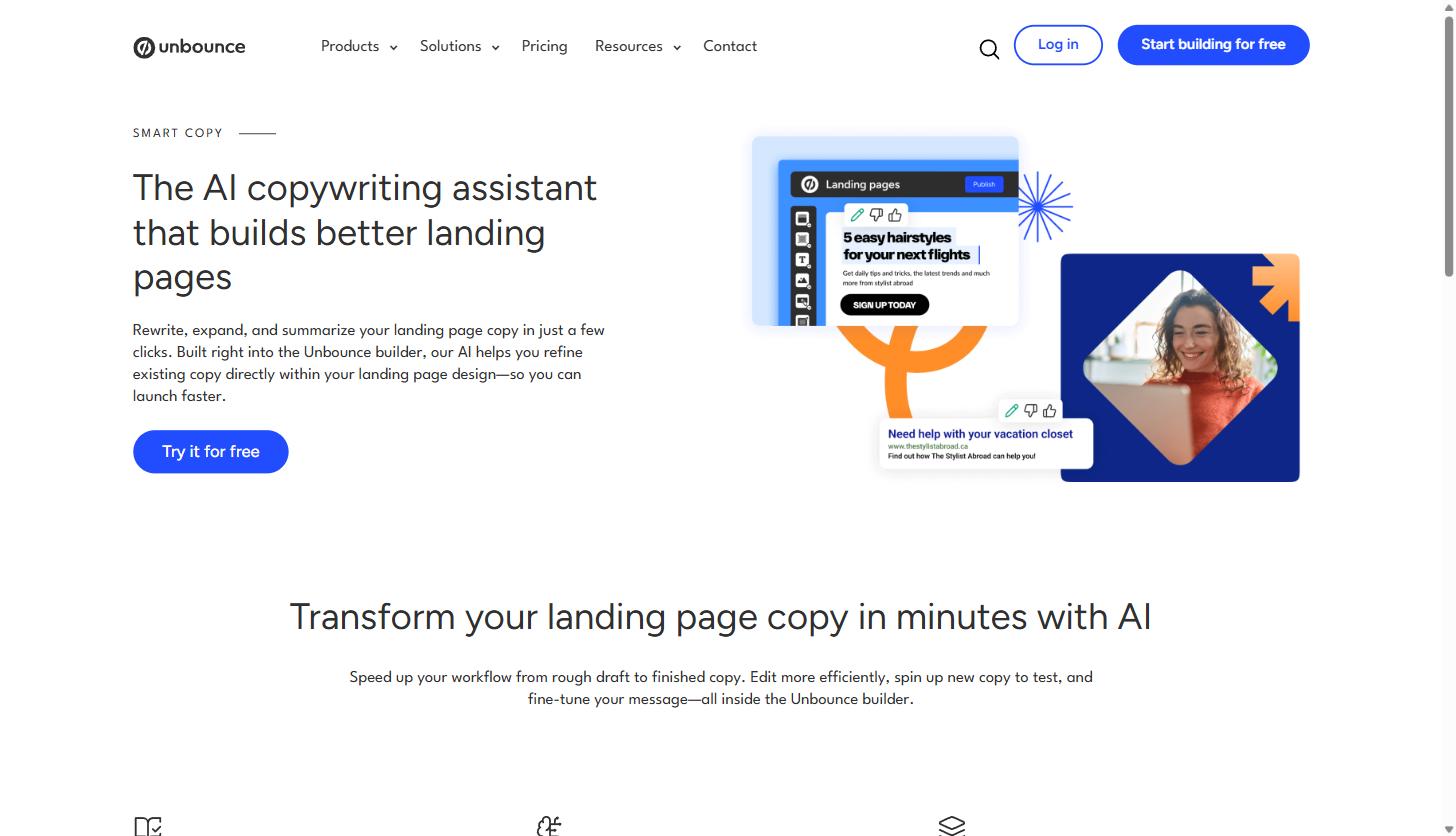
Unbounce’s AI copywriting assistant is called Smart Copy, and it’s built into the page editor rather than living as a separate app you paste text into and back out of. From inside a text block you can generate copy, expand a short line into a fuller paragraph, get a suggested next sentence, summarize a longer block down to something punchier, or ask for a rewrite in a different tone.
It’s useful for getting past a blank headline field or generating three or four variants of a value proposition to test against each other, which matters because A/B testing headline and CTA copy is one of the highest-leverage things you can do on a landing page. It is not a replacement for someone who actually understands your product’s positioning. Treat it as a first draft generator, not a strategist.
Popups and sticky bars
Popups and sticky bars are part of the same builder, not a separate product, which means you can build a landing page and its exit-intent popup or scroll-triggered sticky bar in one workflow instead of stitching together two tools.
Triggering options include on page load, scroll depth, exit intent, and element click, and you can layer in targeting controls: which URL the popup shows on, how often a visitor sees it, scheduling windows, geographic targeting, referral source targeting, and cookie-based targeting so a returning visitor doesn’t see the same offer twice.
For a SaaS marketing team, the practical use case is usually one of two things: an exit-intent offer on a high-intent page (a demo request page, a pricing page) to capture visitors who were about to leave without converting, or a sticky bar promoting a webinar or content offer across a whole campaign landing sequence without needing a developer to add it page by page.
It’s worth being deliberate here rather than treating popups as a default add-on. An exit-intent offer on a page that’s already converting well can sometimes do more harm than good if it interrupts a visitor mid-decision. The targeting controls exist so you can scope a popup tightly (only new visitors, only on a specific URL, only after a scroll threshold) rather than firing it at everyone who lands on the page.
A/B testing and Smart Traffic
This is the part of Unbounce that gets talked about the most, and it’s worth separating into two distinct things because they solve different problems.
Standard A/B testing lets you build, launch, and read results on a split test across landing pages, popups, or sticky bars without needing a developer or a separate testing tool. You control the traffic split manually and Unbounce reports on statistical confidence as the test runs, so you’re not eyeballing whether a 2% lift is real or noise.
Smart Traffic is Unbounce’s AI-driven routing feature, and it works differently than a traditional A/B test. Instead of splitting traffic evenly and waiting for a winner, Smart Traffic learns which page variant converts best for different visitor attributes (device, browser, location, traffic source) in something closer to real time, and starts routing new visitors toward whichever variant is most likely to convert them specifically. Unbounce’s own reporting on this puts the lift at up to 30% more conversions compared to a standard even-split A/B test, which is a meaningful number if you’re running any real volume of paid traffic.
For a PPC-heavy SaaS team, this is the actual differentiator. You’re not just testing “which headline wins,” you’re letting the system route a mobile visitor from a Google Ads campaign to whichever variant performs best for mobile Google Ads visitors specifically, while a desktop visitor from LinkedIn gets routed to whichever variant works best for that segment. That’s a level of segmentation most teams don’t have the traffic volume or tooling to do manually.
If your team is running enough paid spend that a 20 to 30% conversion lift on landing pages actually moves pipeline numbers, this is worth trying on its own. You can try Unbounce here and run Smart Traffic against your current highest-spend campaign to see what it finds.
Practical use cases for service business marketing and agency teams
Landing page tools get pitched broadly, but the use cases that actually justify a dedicated platform for a B2B SaaS company tend to cluster around a few specific jobs:
PPC landing pages, separated from your core site. If you’re running Google Ads or LinkedIn Ads campaigns, sending that traffic to a generic product page on your main site almost always underperforms a page built specifically to match the ad’s promise, with one CTA and no navigation menu pulling attention away. This is the single most common reason SaaS teams adopt a tool like this, and it pairs directly with a PPC management program where landing page performance is half of what determines cost per lead.
Campaign-specific and account-based pages. ABM programs often need a page personalized to a specific account, industry vertical, or named prospect list. Building 20 or 30 of these as one-off pages in your main CMS is a real drag on dev time. A landing page builder with templates and Dynamic Text Replacement makes that volume manageable for a marketing team working without engineering support.
Gated content and webinar registration. Ebook downloads, whitepapers, and webinar sign-ups are classic landing page use cases because the page has exactly one job: get the form filled out. Multi-step forms and content gating are built into the platform specifically for this.
Testing before committing dev resources. A page that proves it converts on Unbounce is a much easier case to make to engineering for building the “real” version into your core site permanently, versus asking for a build based on a hunch.
Agencies running landing pages across multiple client accounts. For an agency team, the case for a dedicated platform is less about any single feature and more about workflow consistency. Building every client’s PPC landing pages inside their own individual CMS means learning a new content management system for every account, coordinating with each client’s dev team on a different release schedule, and losing the ability to reuse a proven template structure across accounts. Running client landing pages through one platform means the same team can build, test, and report on pages for five or ten different SaaS clients using one shared process, which is a meaningful efficiency gain when landing page turnaround time is part of what a client is paying for.
Pricing, honestly
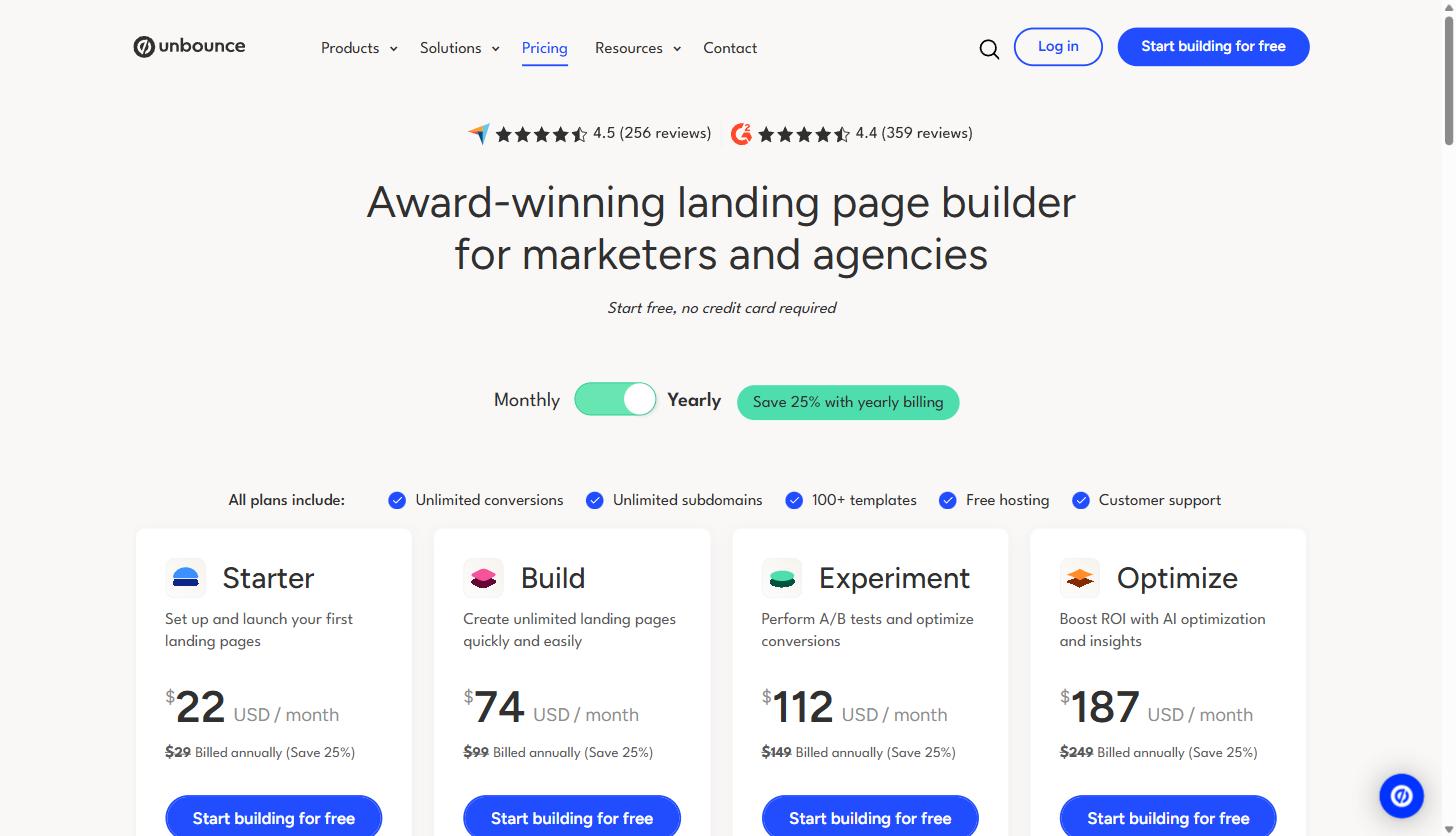
Unbounce’s current published pricing runs across five tiers. Annual billing knocks about 25% off the monthly rate on the first three plans.
| Plan | Monthly price | Annual price (per month) | Traffic limit | Notable inclusions |
|---|---|---|---|---|
| Starter | $29 | $22 | Up to 500 visitors, 5 pages | Drag-and-drop builder, lead gen forms |
| Build | $99 | $74 | Up to 20,000 visitors, unlimited pages | Popups, sticky bars, Smart Copy AI, custom scripts |
| Experiment | $149 | $112 | Up to 30,000 visitors | Unlimited A/B testing, manual traffic allocation, confidence reporting |
| Optimize | $249 | $187 | Up to 50,000 visitors | Smart Traffic AI routing, advanced triggers, benchmarking |
| Concierge / Agency | Custom | Custom | 50,000 to 100,000+ visitors minimum | Dedicated success manager, implementation support |
The practical read for a SaaS marketing team: the Starter plan is really a trial-adjacent tier, useful for testing the platform but not for running a real campaign. Most teams running actual paid traffic land on Build or Experiment. If Smart Traffic’s AI routing is the reason you’re evaluating Unbounce in the first place (and for a PPC-heavy team, it often should be), you need the Optimize tier to access it, which is a meaningful jump from the entry pricing you’ll see in most ads for the product. Agencies managing landing pages across multiple client accounts should talk to sales about the Agency tier rather than trying to force multiple clients through a single lower-tier account.
If you want to see current pricing directly and check which tier fits your traffic volume, you can try Unbounce here.
Unbounce vs. building pages in your CMS, and vs. Instapage
The most honest comparison isn’t Unbounce against another landing page tool, it’s Unbounce against just building the page in whatever CMS already runs your site. Building in your existing CMS keeps everything in one place and avoids a second subscription, and for a team with fast, flexible dev support and a component library built for rapid page assembly, that can genuinely be enough. Where it breaks down is speed and iteration: marketing teams without dedicated dev support end up waiting on a queue for every new variant, and A/B testing usually requires bolting on a separate tool anyway. A dedicated platform trades a monthly fee for marketing team independence and built-in testing infrastructure.
Within the dedicated landing page category, Instapage is the comparison that comes up most for SaaS teams evaluating options. The general pattern: Unbounce leans harder into AI-driven optimization through Smart Traffic and Smart Copy, while Instapage has built its reputation around personalization features and page-level analytics depth, with a large library of pre-built layout blocks. Neither is disparaged by picking the other. If your team is a smaller SaaS marketing group without a dedicated designer, Unbounce’s AI-assisted workflow tends to close the gap faster. If you have a larger team that wants deeper collaboration tooling and ad-to-page personalization at scale, it’s worth putting Instapage in the same evaluation.
What the data actually says about SaaS landing pages
Unbounce publishes its own conversion benchmark data pulled from pages running on its platform, and a few numbers from the SaaS category are worth knowing before you set expectations for your own pages:
- The median SaaS landing page conversion rate sits at 3.8%, which runs about 42% below the 6.6% baseline across all industries on the platform. SaaS buyers convert more slowly, which tracks with longer, more considered B2B buying cycles.
- By traffic channel, email drove the highest conversion rate in the report at 16.9%, more than four times the next best channel. Paid search followed at 4.1% overall, with Google Search ads specifically at 5.1% and Bing ads at 1.9%. Paid social came in at 2.9%, and display ads trailed badly at 0.3%.
- Mobile traffic slightly outperformed desktop in the report (6.4% versus 6.2%), and mobile now accounts for the large majority of traffic hitting these pages, which is part of why mobile-specific page control in the builder matters more than it used to.
- Copy complexity had a large measurable effect: pages written at a 5th to 7th grade reading level converted at 12.9%, compared to 2.1% for pages written at a professional or academic reading level. The report’s recommended range was 250 to 725 words.
The takeaway isn’t that any specific tool guarantees these numbers. It’s that the biggest lever on a landing page is usually the offer and the copy, not the software. What a platform like Unbounce buys you is the ability to actually test that instead of guessing, and to know these terms (conversion rate, Smart Traffic, Dynamic Text Replacement) in context. If any of that terminology is new, our marketing glossary breaks down the core conversion and landing page terms in plain language.
Where this fits if you’re a service business marketing leader
If your team is running paid campaigns and sending that traffic to your core website, a dedicated landing page tool is one of the highest-leverage additions you can make, mostly because it removes the dev bottleneck that kills iteration speed. Unbounce’s specific strength is the combination of a genuinely capable no-code builder with AI-driven traffic routing that most competitors don’t match at the same price point.
It’s not going to fix a weak offer or write your positioning for you. But if the page itself, not the underlying product, is the thing holding back your paid conversion rate, it’s worth testing directly. You can try Unbounce here and run it against your current best-performing campaign to see what a properly tested page actually does to your numbers.
Share this article

Alex Carter leads SEO and content strategy at MV3 Marketing, specializing in generative engine optimization, technical SEO, and AI-driven content systems for B2B companies.
Ready to audit your organic growth opportunity?
$2,500 flat. 5 business days. Six deliverables tied to pipeline , not rankings. No retainer required.
Get the Organic Growth Audit →