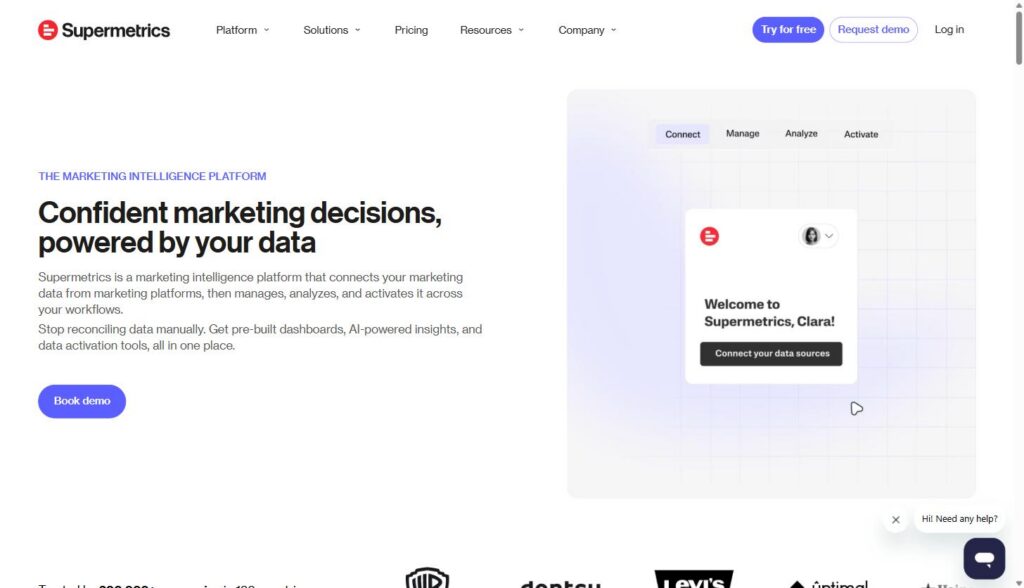
Supermetrics is a marketing intelligence platform that connects your ad accounts, analytics tools, CRM, and other marketing data sources into one place, then automates the reporting that most teams still build by hand. It’s built for marketers and agencies who are tired of copying numbers between platforms every week and want a live, repeatable reporting workflow instead.
Disclosure: MV3 Marketing participates in affiliate and partner programs, including with Supermetrics. This post contains affiliate links, and we may earn a commission if you sign up through them, at no extra cost to you. We only recommend tools we’ve actually researched and believe are useful for the B2B SaaS marketing teams we work with.
The problem: marketing data lives in fifteen different tabs
If you run marketing for a B2B SaaS company, or you manage marketing for several clients at an agency, you already know the routine. Monday morning starts with logging into Google Ads, then Meta Ads, then LinkedIn Ads, then GA4, then whatever CRM the sales team uses, then maybe a spreadsheet someone built two years ago that nobody wants to touch. You copy numbers into a master sheet, reconcile the ones that don’t match, and build a report that’s out of date by the time it reaches your VP or client.
This isn’t a productivity nitpick. It’s a structural problem. Marketing teams now pull from dozens of platforms, and every platform has its own login, its own export format, and its own definition of things like “conversion” or “session.” Somebody has to reconcile all of it, and that somebody is usually a marketer who would rather be doing strategy work than data entry.
Supermetrics exists specifically to remove that manual layer. It connects to your data sources, normalizes the data, and pushes it into a dashboard, a spreadsheet, a BI tool, or a data warehouse on a schedule you set. The pitch is simple: stop reconciling metrics by hand, start working from a report that updates itself.
What Supermetrics actually does: connect, manage, analyze, activate
Supermetrics organizes its platform around four steps, and understanding them is the fastest way to understand what you’re actually buying.
Connect: marketing data integration
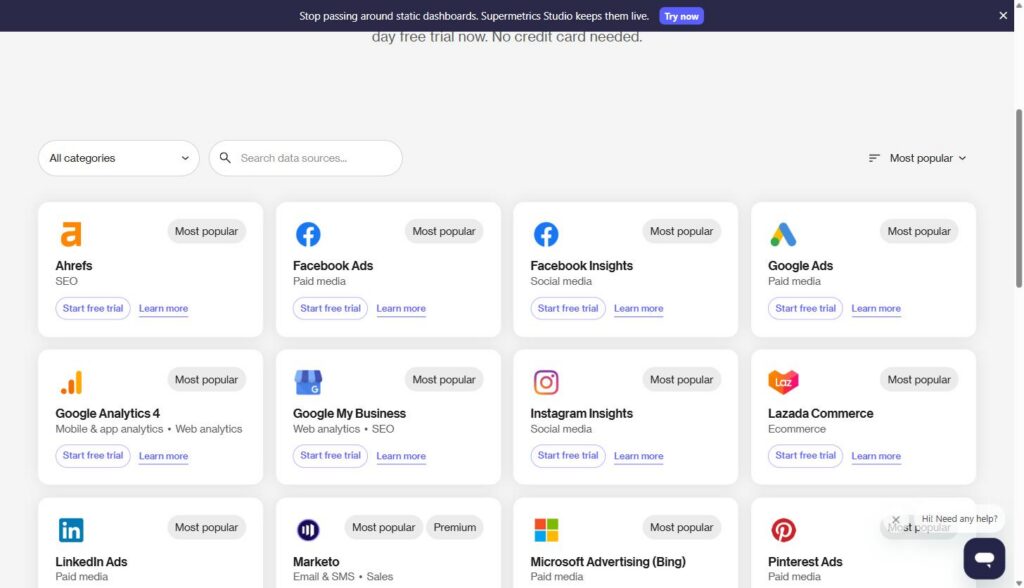
This is the core of the product. Supermetrics connects to marketing data sources across paid media, web analytics, SEO, ecommerce, email and SMS, mobile app analytics, sales, and affiliate marketing. On the paid media side that includes Google Ads, Meta Ads, LinkedIn Ads, Microsoft Advertising, TikTok Ads, Pinterest Ads, Amazon Ads, and Reddit Ads, among others. For analytics, it connects to Google Analytics 4, Google Search Console, Adobe Analytics, and Semrush. On the CRM and sales side, it pulls from HubSpot, Salesforce, Pipedrive, and Zoho CRM. There are also connectors for ecommerce platforms like Shopify and WooCommerce, and email tools like Klaviyo, Mailchimp, and ActiveCampaign.
Once connected, the pre-built connectors keep pulling fresh data automatically instead of requiring a manual export every time someone needs current numbers.
Destinations: where the data actually lands
Connecting a data source is only half the equation; the other half is where that data ends up. Supermetrics supports a range of destinations depending on how your team already works. You can send data straight into Google Sheets or Excel if your team lives in spreadsheets, into Looker Studio or Power BI if you’re already building BI dashboards, into a Supermetrics Dashboard if you’d rather not maintain a separate BI tool at all, or into a data warehouse like Google BigQuery or Snowflake if your data or engineering team wants raw access for further modeling. There’s also a direct Slack destination for teams that want performance summaries dropped into a channel instead of requiring anyone to open a dashboard at all.
This flexibility matters more than it sounds. A lot of reporting tools force you into their own dashboard as the only output. Supermetrics is built more as a data pipeline with reporting as one of several outputs, which means it fits into whatever reporting stack your team already has instead of replacing it.
Manage: cleaning and normalizing the data
Raw exports from different platforms rarely line up cleanly. Google Ads calls something a conversion; your CRM might define a similar event differently. Supermetrics handles schema harmonization automatically and lets you apply data transformations so the numbers from different sources actually mean the same thing when they sit next to each other in a report.
Analyze: dashboards and AI-assisted analysis
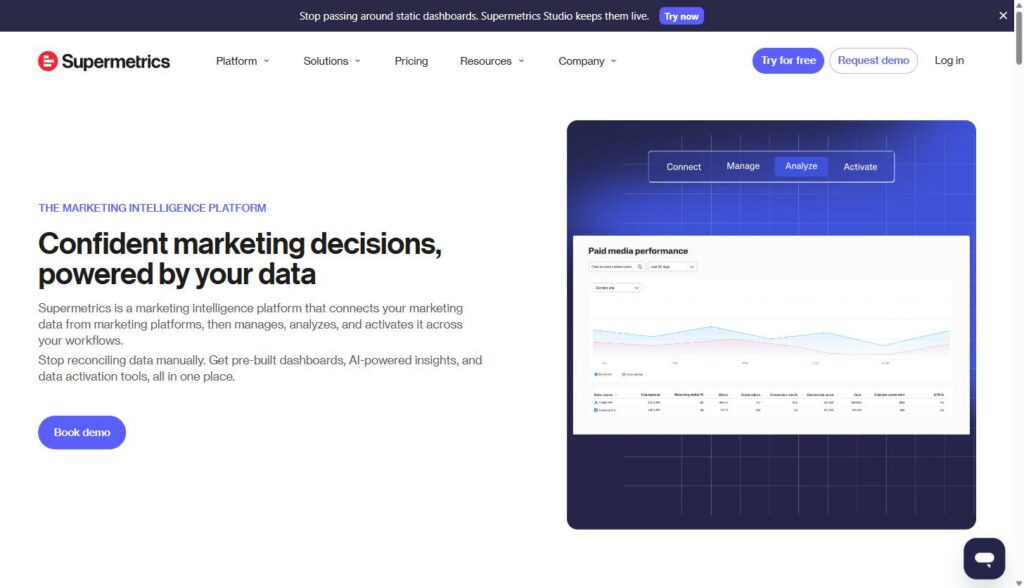
From there, you can build reports inside Supermetrics Dashboards, or push the same data into Looker Studio, Google Sheets, Power BI, or Excel if that’s where your team already works. Supermetrics also offers an Insights Agent for asking questions about your data directly, and a Supermetrics MCP product that connects the platform’s data to AI tools like Claude, so a marketer can ask a natural-language question and get an answer pulled from live campaign data instead of digging through a dashboard manually.
Activate: pushing insights back into your tools
The newer piece of the platform is data activation, which lets you build audience segments and sync them back to ad platforms, email tools, and CRMs, so the reporting layer isn’t just a read-only dashboard. It becomes a two-way connection between your data and the tools your team uses to act on it.
If you want to see the actual interface before committing to anything, you can start with Supermetrics here and walk through the connector setup yourself. There’s a 14-day free trial that doesn’t require a credit card.
Where this actually matters for B2B service business and agency marketing teams
The generic pitch is “save time on reporting.” The specific value for SaaS marketing leaders and agencies shows up in a few recurring situations.
Multi-client reporting without rebuilding the wheel every time
Agencies managing several client accounts run into a version of the same problem repeatedly: every client wants a report, every client’s data lives in different ad accounts and analytics properties, and building each report by hand doesn’t scale past a handful of clients. Supermetrics is built to let agencies manage data connections, dashboards, and automated reports for every client from a central hub, with each client’s data kept separate and reports delivered under the agency’s own branding rather than showing Supermetrics as the tool underneath. Agencies including Dentsu, Accenture, Tinuiti, and Atomic 212 use the platform for exactly this kind of client reporting at scale, according to Supermetrics’ own agency solutions page.
Blended CAC and pipeline reporting for service business marketing leaders
For an in-house SaaS marketing team, the recurring headache is usually connecting ad spend to pipeline. Your CFO doesn’t want a Google Ads report and a HubSpot report side by side; they want to know what customer acquisition cost looks like when ad spend from Google, LinkedIn, and Meta is blended with actual pipeline data from the CRM. Pulling Google Ads, LinkedIn Ads, and CRM data into one connected report is the kind of thing that used to require an analyst manually joining spreadsheets every month. With the data pulled automatically into a shared destination, that blended view becomes a standing report instead of a one-off project.
Ad spend reconciliation across platforms
If you’re running paid campaigns across three or four platforms, reconciling spend and performance at the end of the month is tedious even when nothing has gone wrong. Automated connectors that refresh on a schedule (daily on the Growth plan, weekly on Starter) mean the numbers are already sitting in your destination sheet or dashboard when it’s time to check them, instead of requiring someone to log into every ad platform and export CSVs.
Multi-location and multi-region reporting for growing service businesses
Once a SaaS company has more than one product line, or runs marketing across multiple regions with separate ad accounts and separate GA4 properties, the reporting problem multiplies. A marketing leader trying to compare performance across a US GA4 property and an EU GA4 property, or across two separate Google Ads accounts tied to two product lines, runs into the same manual reconciliation problem as an agency managing multiple clients, just internally instead of externally. Connecting each property and account as its own data source and blending them in one destination avoids the spreadsheet-stitching that usually happens by default once a company outgrows a single, simple analytics setup.
Supermetrics pricing: what you’re actually paying for
Pricing is one of the more common points of confusion with Supermetrics, so it’s worth laying out plainly. As of this writing, the platform has three tiers:
| Plan | Price | Data Sources | Users | Refresh Rate |
|---|---|---|---|---|
| Starter | $55/month ($44/month billed annually) | 3 of your choice | 1 | Weekly |
| Growth | $222/month ($177/month billed annually) | 6 of your choice | 2 | Daily |
| Enterprise | Custom quote | All available | Custom | On-demand |
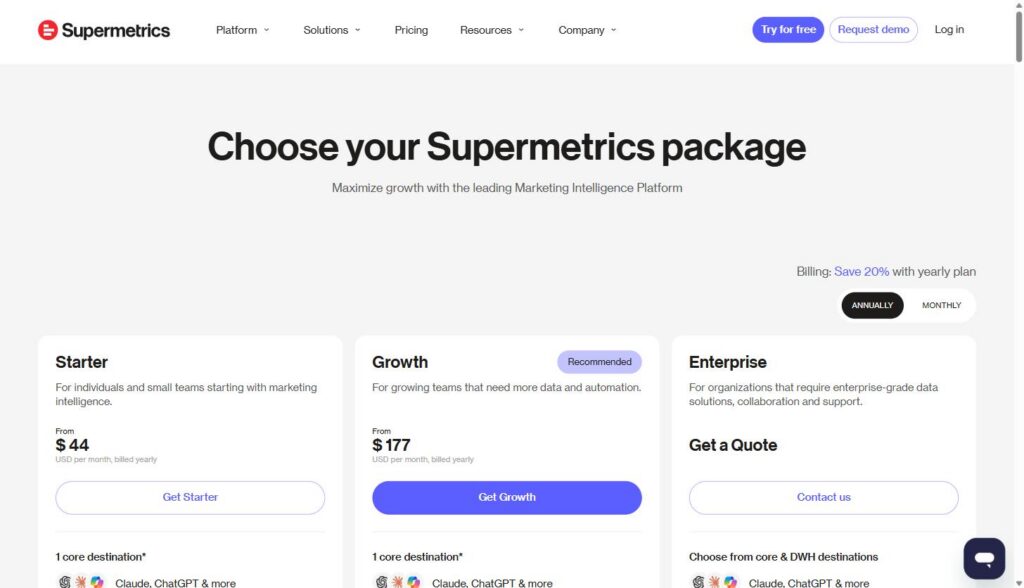
A few things worth knowing before you pick a plan. Pricing is annual-commitment only, there’s no month-to-month option on the published tiers. The Starter and Growth plans cap the number of data sources you can connect, and adding sources beyond your plan’s limit costs extra, so if your team pulls from eight or nine platforms, the real monthly cost will land closer to Growth-plus-add-ons than the sticker price suggests. Both published plans also come with a monthly cap on AI credits (4,000 on Starter, 12,000 on Growth) and a cap on Data API rows, which matters if you’re planning to route a large volume of data through the API rather than just viewing dashboards.
None of this makes Supermetrics overpriced for what it does, but the “it depends how many sources you connect” structure is worth budgeting for before you commit annually. If you’re evaluating it for a small in-house team pulling from three or four core channels, Supermetrics’ Starter or Growth plan is a reasonable place to start, and you can upgrade once you know exactly how many sources you actually need connected.
Manual exports vs. an automated pipeline: what actually changes
It’s worth being honest about what switching from manual exports to a tool like Supermetrics actually changes, because the value isn’t really about saving a few minutes here and there.
Manual exports mean someone has to remember to pull the data, format it consistently, and catch errors when a platform changes its export structure (which happens more often than people expect). The report is only as current as the last time someone did that work, which in practice means most manual reports are days or weeks stale by the time anyone reads them.
An automated connector pipeline changes the failure mode. Instead of “did someone remember to pull this,” the question becomes “is the connector still authenticated and pulling correctly,” which is a much smaller and more manageable problem. It also means the report a client or executive opens on a Tuesday reflects Monday’s numbers, not last month’s.
The tradeoff is setup time and cost. Connecting sources, mapping fields, and building the first version of a dashboard takes real hours up front, and the subscription cost is ongoing rather than a one-time expense. For a team spending several hours a week on manual exports, especially across multiple clients, that tradeoff usually pays for itself quickly. For a team with one or two data sources and light reporting needs, it may not be worth the cost yet, and native exports from GA4 or Looker Studio’s free connectors might cover the need. If your reporting needs start with getting your GA4 configuration audited and cleaned up first, that’s worth doing before layering a data pipeline tool on top of it, since a pipeline tool will faithfully automate whatever’s already broken in your source data.
Getting started: what the actual setup looks like
The setup flow follows the same four-step structure as the product itself. You start by choosing your destination (Google Sheets, Looker Studio, a Supermetrics dashboard, BigQuery, and others are all supported), then connect the data sources you want to pull from by authenticating each account. From there you build out the specific fields, dimensions, and date ranges you want reported, and set a refresh schedule so the report updates on its own going forward.
For most teams, the first real dashboard is the hardest part, not because the tool is complicated, but because it forces a conversation about which metrics actually matter and how different platforms define them. That’s a useful exercise even outside of Supermetrics specifically. If your team hasn’t had that conversation yet, it’s worth having before connecting anything, since a beautifully automated dashboard full of the wrong metrics doesn’t help anyone make better decisions.
Once the definitions are settled, you can connect your first data source and see the dashboard populate in real time, which is usually the moment it becomes obvious whether the tool is going to save the amount of time you’re hoping for.
Common questions about Supermetrics
Does Supermetrics replace Looker Studio or Power BI?
No, and it isn’t trying to. Supermetrics is a data connector and pipeline layer that feeds data into BI tools like Looker Studio and Power BI, or into its own dashboard product if you’d rather not run a separate BI tool. Most teams that use Supermetrics still build their actual visual reports in Looker Studio or a Supermetrics Dashboard; Supermetrics just handles getting clean, current data into that destination without a manual pull.
Does it work with GA4?
Yes. Google Analytics 4 is one of the core connectors, listed alongside Google Search Console and Adobe Analytics under Supermetrics’ web analytics category. Teams commonly pair a GA4 connector with paid media connectors like Google Ads and Meta Ads to get spend and on-site behavior in the same report. Worth noting: connecting GA4 to a reporting tool doesn’t fix underlying tracking or configuration problems in the GA4 property itself. If your GA4 setup has known issues, it’s worth working through a GA4 audit checklist first so the data flowing into your new dashboard is trustworthy.
How long does it take to set up?
Connecting a single data source and getting a basic report running typically takes minutes, since the connectors are pre-built and mostly require authenticating your existing account. Building a genuinely useful, multi-source dashboard with the right fields, correct date ranges, and consistent metric definitions across platforms takes longer, usually a few hours to a couple of days depending on how many sources and how complex the reporting requirements are.
Is there a free plan?
There’s a 14-day free trial that gives access to any connector without requiring a credit card, but there isn’t a permanent free tier. After the trial, pricing starts at the Starter plan.
Who this is actually for
Supermetrics makes the most sense for marketing teams and agencies that are already spending real hours each week or month pulling and reconciling data manually across more than a couple of platforms. That’s most B2B SaaS marketing teams running paid media on two or more channels alongside GA4 and a CRM, and it’s nearly every agency managing more than a handful of client accounts.
It makes less sense if your reporting need is genuinely simple, one ad platform and one analytics source with a small audience of stakeholders who are fine checking native dashboards directly. In that case, the cost of a subscription probably isn’t justified yet.
It’s also worth understanding your own marketing data terminology before evaluating any reporting tool, since a lot of the friction in these conversations comes from teams using words like “conversion,” “session,” or “attribution” to mean different things across different platforms. A data pipeline tool won’t resolve that ambiguity for you; it will just make the ambiguous numbers arrive faster.
For a B2B SaaS marketing leader trying to get out of the weekly export-and-reconcile cycle, or an agency trying to scale client reporting without adding headcount, the core value proposition holds up: connect once, get a report that updates itself, and spend the time you save on the parts of the job that actually require a person. You can start a free trial with Supermetrics here and see how it fits your specific stack before committing to an annual plan.
Share this article

Vance Moore is Chief Growth Officer at MV3 Marketing and leads its team of SEO professionals, engineers and auditors.
Ready to audit your organic growth opportunity?
$2,500 flat. 5 business days. Six deliverables tied to pipeline , not rankings. No retainer required.
Get the Organic Growth Audit →