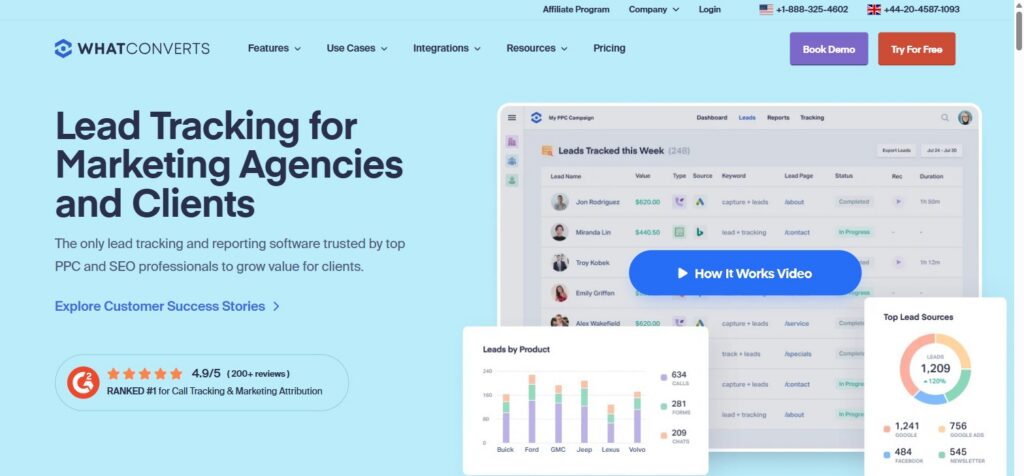
WhatConverts is a lead tracking and marketing attribution platform that connects phone calls, form fills, chats, and e-commerce transactions back to the exact campaign, keyword, and ad that generated them. It’s built for marketing agencies and in-house SaaS teams that need to prove which channels actually produce revenue, not just traffic.
Disclosure: MV3 Marketing participates in affiliate and partner programs, including WhatConverts’ partner program. This post contains affiliate links, and we may earn a commission if you sign up through them, at no additional cost to you. We only recommend tools we’ve researched and believe are genuinely useful for SaaS and agency marketing teams.
The Problem: Your Best Leads Don’t Show Up in GA4
Every SaaS marketing team eventually runs into the same wall. Google Analytics 4 can tell you a visitor landed on your pricing page from a paid search campaign. What it can’t tell you is whether that visitor picked up the phone and called your sales line, filled out a form that routed through a third-party scheduler, or came back three weeks later through a completely different channel before converting.
That gap matters more than most dashboards admit. Phone calls alone can represent a huge share of qualified conversions for service-driven businesses, and even for pure SaaS companies, demo requests routed through chat widgets or scheduling tools often go untracked at the campaign level. When a client or a CFO asks “which campaign actually generated this deal,” a lot of marketing teams are stuck guessing.
This is the exact problem WhatConverts was built to solve. It’s a lead tracking and marketing attribution tool, and after digging into its feature set, its integrations, and its pricing, here’s a practical breakdown of what it actually does and where it fits for agencies and SaaS marketing teams trying to prove real ROI.
What WhatConverts Actually Does
At its core, whatconverts.com positions the product as lead tracking software “trusted by top PPC and SEO professionals to grow value for clients.” The platform pulls together four lead types into one dashboard: phone calls, form submissions, live chats, and e-commerce transactions. Instead of treating each of those as a separate reporting silo, WhatConverts ties every one of them back to the campaign, keyword, and landing page that produced it.
The homepage makes the target audience obvious immediately. This isn’t a generic analytics tool bolted onto a CMS. It’s built specifically for marketing agencies managing lead generation for multiple clients, and for the SaaS or service businesses that hire those agencies and want proof of what they’re getting for their spend.
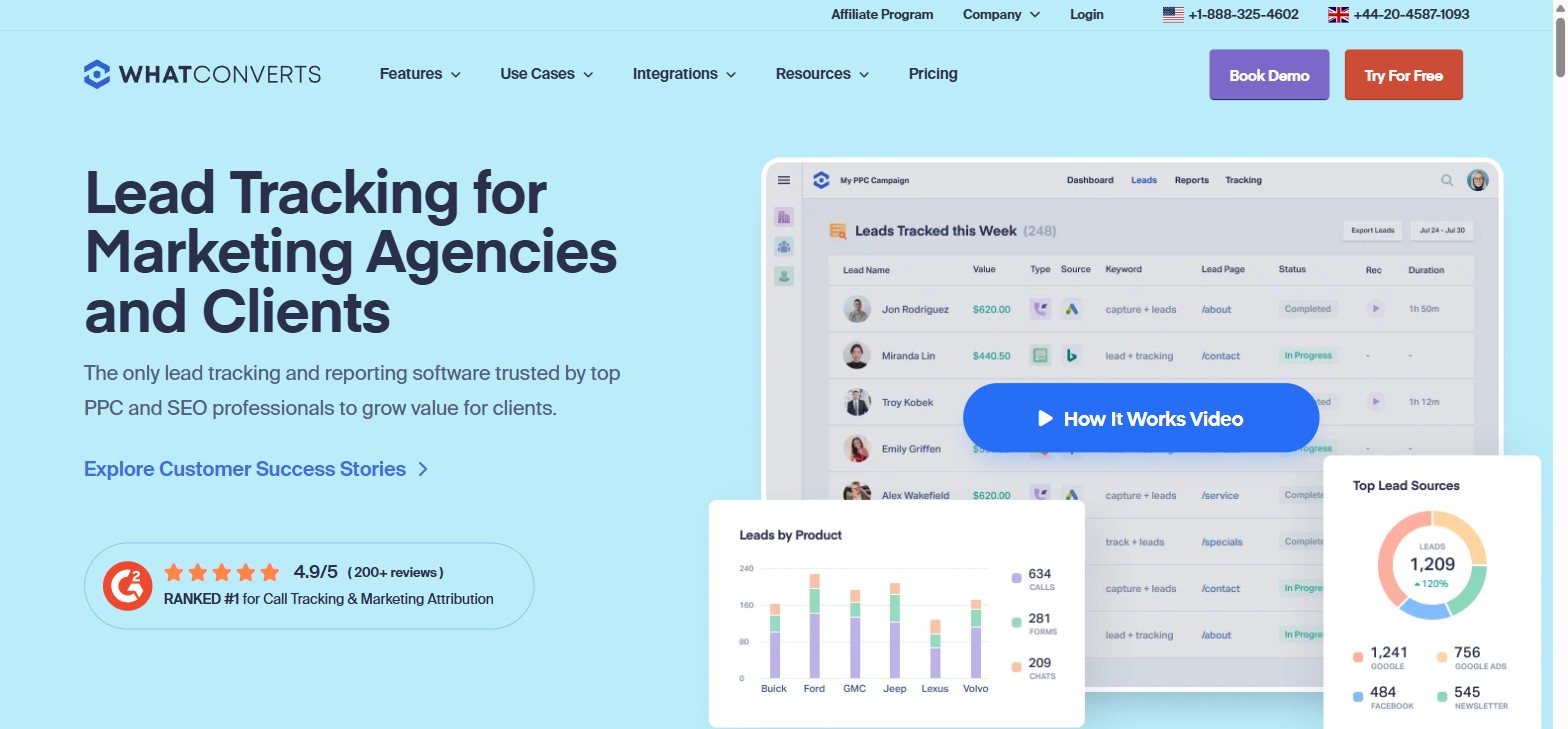
On the site itself, WhatConverts displays a 4.9 out of 5 rating from more than 200 reviews and calls itself the #1 ranked tool for call tracking and marketing attribution. Whether or not you weight review-site rankings heavily, the more useful signal is what’s under the hood: the actual tracking mechanics and reporting depth, which is worth walking through feature by feature.
Call Tracking: Where Most of the Value Lives
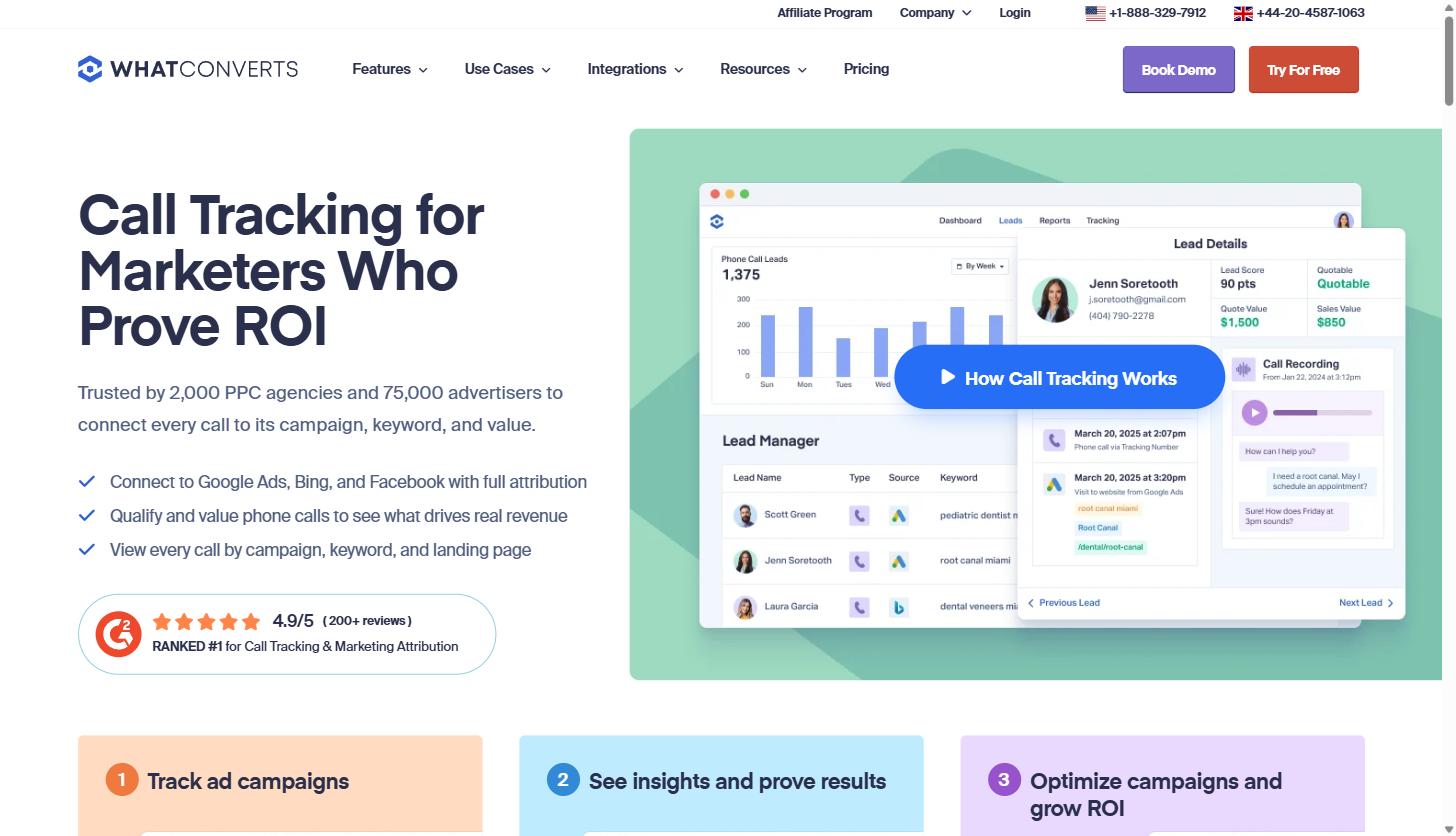
For a lot of B2B and local-service businesses, call tracking is the single biggest attribution gap, and it’s the feature WhatConverts leads with. The call tracking product page states the platform is trusted by 2,000 PPC agencies and 75,000 advertisers to “connect every call to its campaign, keyword, and value.”
Here’s how the mechanics work in practice:
- Dynamic Number Insertion (DNI): Unique phone numbers are swapped in dynamically based on which ad, keyword, or landing page a visitor arrived from, so every call can be traced back to its source without manual tagging.
- Local, toll-free, and ported numbers: Agencies can bring in existing client phone numbers rather than forcing a number change, which matters for businesses that have printed a number on trucks, signage, or business cards for years.
- Call recording and transcription: Calls are recorded and transcribed, with AI-based lead analysis flagging buyer intent and qualification signals directly from the conversation.
- Call flows: Voicemail, IVR menus, scheduling, and geo-routing let agencies build out a full call handling structure rather than just a passive tracking number.
- Google Ads and Bing integration: Call data flows back into ad platforms for enhanced conversions and keyword-level attribution, so a phone call can trigger the same optimization signals a form fill or purchase would.
The practical upshot: if a client’s sales team is closing deals over the phone, and your reporting only shows form fills, you’re systematically underselling what the campaign actually produced. Call tracking closes that gap without requiring a separate platform.
Form, Chat, and Lead Management
Beyond calls, WhatConverts tracks form submissions and live chat conversations the same way, tying them to the campaign and keyword that drove the visit. According to WhatConverts’ lead management documentation, leads land in a real-time dashboard called Live View, where they can be qualified with a single click, tagged with custom fields, and assigned a sales value.
Qualification isn’t limited to logging into a dashboard. WhatConverts can send email notifications for each new lead with quick “Yes” or “No” qualification buttons built into the email itself, which is a meaningfully faster workflow than requiring account managers to log into yet another portal every time a lead comes in. For agencies running qualification calls with clients, that email-based flow can process a batch of leads in minutes rather than requiring a scheduled review session.
The reporting side breaks into a few categories: marketing reports that show which channels and keywords are generating leads, a custom report builder for agency-specific views, and real-time reporting that can be shared directly with a sales team so they’re working the newest leads first rather than a stale export from the day before.
Proving ROI Is the Whole Point
Everything in the platform points back to one goal: connecting marketing spend to actual revenue. WhatConverts lets teams assign quote and sale values to individual leads, which means a campaign report doesn’t stop at “12 leads generated.” It can show that those 12 leads were worth a combined dollar figure in quoted or closed revenue, broken down by campaign and keyword.
That’s the difference between a vanity metric and a number a CFO or client actually trusts. It’s also the core reason agencies use tools like this instead of relying purely on native ad platform reporting, which has no visibility into what happens after a click turns into a phone call or an offline conversation.
If you’re managing paid or organic campaigns for SaaS clients and you’ve ever had to explain a lead-volume dip that was actually just a change in tracking, a tool like WhatConverts is worth evaluating specifically for that reason. It’s also worth pairing with a clean underlying GA4 configuration, since call and form tracking data is only as useful as the analytics foundation it feeds into.
Integrations: Where It Plugs Into Your Existing Stack
A tracking tool is only as useful as the systems it connects to. WhatConverts lists more than 1,000 integrations, spanning several categories that matter for SaaS marketing teams specifically:
- Ad platforms: Google Ads, Bing Ads, Facebook Ads, and both legacy Google Analytics and GA4
- CRMs: HubSpot, Salesforce, Pipedrive, Zoho, and several industry-specific CRMs
- Forms and landing pages: Gravity Forms, Typeform, JotForm, Unbounce, Instapage, ClickFunnels, and Formstack, among others
- Chat and messaging: Intercom, Drift, LiveChat, Zendesk Chat, and Facebook Messenger
- Reporting layers: Google Looker Studio, AgencyAnalytics, ReportGarden, and TapClicks, which matters for agencies that already build white-labeled client dashboards
- E-commerce: Shopify, WooCommerce, and BigCommerce for transaction-level tracking
For SaaS companies specifically, the HubSpot and Salesforce integrations tend to matter most, since they let lead source and call data flow directly into the CRM record a sales rep is already working from, rather than living in a separate tool nobody checks.
Agency Use Cases: Where This Tool Earns Its Keep
The clearest use case for WhatConverts is an agency managing paid or organic campaigns for multiple clients who need airtight proof of what those campaigns delivered. A few specific scenarios stand out:
Client ROI Reporting
Instead of sending a client a report that says “we drove 400 sessions and 20 form fills,” an agency can report the actual dollar value tied to those leads, broken down by campaign and keyword. That’s a fundamentally different conversation in a renewal meeting.
Call Tracking for Local and Service Businesses
For clients in categories where phone calls are a primary conversion path, such as home services, legal, healthcare, or financial services, call tracking isn’t optional. It’s the difference between reporting a fraction of the pipeline a campaign generated and reporting all of it.
White-Label Reporting Under the Agency’s Own Brand
WhatConverts supports white labeling, meaning the dashboard, notification emails, and reports can carry an agency’s own branding instead of WhatConverts’. For agencies trying to reinforce their own value and reduce the risk of a client going direct to a vendor, that matters more than it might seem on paper.
Cross-Channel Attribution Across a Longer Sales Cycle
B2B SaaS deals rarely close on the first visit. WhatConverts’ multi-click attribution and customer journey tracking, available on its higher tiers, show the full path a lead took across multiple sessions and channels before converting, which is closer to how SaaS buying actually happens than last-click reporting.
Curious what any of these terms mean in more depth? MV3’s marketing glossary breaks down attribution models, DNI, and related concepts in plain language.
Pricing: What Each Tier Actually Includes
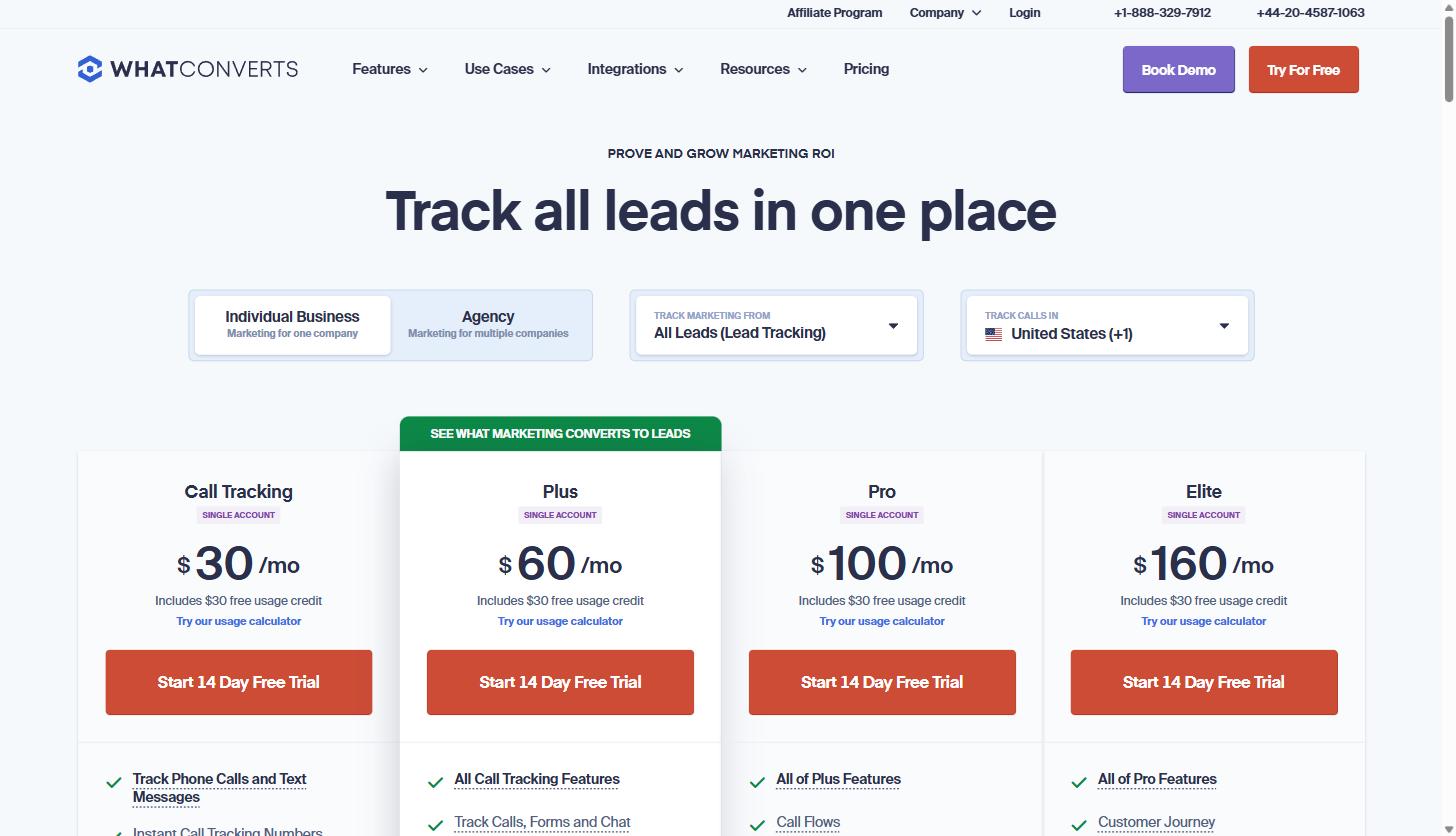
WhatConverts publishes its pricing directly on its site rather than hiding it behind a “contact sales” form, which is worth noting on its own. As of this research, there are four single-account tiers, each including a 14-day free trial and a $30 usage credit:
| Plan | Price | What’s Included |
|---|---|---|
| Call Tracking | $30/mo | Phone call and text message tracking, instant tracking numbers, dynamic number insertion, call recording, API access |
| Plus | $60/mo | Everything in Call Tracking, plus form and chat tracking, campaign and keyword-level reporting, Google Ads and Analytics integration |
| Pro | $100/mo | Everything in Plus, plus call flows, custom report builder, scheduled reports, HIPAA compliance |
| Elite | $160/mo | Everything in Pro, plus customer journey tracking, multi-click marketing attribution, pages visited, and lead intelligence |
A few details worth knowing before picking a tier: each plan includes up to 148 tracked phone call leads, with additional local numbers priced at $2.50 each and additional minutes at 4.5 cents. Form, chat, and transaction tracking is included up to 300 events on the Plus tier and above. White labeling is a flat $50 per month add-on across every tier. Agencies managing several clients will want to run the numbers through WhatConverts’ own usage calculator on the pricing page, since call volume and account count change the math quickly.
For a solo consultant or a single SaaS marketing team just trying to close the call-tracking gap, the entry-level $30 tier is a reasonable starting point. For an agency running full attribution reporting across paid, organic, and offline channels for multiple clients, the Pro or Elite tier is where the reporting depth actually pays for itself.
WhatConverts vs. Relying on GA4 Alone
It’s worth being direct about the comparison most SaaS teams are actually making: do you need a dedicated tool, or can GA4 handle this on its own?
GA4 is genuinely useful for understanding on-site behavior, and no lead tracking tool replaces the need for a clean, well-configured analytics setup. But GA4 has a structural blind spot: it can’t natively attribute a phone call to a specific keyword or ad without a call tracking layer feeding it that data, and it treats form fills as generic conversion events rather than qualified leads with a dollar value attached. If a visitor converts by phone, GA4 simply doesn’t see it unless something upstream, like WhatConverts, is capturing and passing that data in.
The practical pattern that works well is running both together. Keep GA4 clean and well-instrumented for on-site behavior and traffic-level reporting, and let a purpose-built tool like WhatConverts handle the call, form, and chat attribution layer that GA4 was never designed to capture. Neither tool fully replaces the other, and teams that try to force GA4 alone into call attribution tend to end up with reporting gaps that are hard to explain in a client meeting.
What Attribution Data Actually Changes in Practice
It helps to walk through a concrete scenario. Say an agency is running paid search for a SaaS client offering a mid-market accounting product, alongside an organic content program targeting the same buyer. Without call and form-level attribution, the monthly report shows two numbers: sessions and total form fills, split roughly evenly between the two channels. On paper, both channels look like they’re pulling their weight.
Now layer in lead tracking. Every form fill gets a source and keyword attached, and every inbound call gets the same treatment through dynamic number insertion. Three weeks in, the data shows something the surface-level report never would have: paid search is generating more total leads, but a disproportionate share of the highest-value opportunities, the ones that get a sales-qualified tag and a quoted deal size, are coming from organic content. Phone calls in particular are converting at a much higher rate to closed revenue than form fills from either channel.
That’s the kind of insight that changes a budget conversation. Without lead-level and call-level data, the agency would likely keep splitting spend evenly, or worse, cut the content program because its raw lead volume looks weaker on a dashboard that can’t see qualified value. With attribution data attached to every lead, the actual decision, shifting more budget toward the channel producing higher-value deals, becomes obvious rather than a guess.
This is the practical case for a dedicated attribution layer. It’s not about collecting more data for its own sake. It’s about making sure the reporting a team acts on reflects what actually drove revenue, not just what was easiest to measure by default.
Common Questions
How does billing work?
Each plan is billed monthly per single account, with a $30 usage credit included to offset call minutes, additional numbers, and per-event tracking charges like form or chat submissions above the plan’s included volume. Overages for things like additional local numbers, toll-free minutes, and call transcription are billed at the per-unit rates listed on the pricing page.
What does white labeling actually include?
A white label instance replaces WhatConverts’ own branding with an agency’s name, logo, and domain across the dashboard, client notification emails, and reports. It’s a flat add-on across every tier, which makes it accessible even for agencies on the entry-level Call Tracking plan who still want client-facing reporting to look like their own product.
What’s a call flow?
Call flows are the routing logic behind an inbound number: voicemail, IVR menus, geo-based routing to different offices or reps, and scheduling integrations. They’re available starting on the Pro tier and let an agency build out something closer to a full phone system rather than a basic tracking number that just forwards to one line.
How many users can access an account?
Account-level user roles and permissions are available across the plans, letting an agency add client stakeholders as viewers without giving them access to billing or account settings. Exact seat limits and role granularity are best confirmed against the current plan details before committing to a tier, since these details are the kind that get updated as the product evolves.
Getting Started
Setup follows a pattern similar to most call and lead tracking tools: connect ad accounts and analytics integrations, set up dynamic number insertion or static tracking numbers on the site, map form fields if using form tracking, and define what counts as a qualified lead versus noise like spam calls or internal test submissions. WhatConverts includes automated spam blocking out of the box, which cuts down on the manual cleanup that can otherwise eat into the first few weeks of setup.
For teams evaluating whether this is worth the switch from whatever spreadsheet-and-guesswork system is currently in place, the 14-day free trial on every tier is enough time to connect one or two campaigns and see whether the attribution data actually changes the story being told in reporting.
The Bottom Line
WhatConverts solves a specific, well-defined problem: connecting phone calls, forms, chats, and transactions back to the marketing that produced them, with dollar values attached. It’s not a replacement for GA4, a CRM, or an ad platform. It’s the attribution layer that sits between all three and makes sure the leads that don’t fit neatly into a click-based conversion event still get counted and valued correctly.
For agencies proving client ROI, or SaaS marketing teams tired of reporting partial numbers because half their leads come in by phone or chat, it’s worth a serious look. You can start a free 14-day trial with WhatConverts here and connect a single campaign to see what attribution data has been missing from your reporting.
Share this article

Ryan Brooks leads technical SEO at MV3 Marketing, specializing in schema architecture, entity graphs, crawlability, and the structural signals that determine whether AI answer engines cite a page.
Ready to audit your organic growth opportunity?
$2,500 flat. 5 business days. Six deliverables tied to pipeline , not rankings. No retainer required.
Get the Organic Growth Audit →