Affiliate disclosure: This article contains an affiliate link. If you sign up through it, MV3 Marketing may earn a commission at no extra cost to you. We only recommend tools we’ve evaluated firsthand and believe are genuinely useful for B2B SaaS and agency teams.
Most B2B SaaS companies now run a live video program of some kind: a weekly product demo, a LinkedIn Live AMA with the founder, a recorded webinar series, a customer story shot on location. The problem is almost never the willingness to show up on camera. It’s the production stack. Booking a video crew for a 30-minute webinar doesn’t make financial sense, but a single laptop webcam and Zoom recording rarely looks credible enough to put in front of a VP-level buyer.
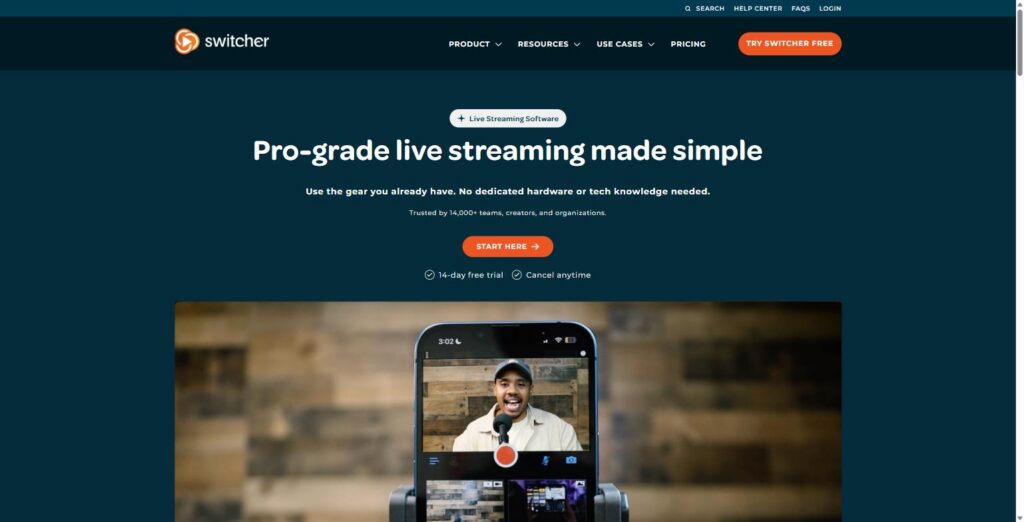
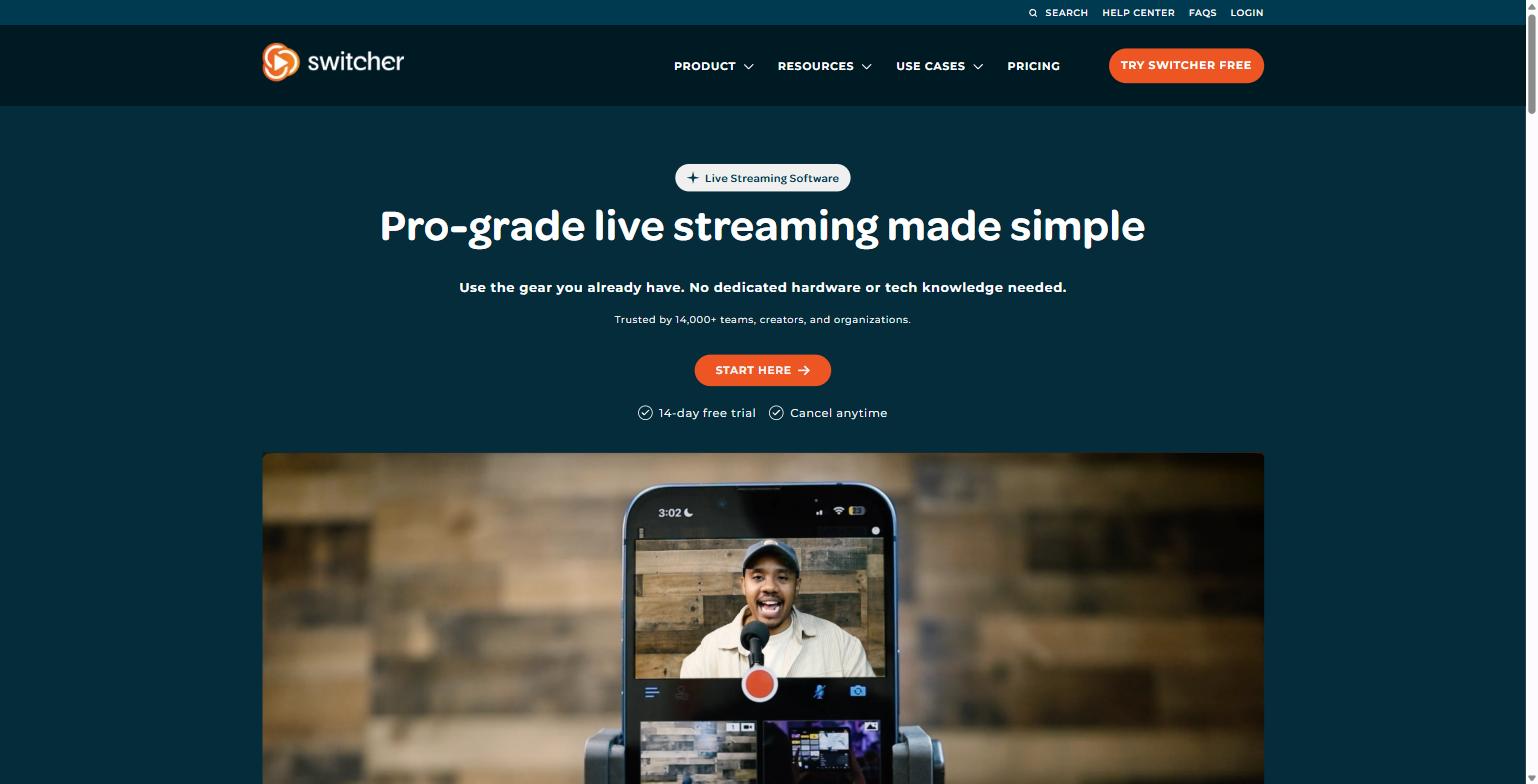
Switcher Studio sits in that gap. It’s a live video production app, built primarily for iPhone, iPad, and Mac, that lets one person direct a multi-camera livestream (switching between angles, adding lower-third graphics, and pushing the finished stream to multiple platforms at once) without a control room, a switcher box, or a crew. The homepage puts it plainly: “Use the gear you already have. No dedicated hardware or tech knowledge needed.” Switcher says it’s trusted by more than 14,000 teams, creators, and organizations, and it currently carries a 4.6-out-of-5 rating across 2,300+ reviews.
This guide covers what Switcher Studio actually does, three of its most relevant features for B2B marketing and agency teams, its real current pricing, who it isn’t a good fit for, and where it fits into a demand-gen or client-services video workflow.
Who this is actually for
Switcher Studio isn’t a general-purpose video editor or a Zoom replacement. It’s built for the specific moment when video needs to be live, produced from more than one angle, and pushed to more than one place. Inside a B2B SaaS org or an agency serving one, that maps to a handful of recurring jobs:
- Demand gen / content marketers running a recurring webinar series or a founder-led LinkedIn Live segment who need it to look like more than a webcam and a slide deck.
- Customer marketing teams recording customer story sessions, panel discussions, or virtual roundtables with multiple guests on camera at once.
- Sales enablement / RevOps producing a repeatable, branded product demo format that gets simulcast to YouTube for the resource library and to LinkedIn for reach, from a single take.
- Agencies producing live or livestream-style video for several clients without carrying a camera kit, a switcher, and a crew for every shoot: each client’s own devices become the production setup.
What Switcher Studio actually does
Strip away the marketing language and Switcher Studio is doing three jobs at once, all from a phone or tablet screen:
- It’s a video switcher. Point multiple iPhones, iPads, or a Mac webcam at your subject, sync them in the app, and cut live between angles the same way a broadcast director would, without a hardware switcher or an ATEM box.
- It’s a multistreaming encoder. Instead of streaming to one destination, Switcher pushes the same live feed to several platforms simultaneously: YouTube, Facebook, LinkedIn (via RTMP), Instagram, TikTok, X, Twitch, or a custom RTMP endpoint, and can embed the stream directly on your own website.
- It’s a lightweight graphics and content system. Lower thirds, name tags, branded overlays, and title cards are built into the interface, and the app can also cut finished clips for social distribution after the stream ends.
Switcher organizes its own feature set into four categories on its site: Multicamera, Multistreaming, Multimedia, and Hosting & Monetization. For a B2B SaaS or agency use case, the first two do almost all of the heavy lifting, so that’s where we’ll spend the most time. The site groups its core value props as: multicamera productions with gear you already have, one-click distribution to every platform, dynamic streams that keep viewers watching, a built-in social clip creator, one interface with “zero chaos,” and setup that Switcher says takes minutes rather than days.
The Multimedia and Hosting & Monetization categories matter less for most B2B marketing teams but are worth a quick mention. Multimedia covers uploading pre-recorded video into the same interface so it can be cut into a live show alongside your camera feeds, useful for playing a recorded customer testimonial mid-webinar without switching software. Hosting & Monetization, only available on the Suite plan, covers a video library, embeddable players, and the ability to sell access to a stream, a feature set aimed more at creators and event organizers charging for content than at a SaaS company running a free lead-gen webinar.
Where Switcher differs from the tools most marketing teams already default to (Zoom, StreamYard, or a raw OBS setup) is the combination of native multicamera switching and multi-destination simulcasting in one mobile-first app. Zoom Webinars handle registration and single-stream delivery well but don’t direct multiple camera angles. Browser-based tools like StreamYard multistream, but they’re built around desktop webcams and browser tabs, not a phone-based multicamera rig you can carry to a stage, a booth, or a client’s office. Switcher’s pitch is specifically the field-production use case: multiple iPhones as cameras, directed live, from one interface.
Feature deep dive: multi-camera switching from one device
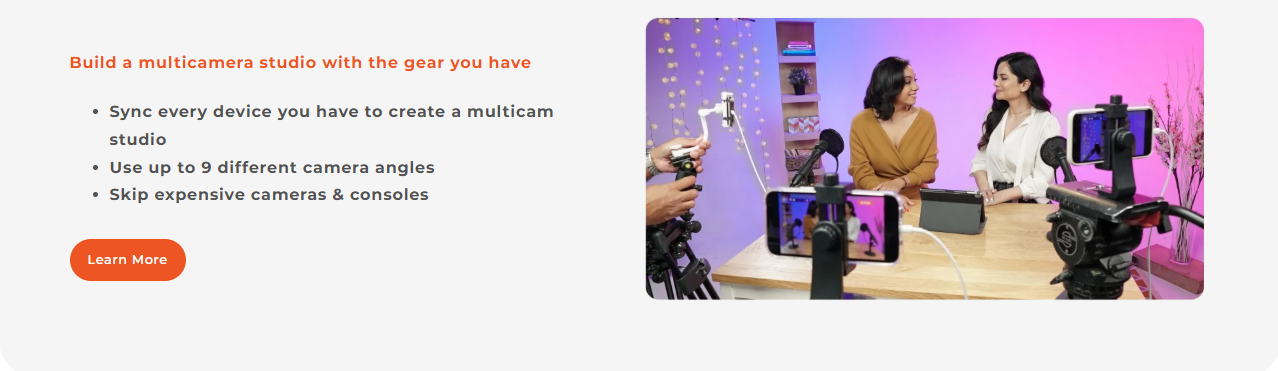
This is the feature that separates Switcher from a plain streaming app like Zoom or a single-camera OBS setup. On the Multicamera tab of its own site, Switcher describes the workflow as building “a multicamera studio with the gear you have”: syncing every device on hand into one studio, using up to 9 different camera angles, and skipping the expense of dedicated broadcast cameras and hardware consoles.
In practice, that means a two-person marketing team can set up two or three iPhones on tripods (one wide shot, one on the presenter, one on a laptop screen or product demo), sync them through the app, and one person switches live between them the way a TV director would, while a webinar audience or LinkedIn Live viewers watch a produced-looking stream instead of a static webcam feed. For an agency producing video for multiple clients, the pitch is the same math applied at scale: no need to buy or ship a camera kit for every shoot when the client’s own phones and a tripod rig can do the job.
This is also the feature most B2B teams underestimate the value of. A single-camera Zoom recording of a product demo reads as an internal meeting. The same demo, cut between a presenter cam and a screen-share angle with a couple of clean transitions, reads as a produced piece of content, and it’s the difference between a webinar recording your SDRs are comfortable sending to a prospect and one they quietly avoid mentioning.
Feature deep dive: multi-platform simulcasting
The Multistreaming tab on Switcher’s site is built around one line: “Go live on every platform at once.” According to the site, that includes YouTube, Facebook, Instagram, TikTok, X, a direct embed on your own website, and a generic RTMP output (which is how most teams pipe a stream into LinkedIn Live, since LinkedIn requires a third-party RTMP source rather than a native app integration). Switcher also consolidates live chat from Facebook and YouTube into a single view, so a moderator isn’t tabbing between platforms during a live Q&A.
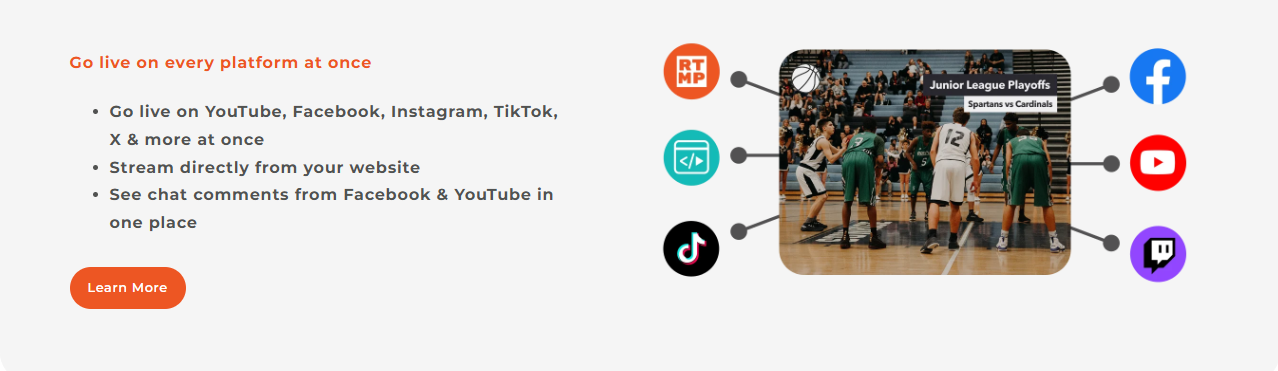
For a B2B SaaS marketing team, this is the feature that actually changes distribution math. A founder-led LinkedIn Live session and a YouTube-hosted webinar replay have historically required either picking one platform or running two separate broadcast setups. Multistreaming collapses that into a single stream with one setup, one director, and one recording, which is also what makes it realistic for a lean team to run a recurring live series (a monthly “ask us anything” or a live product walkthrough) without the production overhead scaling with the number of channels you want to be present on.
It’s worth being precise here on plan limits, because the number of simultaneous destinations is capped by tier, not unlimited: the Studio plan supports multistreaming to two platforms at once, while the Suite plan raises that ceiling to up to 20 platforms at once.
Feature deep dive: on-screen graphics and lower thirds
The third piece worth calling out specifically is what happens inside the frame, not just what happens with distribution. Switcher’s interface includes built-in graphic templates (lower thirds with a presenter’s name and title, branded title cards, and end-of-stream cards) that can be triggered live during the broadcast, the same way a broadcast graphics operator would key in a chyron.
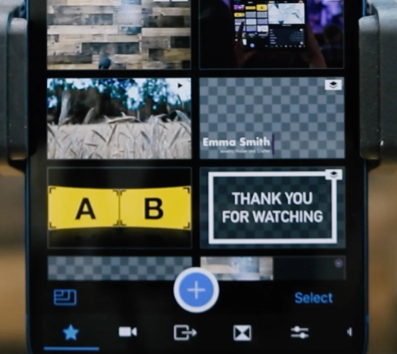
For a webinar or a client-facing livestream, this is the detail that makes content look intentional rather than improvised. A lower third identifying a guest speaker by name and title, or a branded title card at the open and close of a stream, is a small production touch that most B2B teams skip entirely when their only tool is a video call platform, and it’s exactly the kind of polish an agency is expected to add for a client. The Studio plan includes customizable graphic templates and branding on videos and streams as standard features, so this isn’t gated behind the higher-priced tier.
Switcher Studio pricing
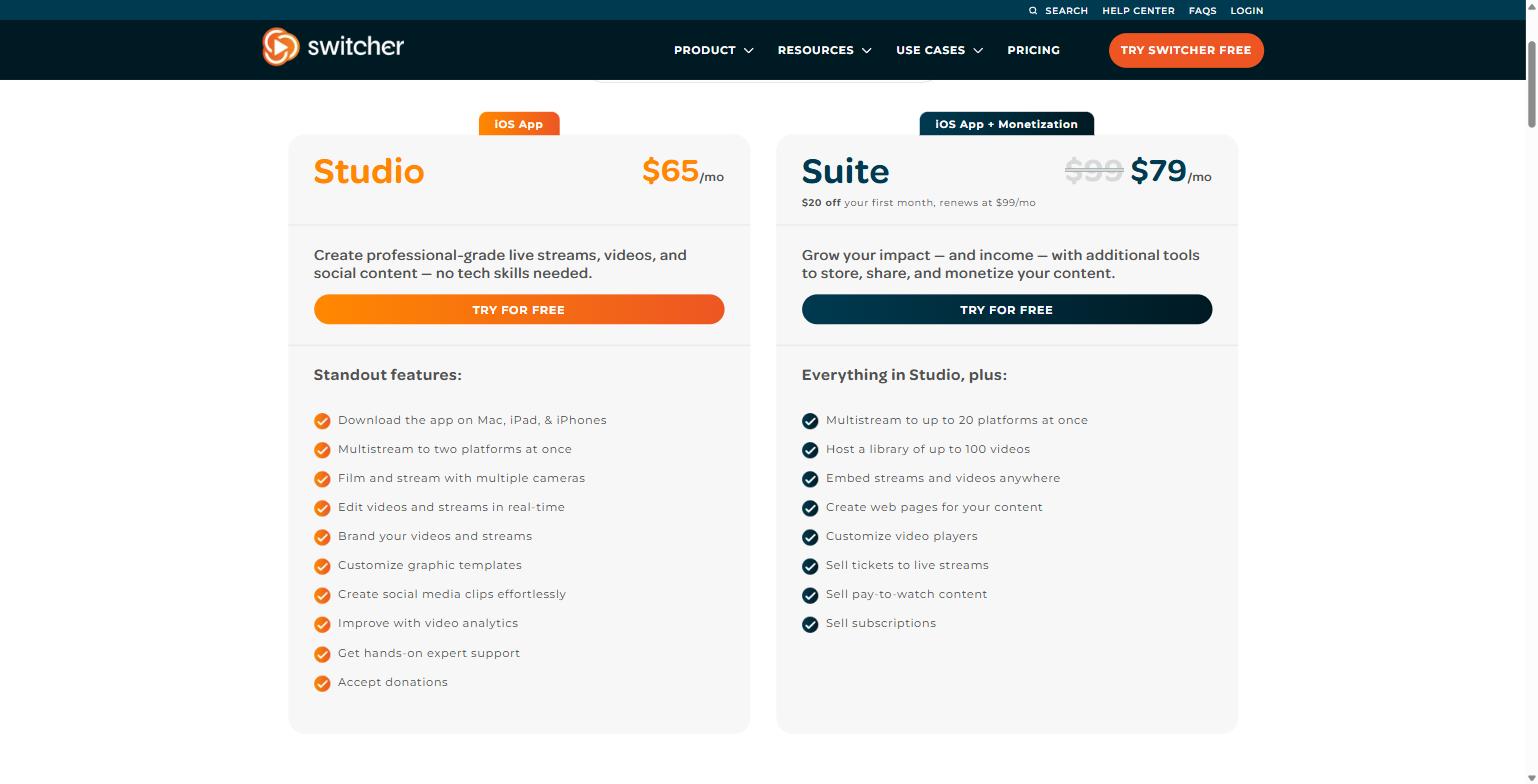
Switcher’s pricing page (switcherstudio.com/pricing) currently lists two paid plans, billed monthly or annually (annual billing is advertised at up to 30% off). A 14-day free trial is available on both plans, and Switcher states you can cancel anytime. Here’s what the monthly pricing looked like as of this review:
| Plan | Price | Best for | Standout features |
|---|---|---|---|
| Studio | $65/mo | Teams that need multicamera live video and social content, no monetization | App on Mac, iPad & iPhone; multistream to 2 platforms at once; multicamera filming; real-time editing; branded graphic templates; social clip creation; video analytics; expert support; donation acceptance |
| Suite | $79/mo (intro rate, $20 off first month; renews at $99/mo) | Teams that also need to host, embed, and monetize video content | Everything in Studio, plus multistream to up to 20 platforms; host a library of up to 100 videos; embed streams/video anywhere; custom web pages and video players; sell tickets, pay-to-watch content, and subscriptions |
Neither published tier is priced or packaged specifically for agencies managing multiple client accounts, so an agency running Switcher across several clients should budget one subscription per brand/channel unless they confirm otherwise directly with Switcher’s sales team. Annual billing is available on both plans at a discount if you know you’ll be running a recurring live program rather than a one-off event.
For most B2B SaaS marketing teams, the calculus is straightforward: Studio at $65/mo covers everything needed to run a branded, multicamera, multistreamed webinar or livestream series. The jump to Suite only makes sense once you also need Switcher acting as your video host (a library, an embeddable player, and custom web pages) instead of routing finished recordings into a tool like Wistia, Vidyard, or your CMS, which most SaaS marketing stacks already have. Agencies pitching a “done for you” live-video retainer, on the other hand, are more likely to want the Suite tier so client recordings, embeds, and web pages live in one place per account.
Who this isn’t for
Switcher Studio is a strong fit for a specific shape of problem, and it’s worth being honest about where it isn’t. It’s built around iOS and Mac hardware: the app downloads to iPhone, iPad, and Mac, based on what’s listed on the pricing page’s feature list. A team that’s fully invested in Android devices, or that needs a native Android capture app, is not the intended workflow here.
It’s also not a scripted, multi-editor post-production tool. Switcher is built for live switching and light real-time editing during a broadcast, plus a built-in clip creator afterward. It isn’t a replacement for Premiere Pro or Final Cut if your team is producing heavily edited, VFX-driven brand films. And if your only need is a single-camera webinar with no simulcasting and no live switching, a simpler tool like a native Zoom Webinar or a browser-based streaming app may be more cost-effective than paying for multicamera and multistreaming capability you won’t use.
Finally, the monetization tools on the Suite plan (ticket sales, pay-to-watch content, subscriptions) are aimed more at creators, churches, and event organizers charging for direct access to a stream. Most B2B SaaS marketing use cases (webinars, demos, thought-leadership livestreams) won’t touch that part of the product, which makes the lower-cost Studio plan the more likely starting point for this audience.
FAQ
Does Switcher Studio work on Android?
Based on the plan feature lists on Switcher’s own pricing page, the app is available on Mac, iPad, and iPhone. If your production setup depends on Android devices as camera sources, confirm current device support directly with Switcher before subscribing.
Is there a free trial, and what happens if I don’t like it?
Switcher advertises a 14-day free trial on its homepage and pricing page, alongside a “cancel anytime” policy. That’s enough runway to run one real webinar or livestream through the full workflow (sync, switch, simulcast, and clip) before committing to a monthly or annual plan.
Can I stream to LinkedIn Live with Switcher Studio?
Switcher’s multistreaming feature includes a generic RTMP output, which is the standard way to connect a broadcast to LinkedIn Live, since LinkedIn requires a third-party streaming tool rather than offering a direct native integration. Confirm your specific LinkedIn Live access requirements (LinkedIn gates Live access by page size and application) before planning a launch around it.
How many cameras can I use at once?
Switcher’s site states you can use up to 9 different camera angles when building a multicamera studio, syncing whatever iPhones, iPads, or a Mac you already have instead of buying dedicated broadcast cameras.
What’s the difference between the Studio and Suite plans?
Studio ($65/mo) covers multicamera filming, multistreaming to two platforms at once, real-time editing, branded graphics, and social clip creation. Suite ($79/mo intro, renews at $99/mo) adds multistreaming to up to 20 platforms, a hosted video library of up to 100 videos, embeddable players, custom web pages, and monetization tools like ticket sales and subscriptions.
Where this fits in a B2B video strategy
Switcher Studio solves a specific, narrow problem well: producing a multi-camera, multi-platform livestream without a production crew. For a B2B SaaS marketing team, that’s a webinar series, a recurring LinkedIn Live segment, or a product demo that needs to look like more than a screen-share. For an agency, it’s a way to produce live video for multiple clients without carrying camera inventory or a videographer on every shoot.
Tools like this are only as valuable as the strategy wrapped around them: who’s on camera, what the content calendar looks like, where each stream gets distributed, and how it feeds pipeline. If you want help building that strategy (and deciding whether live video even belongs in your current marketing mix), book a call with MV3 Marketing and we’ll walk through it with you.
Ready to try Switcher Studio itself? You can start a free 14-day trial of Switcher Studio here.
Share this article

Jordan Reeves leads account-based marketing and outbound pipeline strategy at MV3 Marketing, specializing in account selection, intent-signal targeting, and multi-channel orchestration for B2B companies.
Ready to audit your organic growth opportunity?
$2,500 flat. 5 business days. Six deliverables tied to pipeline , not rankings. No retainer required.
Get the Organic Growth Audit →