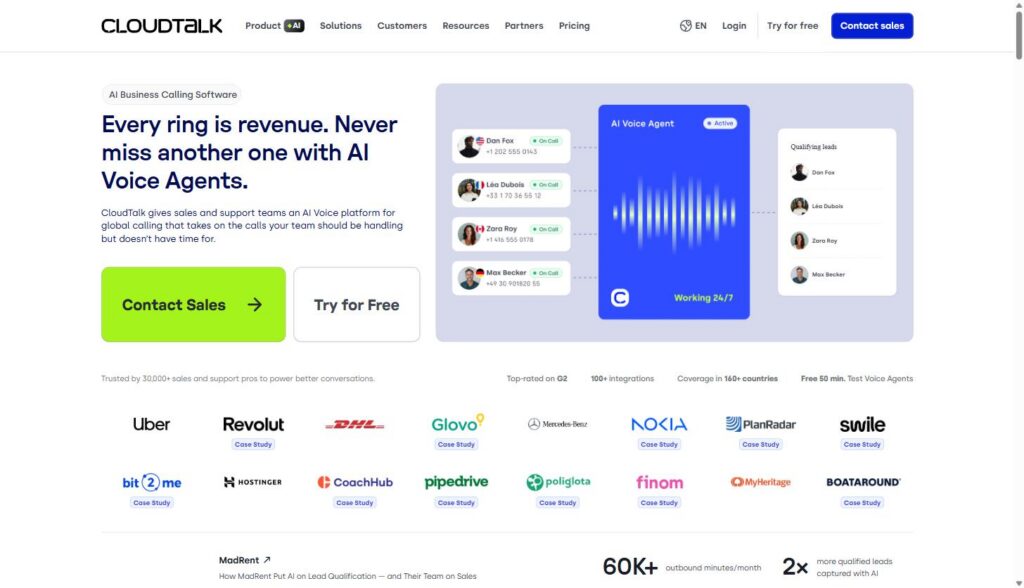
CloudTalk is a cloud-based business phone and call center platform built for sales and support teams that need to call, text, and route conversations across multiple countries without managing on-premise hardware. It’s aimed at B2B teams, including SaaS sales, support, and customer success organizations, that need call routing, recording, analytics, and CRM sync in one system.
Disclosure: MV3 Marketing participates in affiliate and partner programs, including CloudTalk’s partner program. This post contains affiliate links, and we may earn a commission if you sign up through them, at no additional cost to you. We only recommend tools we’ve researched and believe are genuinely useful for B2B SaaS teams.
If you sell or support software for a living, the phone still matters more than most marketing decks admit. Demos get booked by phone. Renewals get saved by phone. Support tickets that would otherwise churn a customer get resolved in a five-minute call instead of a three-day email thread. The problem is that most SaaS companies are still routing that work through personal cell phones, a patchwork of Google Voice numbers, or a legacy PBX system nobody on the team actually understands.
This guide walks through how a B2B SaaS sales or support team would actually set up a cloud call center using CloudTalk, based on what’s publicly documented about the platform’s features, pricing, and integrations. We’ll cover routing and IVR, outbound dialing, call recording and coaching, analytics, CRM integrations, realistic use cases, and what it actually costs.
Why service businesses outgrow their phone setup
Most SaaS companies start with founders and early reps calling from personal numbers or a basic VoIP line. That works for the first dozen deals. It stops working once you have five reps working leads across time zones, a support team fielding calls from customers in different countries, and a leadership team asking why nobody can tell them how many calls actually happened last week.
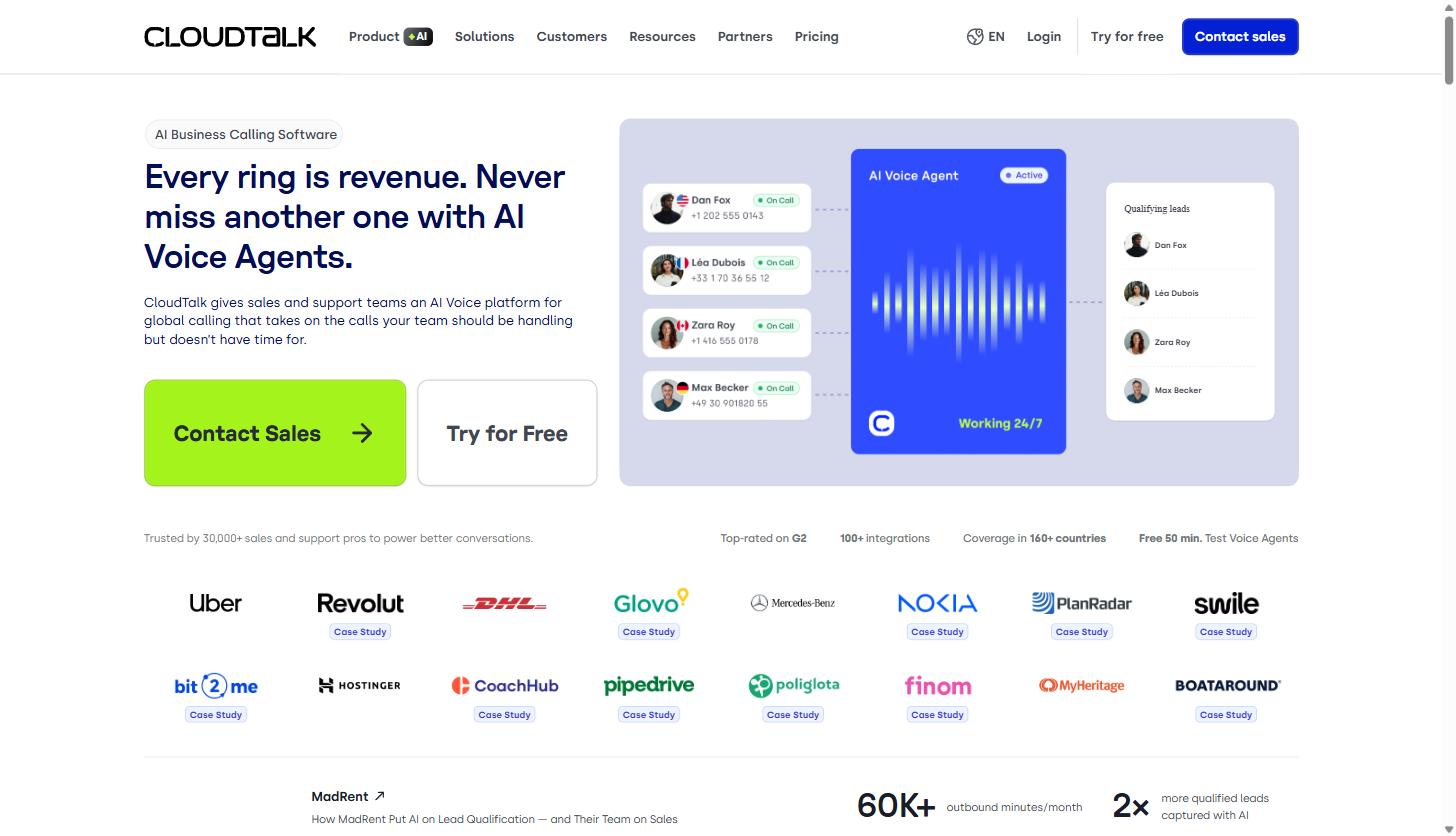
CloudTalk positions itself as infrastructure for that next stage: a system that gives every rep a professional number, routes inbound calls to the right person automatically, records and scores conversations, and feeds all of that activity back into the CRM without someone manually logging calls. According to CloudTalk’s own site, the platform is used by more than 30,000 sales and support professionals, offers coverage in 160-plus countries, and lists more than 100 built-in integrations.
Setting up the core telephony layer
The foundation of any cloud call center is the phone infrastructure itself: numbers, uptime, and routing logic. CloudTalk’s telephony layer includes local numbers in 160-plus countries, number porting for teams migrating from an existing provider, and what the company describes as 99.999% uptime backed by multiple carriers and redundant, multi-region servers. For a SaaS company selling into several countries, that means a rep in Austin can call a prospect in Berlin using a German local number, which measurably improves answer rates compared to calling from an unfamiliar international code.
Setup itself is meant to be self-serve. Teams claim numbers, assign them to users or ring groups, and start routing calls without needing a telecom vendor on the phone. If your team is currently juggling a mix of personal numbers and a legacy PBX, this is usually the first migration step: get every rep and every queue onto a real, trackable number before layering in routing logic.
Once your numbers are live, the next decision is how calls actually get answered, which is where call flow design comes in.
Call routing, IVR, and queues
CloudTalk’s Call Flow Designer is listed as a flagship feature: a visual builder for creating custom call routes rather than editing routing rules in a settings menu. Paired with it are Call Menus (IVR), which the company flags as a popular feature, along with call queuing, business-hours and time-based routing, skill-based and condition-based routing, and VIP queues for accounts that should never wait in a general queue.
For a SaaS support team, this is the difference between “every call rings every phone at once” and a structured system: enterprise accounts route to a VIP queue with priority answer times, trial users hit a general support queue, and after-hours calls get an IVR message with options to leave a callback request instead of ringing into silence. For a sales team, inbound demo requests can route by territory, by deal size, or round-robin to whichever rep is available, instead of getting stuck in one person’s voicemail.
Queue callback is also part of the routing toolkit, which lets a caller request a callback rather than sit on hold, a small feature that matters a lot for reducing abandoned calls during volume spikes.
A properly configured routing setup is usually the highest-leverage part of a call center build because it directly affects how many calls get answered at all, which is why it’s worth spending real time on before worrying about dialers or analytics. If you want to see how routing options compare on a live account, CloudTalk’s free trial is a reasonable way to test flows against your actual team structure before committing to a paid tier.
Outbound calling and dialers
For SaaS sales teams doing outbound prospecting, the dialer is usually the feature that matters most day to day. CloudTalk offers a tiered set of dialer tools: a basic web dialer and click-to-call from the CRM or browser on the Starter plan, a smart dialer on Essential and Expert, and a preview and power dialer available as an add-on across tiers (included by default on Expert). A parallel dialer, which the company says can dial up to 10 numbers at once with automatic answering-machine detection and voicemail skip, is sold as a separate add-on for $39 per user per month billed annually, while the power dialer add-on runs $15 per user per month billed annually for teams on lower tiers.
CloudTalk shares a case study from DentaKay, a customer that reported roughly 90% of its agents adopted the power dialer after rollout, and said call volume increased 2.5 times over eight months, with a 150% boost in monthly call volume cited in a linked case study. Those are CloudTalk’s own reported customer numbers, not independently audited figures, but they’re a useful signal of what the feature is meant to do: reduce the manual work of dialing so reps spend more time in live conversations.
Voicemail drop, automatic outbound numbers, and virtual caller ID round out the outbound toolkit, letting reps leave a pre-recorded voicemail without waiting through a live one and present a local number when calling out.
Call recording, live coaching, and monitoring
Every plan includes call recording, tagging, and transfer capabilities including hold and voicemail routing. Recording retention differs by tier: CloudTalk’s pricing table lists one month of retention on the Starter plan and unlimited retention on Essential and Expert.
For team leads, the more interesting features are live monitoring tools: the ability to listen in on live calls, whisper coaching to an agent without the caller hearing, or barge into a call directly when an escalation needs a manager. CloudTalk pairs this with wallboards for real-time team visibility and agent status tracking, plus post-call reporting that breaks down call volumes, outcomes, and agent-level stats in a dashboard.
A customer quote CloudTalk publishes from My Mortgage Finder captures a common use case for this kind of visibility: the company said moving training from in-person shadowing to reviewing recorded top-performing calls saved roughly one to two hours per day on new-hire onboarding. For a SaaS support team hiring frequently, that kind of recorded-call library can meaningfully shorten ramp time.
Analytics and AI conversation intelligence
CloudTalk’s analytics suite includes unlimited call history, agent and group reporting, custom dashboards, and real-time wallboards on the higher tiers. The company markets its analytics tools around three headline figures: customers using the platform’s data can cut costs by up to 30%, reduce handling time by up to 40%, and boost conversions by up to 50%. Those are CloudTalk’s own marketing claims rather than independently verified benchmarks, so treat them as directional rather than guaranteed, but they line up with the general logic of call analytics: teams that can see where calls stall, which agents handle certain call types fastest, and where customers get frustrated can fix those problems instead of guessing at them.
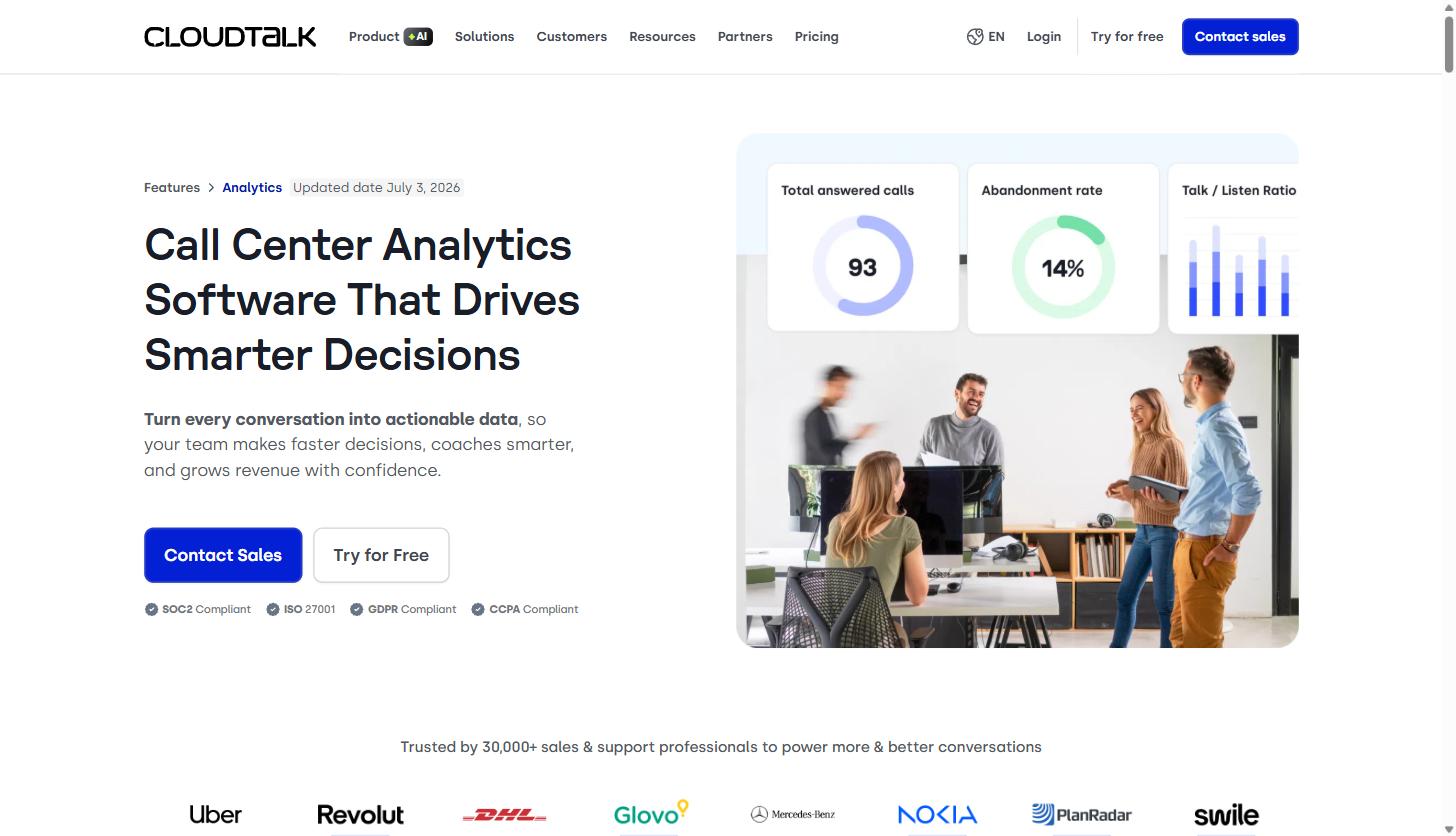
AI Conversation Intelligence is sold as an add-on for $9 per user per month billed annually. It covers automatic call summaries, searchable transcripts, sentiment detection, topic extraction, talk-to-listen ratio tracking, and call scoring, with export to PDF or directly into the CRM. For a support team drowning in call volume, this is the tool that makes it realistic to actually review a meaningful sample of calls instead of spot-checking a handful manually. CloudTalk cites an internal case study claiming an 80% reduction in time spent on call review when teams use this feature, and separately references a customer, Jessica Dungo of a customer service disputes team, who reported cutting handle time by 33% and handling 66% more calls per agent without adding headcount.
If your team is trying to build a case internally for investing in call analytics, pulling a few weeks of data from a CloudTalk trial and comparing it against your current manual QA process is a more useful exercise than debating it in the abstract.
CRM and helpdesk integrations
For a SaaS revenue team, none of the above matters much if call data doesn’t sync automatically into the CRM. CloudTalk lists more than 100 integrations, including direct support for HubSpot, Salesforce, Pipedrive, Zoho CRM, Close CRM, monday.com, Zendesk, Zendesk Sell, Freshdesk, Freshsales, Intercom, and Microsoft Dynamics 365, along with sales engagement tools like Gong, Outreach, and Salesloft. Workflow automation connects further through Zapier and Make for teams that need custom syncs beyond the native integrations.
Notably, Salesforce integration is called out as included specifically in the Expert plan rather than the lower tiers, so if Salesforce is your system of record, that’s a pricing detail worth confirming before you commit to Essential. HubSpot, Pipedrive, and most of the other listed CRMs fall under the “95+ standard CRM, Helpdesk, ATS integrations” bucket available starting on the Starter plan.
A CloudTalk customer quote from Stephen Cavanagh, a Director of Support & Services, describes consolidating from three separate phone systems into HubSpot as a single source of truth, which is the practical end state most SaaS support teams are after: one system where call activity, tickets, and account history all live together instead of three tabs a rep has to cross-reference.
Practical use cases for service business sales, support, and CS teams
A few ways this shows up in a real B2B SaaS org:
- Outbound SDR teams use the power or parallel dialer to work larger call lists faster, with local presence numbers to improve international answer rates and automatic CRM logging so reps aren’t manually typing call notes between dials.
- Inbound demo requests route through IVR and condition-based routing so a prospect asking for a demo reaches an available AE immediately instead of hitting a general queue or voicemail.
- Renewal and expansion calls get routed to the account’s assigned CSM through skill-based routing, with call recordings available afterward for the account team to review tone and objections raised.
- Tier-1 support handles routine troubleshooting and account questions through structured IVR menus, while VIP queues make sure enterprise or high-ARR accounts skip the general line entirely.
- Team leads and QA use live monitoring and whisper coaching during ramp periods, then lean on AI Conversation Intelligence for ongoing call review once a rep is fully ramped, since listening to every call individually doesn’t scale past a small team.
These aren’t hypothetical; they map directly to the feature set CloudTalk documents on its own product pages, and they’re the same categories of problems most growing B2B sales teams and support organizations run into as headcount scales past what a founder can personally route by hand.
Pricing breakdown
CloudTalk publishes three core plans for its Business Phone System, priced per user per month and billed annually (monthly billing is also available at a higher rate):
| Plan | Price (annual billing) | Minimum seats | What it adds |
|---|---|---|---|
| Starter | $25/user/mo | 1 | Core routing, basic call handling, click-to-call, 1-month recording retention |
| Essential | $29/user/mo | 1 | Smart dialer, unlimited recording retention, expanded reporting |
| Expert | $49/user/mo | 3 | Power dialer included, Salesforce ecosystem integration, advanced monitoring |
Beyond the core plans, CloudTalk sells several add-ons that apply across tiers: Power Dialer at $15 per user per month (included by default in Expert), Parallel Dialer at $39 per user per month, AI Conversation Intelligence at $9 per user per month, and Branded Caller ID starting at $0.07 per call for supported US and UK numbers. AI Voice Agents, CloudTalk’s newer AI receptionist and specialist product, is priced separately starting at $99 per month for 200 minutes for a Receptionist agent and $349 per month for 1,000 minutes for a Specialist agent.
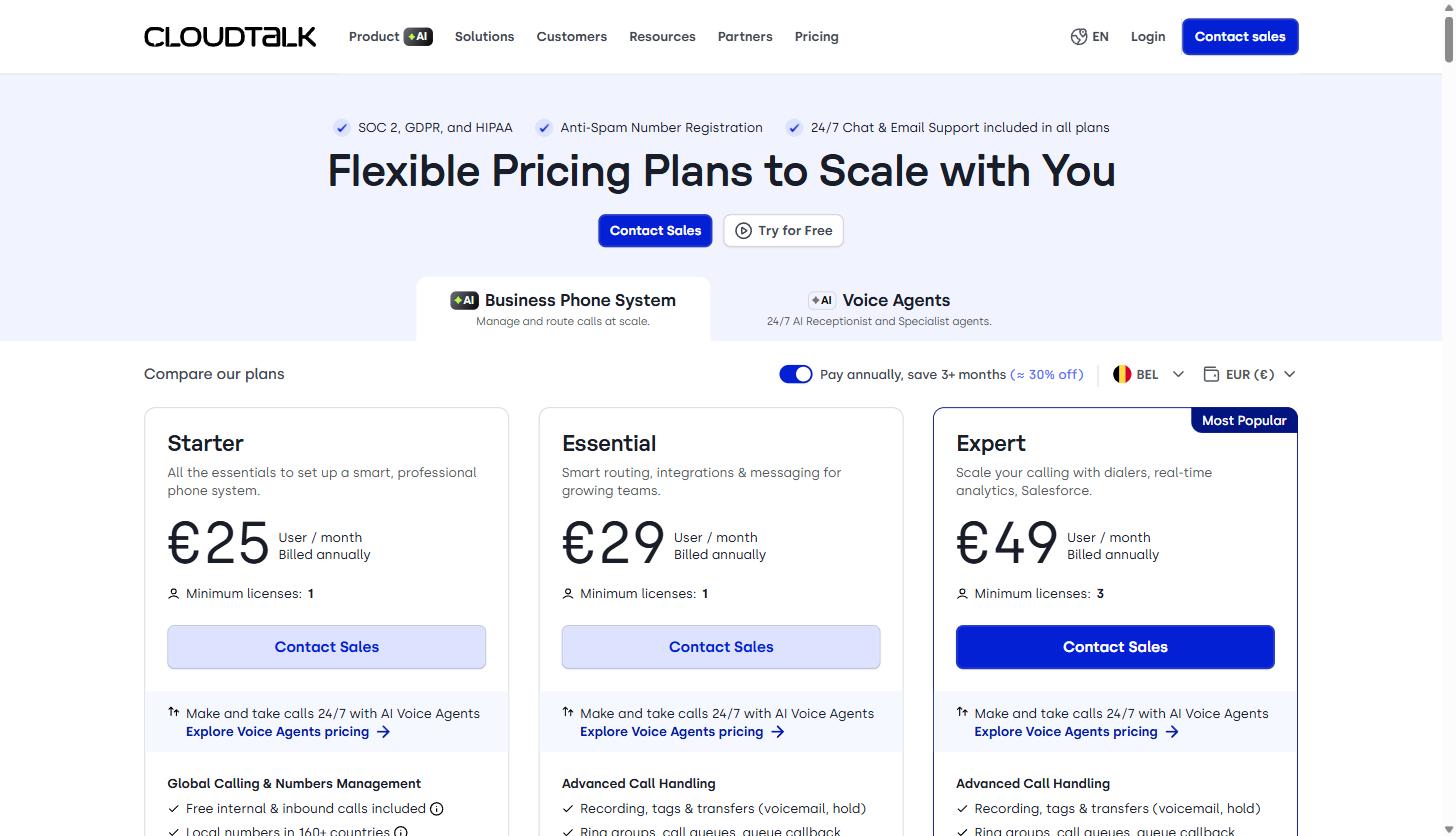
All plans include 24/7 chat and email support, SOC 2 and GDPR compliance, and anti-spam number registration. If you’re comparing this against what you’re currently spending on personal phone stipends, a legacy PBX contract, or a patchwork of separate dialer and recording tools, it’s worth running the math on a CloudTalk quote for your actual seat count, since per-seat SaaS pricing tends to look different once you factor in what you’re currently paying across multiple disconnected tools.
Cloud call centers vs. traditional phone systems
The comparison most SaaS teams are actually making isn’t between CloudTalk and a competitor; it’s between a modern cloud call center and whatever ad hoc setup they’re currently running, whether that’s a legacy on-premise PBX or a mix of personal cell numbers and a basic VoIP line.
A traditional on-premise phone system requires physical hardware, IT staff to maintain it, and is generally difficult to scale up or down as headcount changes. It also tends to leave call data siloed in the phone system itself, disconnected from the CRM, which means reps manually log calls or that data simply doesn’t get captured. A cloud call center like CloudTalk removes the hardware dependency, lets you add or remove seats as the team grows or shrinks, and is built to sync call activity into the CRM automatically rather than as a manual, after-the-fact task.
The tradeoff is that a cloud system depends on your internet connection and the vendor’s uptime commitments, which is why infrastructure claims like CloudTalk’s stated 99.999% uptime and multi-region backup matter more than they might first appear. For most SaaS teams already running everything else, from the CRM to the support desk, in the cloud, moving the phone system to match is less a leap of faith and more just catching the last piece of infrastructure up to everything else.
Rolling it out without disrupting the team mid-quarter
The biggest risk in switching call systems isn’t the software itself, it’s doing it in a way that drops calls or loses historical data during the transition. A few things worth planning for before flipping the switch:
- Port numbers before you need them live. Number porting can take longer than expected depending on the losing carrier, so start the port request before your target cutover date, not the week of.
- Build routing in parallel, then test it with a small group. Set up call flows, IVR menus, and queues in a sandbox before routing your full team through them. Run a subset of reps, usually one pod or one queue, through the new system for a week before a full cutover.
- Confirm your CRM integration tier before you buy seats. Because Salesforce sync is specifically included on the Expert plan rather than Starter or Essential, teams on Salesforce should confirm pricing against that tier up front rather than discovering the gap after rollout.
- Migrate call recordings and historical data deliberately. If your current system holds call recordings you need for compliance or training, export what you need before old contracts lapse. Recording retention on CloudTalk’s own plans differs by tier, so decide early whether Starter’s one-month retention is enough or whether you need Essential or Expert’s unlimited retention.
- Train on the dialer and IVR separately from analytics. Reps need to be comfortable making and receiving calls before you layer in AI Conversation Intelligence or custom dashboards. Rolling out every feature simultaneously tends to overwhelm a team that just wants to make calls without friction.
None of this is unique to CloudTalk specifically. It’s the same discipline that applies to swapping any core piece of go-to-market infrastructure: sequence the migration, protect the data you already have, and validate with a small group before the whole team depends on it.
Getting started
If you’re evaluating a cloud call center for a SaaS sales or support team, the practical path is usually: map your current call volume and routing needs, decide which CRM integration is non-negotiable (and confirm which plan tier includes it, since Salesforce specifically sits on the Expert tier), and test the routing and dialer tools against a real subset of your team before rolling it out company-wide.
CloudTalk offers a free trial and 50 free minutes to test its AI Voice Agents, which is enough to get a real feel for call quality and routing before committing to a paid seat count. You can start a CloudTalk trial here to test it against your own team’s call volume and CRM setup.
Whatever platform you land on, the underlying goal is the same one behind most of the infrastructure decisions covered in our contact center marketing resources: give your team a system that captures every conversation, routes it to the right person the first time, and turns that call data into something your team can actually act on instead of losing it in a voicemail box nobody checks.
Share this article

Ryan Brooks leads technical SEO at MV3 Marketing, specializing in schema architecture, entity graphs, crawlability, and the structural signals that determine whether AI answer engines cite a page.
Ready to audit your organic growth opportunity?
$2,500 flat. 5 business days. Six deliverables tied to pipeline , not rankings. No retainer required.
Get the Organic Growth Audit →