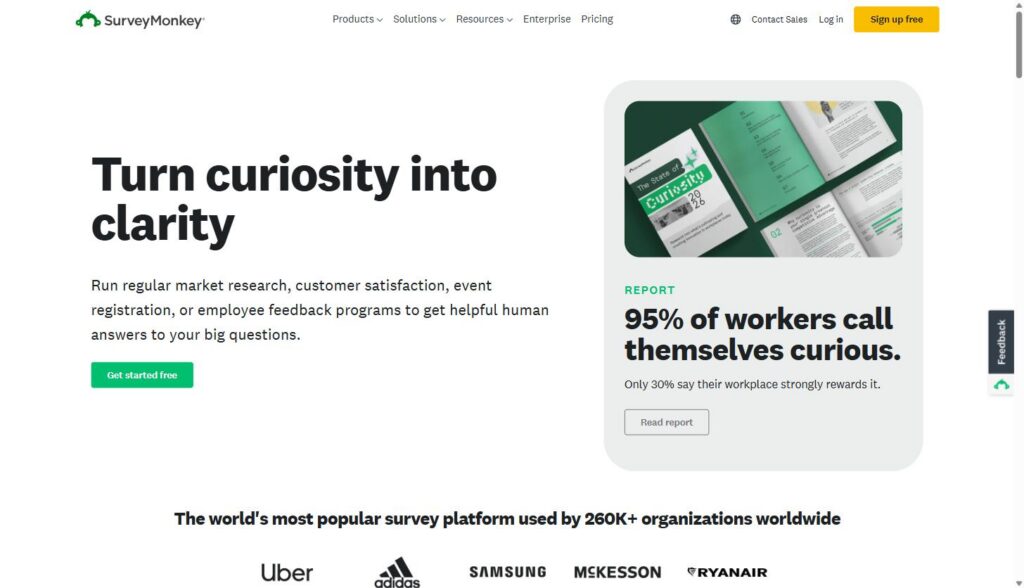
SurveyMonkey is an online survey and feedback platform used by more than 260,000 organizations to build, distribute, and analyze surveys, from quick customer satisfaction pulses to structured NPS programs. For B2B SaaS product and marketing teams, it’s the fastest path to a repeatable system for collecting and acting on customer feedback without building anything in-house.
Affiliate disclosure: MV3 Marketing participates in affiliate and partner programs, including SurveyMonkey’s. This post contains affiliate links, and we may earn a commission if you sign up through one of them, at no additional cost to you. We only recommend tools we’ve researched and believe are genuinely useful for B2B SaaS teams.
Why structured feedback matters more than most service businesses treat it
Most SaaS companies collect feedback the same way: a support ticket here, a sales call note there, maybe an occasional Slack message from an account manager passing along something a customer said. None of it is structured, none of it is comparable over time, and none of it gets rolled up into a number anyone can track on a dashboard.
That’s the gap a dedicated survey platform closes. Instead of anecdotal, one-off feedback, you get a repeatable process: the same questions asked the same way to the same segments on a regular cadence, with the responses landing somewhere your product and marketing teams can actually use them. SurveyMonkey is built specifically for that kind of ongoing program, and it’s worth understanding what it actually does before deciding whether it fits your stack.
This guide walks through what SurveyMonkey actually offers a SaaS product or marketing team: the AI-assisted survey building tools, the logic and branching that keep long surveys from tanking response rates, the integrations that get responses into the systems your team already checks daily, and the pricing tiers you’d realistically choose between. It also covers where a dedicated tool earns its subscription cost versus where a simpler, homegrown form might genuinely be enough.
AI-assisted survey creation: from blank page to draft in minutes
The biggest friction point in any feedback program isn’t distribution, it’s getting a well-written survey built in the first place. SurveyMonkey’s AI features are aimed directly at that bottleneck. The platform’s “Build with AI” tool generates a custom-tailored survey draft from a single prompt, and it’s built into both the web app and the SurveyMonkey mobile app for iOS and Android, so a product manager can rough out a churn survey from their phone between meetings.
There’s also AI-based survey importing, which lets you paste content from a document, an email thread, or existing interview notes and have the tool turn that into a structured survey draft, automatically identifying appropriate question types and formatting as it goes. As you write or edit individual questions, the AI predicts the best question type, multiple choice, open-ended, rating scale, and so on, which matters more than it sounds like it should. A rating-scale question dressed up as an open text field (or vice versa) quietly wrecks your ability to analyze results later.
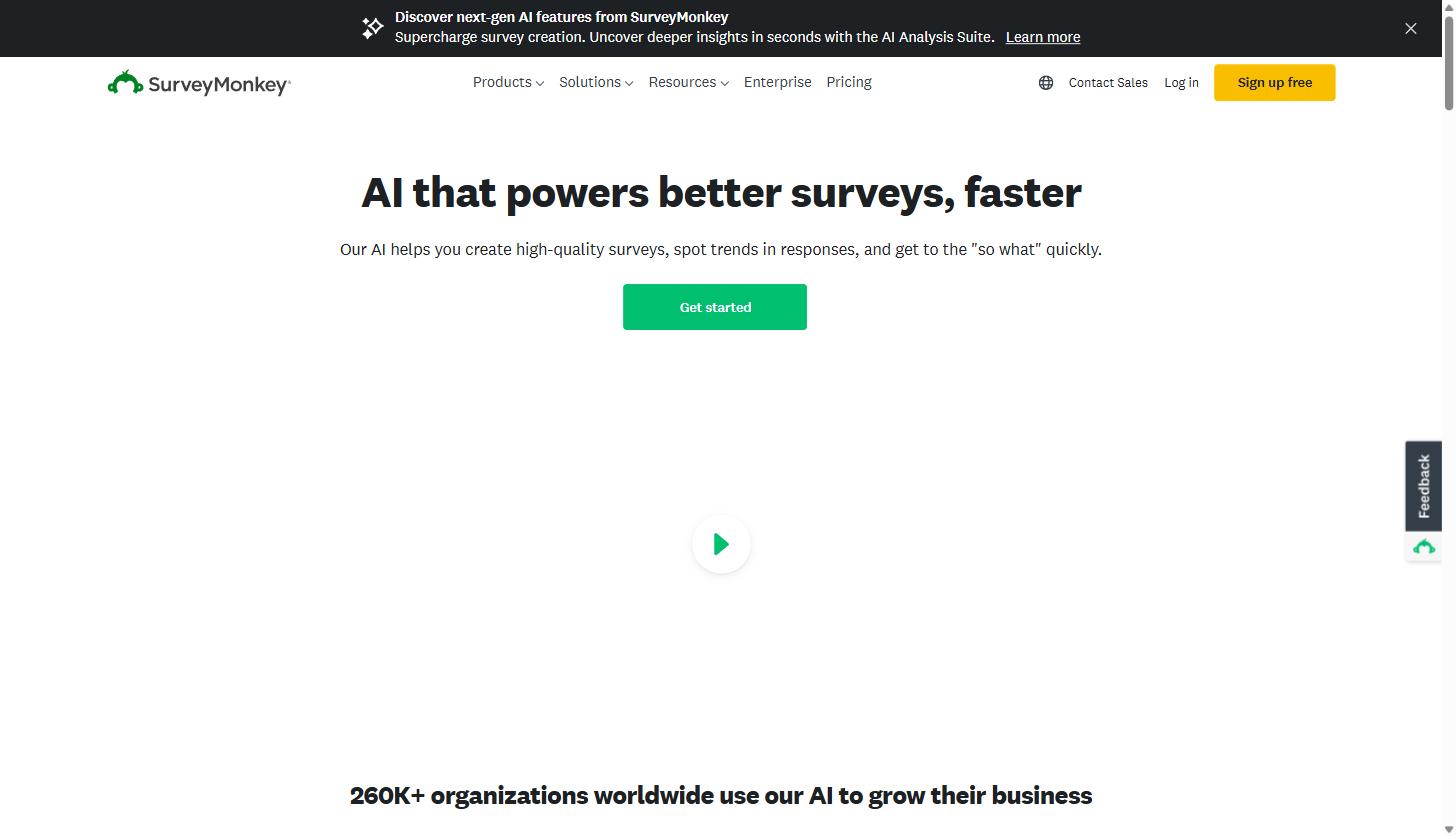
On the quality-control side, Question and Answer Genius reviews your draft and flags leading or biased questions before you send anything out, and Survey Score uses machine learning to catch structural issues and suggest fixes ahead of launch. If your team has ever shipped a survey with a double-barreled question or a scale that doesn’t match the question type, this is the layer that’s supposed to catch it before your respondents do.
None of this replaces a product marketer who actually understands the customer base. But it does compress the time between “we should really survey churned accounts this quarter” and having a survey live, which is usually the difference between a program that runs consistently and one that gets talked about in a planning meeting and never happens.
NPS and CSAT tracking built for ongoing programs, not one-off sends
Net Promoter Score is the most common feedback metric in B2B SaaS, and SurveyMonkey treats it as a first-class use case rather than a template you have to reverse-engineer. The platform has an expert-certified NPS survey template that’s already mapped to its analysis tooling, including automatic NPS score calculation, filtering, comparison across time periods, tagging, and text and sentiment analysis on the open-ended follow-up.
Functionally, when someone answers the core “how likely are you to recommend us” question, SurveyMonkey automatically buckets them into Detractors, Passives, and Promoters, and you can route each group to a different follow-up question. A Promoter might get asked what they’d tell a colleague; a Detractor gets asked what would have changed their answer. That branching is what turns an NPS survey from a vanity number into an actual list of things to fix.
For a SaaS team running this as a real program rather than a one-time email blast, the platform supports automated, scheduled collection, real-time dashboards, and connecting NPS responses back into your CRM so account owners see the score attached to the account record, not buried in a spreadsheet somewhere. If you’re currently doing NPS through a single annual Typeform blast, this is the difference between a report and an operating rhythm.
Logic branching that keeps long surveys from feeling long
Response rate drops fast when respondents feel like they’re being asked questions that don’t apply to them. SurveyMonkey’s survey logic tools exist to prevent that. Skip logic comes in two flavors: question skip logic, which sends a respondent to a different question or page based on how they answered a prior closed-ended question, and page skip logic, which routes respondents between entire pages based on where they are in the flow. Both are commonly used for things like disqualifying respondents who aren’t a fit, branching by language, or routing based on plan tier.
For more complex programs, Advanced Branching goes further, letting you build custom paths using conditions that reference not just survey answers but also custom data pulled from your contacts list, custom variables, or the respondent’s survey language. Combined, these tools mean a single survey instrument can serve a free-tier user, an enterprise buyer, and a churned account with three entirely different question paths, without you needing to build and maintain three separate surveys.
If you’re running feature-request research and want to send a shorter path to users who’ve never touched a given feature versus a deeper set of questions to power users, this is the mechanism that makes that practical instead of a maintenance headache. Ready to see it in your own account? start a free SurveyMonkey trial and build a test survey with a couple of branch conditions before committing to anything paid.
Integrations: getting responses into the tools your team already lives in
A survey tool that lives in its own silo doesn’t get used past the first quarter. SurveyMonkey’s integration list covers the systems B2B SaaS teams actually run on. On the CRM side, it connects to Salesforce, HubSpot, Zendesk, Zoho, and Akita, letting you combine survey responses and demographic data with existing CRM records for a more complete view of the account. The HubSpot integration specifically lets you send surveys directly from HubSpot workflows and use response data to segment and qualify contacts; if HubSpot is also connected to Salesforce, those same responses surface as activities inside Salesforce too.
For internal visibility, SurveyMonkey connects to Slack and Microsoft Teams so new responses can trigger instant notifications to the right channel, which matters more than it sounds like for a churn or win-loss program: a detractor response sitting unread in a dashboard for two weeks is a lost save opportunity. Broader API access also lets you pipe survey data into marketing automation and analytics platforms beyond the native integration list, which is worth checking against your specific stack before you commit to a plan.
Practical use cases for B2B service business teams
The features above are only useful in the context of an actual program. Here’s where they tend to show up for SaaS teams specifically.
Churn and NPS tracking
The most common application: a recurring NPS survey sent on a fixed cadence (often quarterly or triggered by account milestones), paired with a churn-specific exit survey sent when an account cancels or downgrades. Because SurveyMonkey auto-segments respondents into Detractors, Passives, and Promoters and lets you route each to different follow-up questions, you end up with a Detractor list your CS team can actually work, not just a score to report on in a board deck.
Feature-request and product research
Product teams use survey logic to segment respondents by usage data (pulled in via custom variables or contact fields) so a survey about a specific feature only goes to users who’ve actually touched that feature, with a different, shorter path for everyone else. Open-ended responses get run through sentiment analysis and thematic analysis to surface recurring requests without a PM manually reading through hundreds of free-text answers.
The chat-based Analyze with AI tool is particularly useful for this use case: instead of exporting raw data to a spreadsheet and building pivot tables by hand, someone on the team can ask a plain-English question about the response set (something like “what’s the most common complaint from respondents who rated us below a 6”) and get an answer with supporting charts, rather than waiting on whoever owns the analytics stack to build a custom report.
Win-loss surveys for sales
SurveyMonkey’s Win-Loss Survey template is built specifically to evaluate why a deal was won or lost, helping sales and product marketing understand where the sales motion or the product itself is falling short against competitors. Combined with crosstab reporting, it’s possible to compare win-loss reasons by segment, deal size, or competitor, rather than relying on a rep’s memory of why a deal fell through three weeks after the fact.
Pricing tiers, honestly broken down
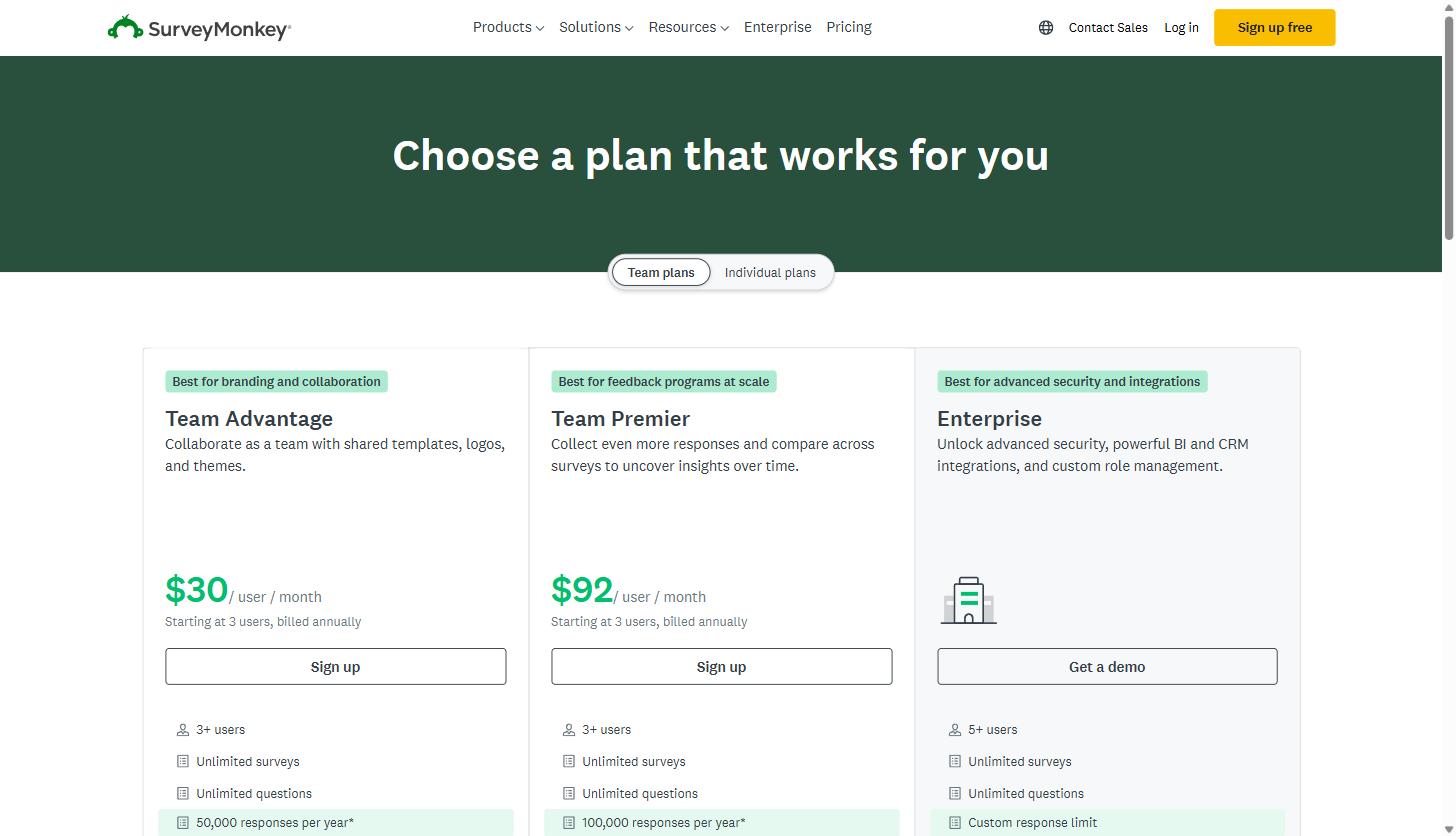
SurveyMonkey’s plan lineup includes Basic (free), Standard, Advantage, Premier, Starter, and Forms tiers, available as both individual and team plans. The free Basic plan lets you build and send surveys, but caps visible responses at 25 per survey even if you collect more, which makes it a tool for testing the platform rather than running a real program.
For team plans, which require a minimum of three users, published pricing shows Team Advantage starting at $30 per user per month (billed annually) with unlimited surveys and questions and a 50,000-response annual cap, and Team Premier at $92 per user per month (billed annually) with a 100,000-response annual cap along with deeper cross-survey comparison and reporting. Enterprise pricing is custom and adds SSO, advanced admin controls, and expanded integrations, priced through a sales conversation rather than listed publicly.
Team plans add shared templates, logos, and themes, plus consolidated billing and role-based permissions, which matter once more than one person on your team is building or reviewing surveys. If you exceed your response limit on a paid plan, additional responses are billed at a small per-response rate rather than hard-blocking collection, worth knowing before you plan a large-scale distribution.
The honest read: a single PM running occasional feature surveys can get real use out of a Standard or Advantage individual plan. A marketing or CS team running NPS, churn, and win-loss programs simultaneously, and wanting the data to land in Salesforce or HubSpot automatically, is the actual target user for the Team Premier or Enterprise tiers. You can compare current plan pricing directly on SurveyMonkey’s site since these figures shift periodically.
Enterprise-grade security, if you need it
For SaaS companies selling into regulated industries or handling sensitive customer data in their own feedback loops, SurveyMonkey Enterprise includes SAML 2.0 single sign-on, letting your team log in with existing corporate credentials instead of maintaining separate accounts. Data is stored in SOC 2 accredited data centers, transmitted over HTTPS, and encrypted at rest using industry-standard algorithms. The platform is also compliant with ISO 27001, SOC 2, and PCI-DSS, and includes features designed to help meet GDPR, CCPA, and HIPAA requirements. Admins get a centralized dashboard for setting default permissions and response-collection settings across the whole team, which is worth having before your survey count creeps past a dozen active instruments across multiple departments.
None of this matters for a five-person startup running its first NPS survey. It starts mattering the moment your feedback program touches customer data that falls under a contractual security review, or once enough people across departments are building surveys that you need actual governance instead of everyone sharing one login. If you’re not there yet, the lower team tiers cover the core survey-building and logic features without the enterprise security layer.
SurveyMonkey vs. building your own feedback forms
| Factor | Dedicated platform (SurveyMonkey) | Homegrown form |
|---|---|---|
| Upfront cost | Recurring subscription | Engineering time to build |
| Ongoing cost | Flat subscription, no engineering tickets | Engineering time every time a branch, question type, or format changes |
| Branching logic | Built in | Custom build required |
| Sentiment / theming / crosstabs | Built in | Built from scratch or not available |
| Best fit | Ongoing, parallel programs (NPS, churn, feature research, win-loss) | A single, simple, one-off survey |
The alternative most SaaS teams actually consider isn’t a competing survey platform, it’s building feedback collection into the product itself, whether that’s a lightweight in-app form, a custom-built NPS widget, or a spreadsheet-and-email process someone on the team maintains manually. That approach can work for a single, simple survey. It gets expensive fast once you need branching logic, automatic sentiment analysis on open text, CRM sync, or the ability for a non-technical team member to build and launch a new survey without filing an engineering ticket.
The honest tradeoff: a dedicated tool costs a recurring subscription and asks your team to learn a new interface. A homegrown form costs engineering time upfront and then quietly keeps costing engineering time every time someone wants to add a branch, change a question type, or pull results into a new format. For a team that’s going to run feedback collection as an ongoing program rather than a single project, the math tends to favor the dedicated platform, particularly once you account for the analysis tooling (sentiment, theming, crosstabs) that would otherwise need to be built from scratch.
If your program is genuinely a single, simple form with no branching and no ongoing cadence, a basic form tool is probably fine. If you’re trying to run NPS, churn, feature research, and win-loss surveys as parallel, recurring programs feeding the same CRM, that’s the scenario SurveyMonkey is actually built for.
Getting started without overbuilding on day one
The teams that get the most out of a tool like this don’t start by trying to build five programs at once. A reasonable sequence: stand up a recurring NPS survey first, since it’s the most templated and the fastest to get running with SurveyMonkey’s existing NPS template and auto-segmentation. Once that’s collecting data on a real cadence, layer in a churn exit survey triggered off your cancellation flow. Win-loss and feature-request research can come after, once your team is comfortable with the logic-branching and reporting tools from the first two programs.
Connecting the CRM integration early is worth prioritizing over building extra surveys, since it’s what turns individual responses into account-level context your CS and sales teams will actually use day to day. A feedback program that only lives in a survey dashboard rarely survives past the first quarter; one that shows up automatically on the account record in Salesforce or HubSpot tends to stick.
SurveyMonkey isn’t the only survey tool on the market, but for a B2B SaaS team that wants NPS, churn, and win-loss programs running on the same platform with CRM sync and AI-assisted survey building, it’s a reasonable default rather than a tool you have to fight to make fit. You can create a free SurveyMonkey account and have a working NPS survey built and sent within an afternoon.
For SaaS marketing and product teams building out a broader voice-of-customer program, structured feedback data like this also feeds directly into stronger content marketing built on what customers are actually asking for, rather than guesses. And if some of the terminology in this piece, NPS, CSAT, win-loss analysis, was new, the MV3 Marketing glossary has plain-language definitions for most of the acronyms that show up in a SaaS feedback program.
Share this article

Alex Carter leads SEO and content strategy at MV3 Marketing, specializing in generative engine optimization, technical SEO, and AI-driven content systems for B2B companies.
Ready to audit your organic growth opportunity?
$2,500 flat. 5 business days. Six deliverables tied to pipeline , not rankings. No retainer required.
Get the Organic Growth Audit →