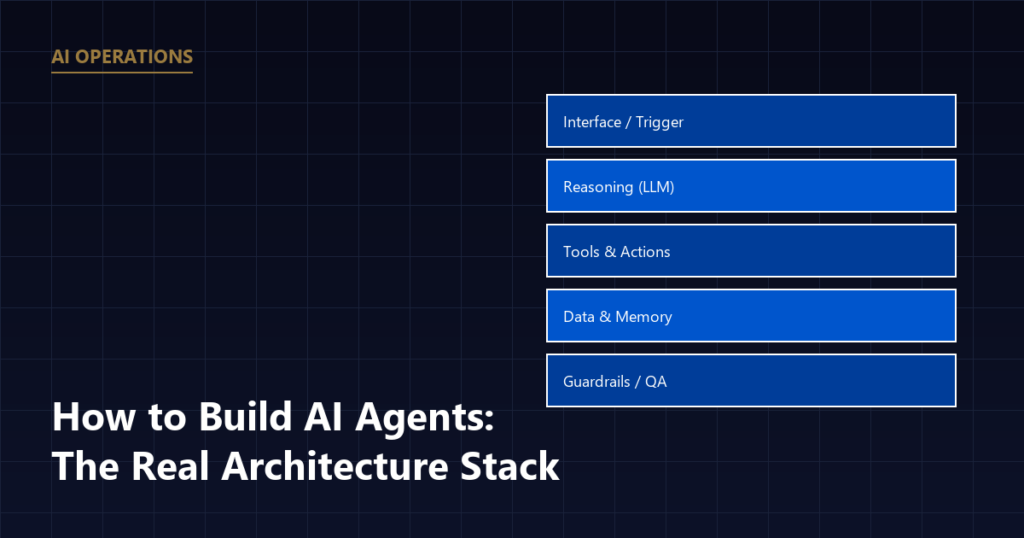
Building an AI agent means combining a trigger, a reasoning layer (an LLM), a set of tools or actions it’s allowed to take, access to relevant data, and guardrails that limit what it can do wrong. For a business use case, like handling inbound leads or outbound follow-up, the architecture matters more than which AI model you pick.
Start with the Task, Not the Technology
The most common mistake in building an AI agent is starting with “we should use AI for
X” without defining X narrowly enough. A useful starting point is not “an AI agent for
sales,” it’s something specific: “an agent that responds to inbound quote requests within
five minutes and books an estimate if the prospect is in our service area.” What an AI BDR does
is a real example of a task scoped this narrowly: research a prospect, send outreach, follow
up on a schedule, hand off on reply.
The narrower the task, the easier it is to build reliably and the easier it is to know
whether it’s actually working.
The Five Layers of a Working Agent
1. The Trigger
This is the event that starts the agent’s work: a new form submission, an incoming call
transcript, a job marked complete in the CRM, an invoice going unpaid past a certain date.
Without a clearly defined trigger, an agent has no way to know when it should act.
2. The Reasoning Layer
This is the underlying language model that interprets the situation and decides what to
do. For most business use cases, this means feeding the model the relevant context, the
form submission, prior conversation history, business rules, and asking it to determine the
next step or draft a response.
3. Tools and Actions
An agent that can only generate text is limited. A useful agent needs defined tools it
can call: sending an email, updating a CRM field, creating a calendar event, sending an SMS.
Each tool should be scoped narrowly, an agent that can “update the lead status field” is
safer and easier to debug than one with open-ended access to the entire database.
4. Data and Memory
The agent needs access to relevant, accurate data, customer records, service area
boundaries, pricing rules if applicable, without needing to fabricate information it doesn’t
have. If the data it needs is inconsistent or missing, the agent will produce inconsistent,
unreliable results regardless of how good the underlying model is.
5. Guardrails and Review
This is the layer most often skipped, and the one that matters most for anything
customer-facing. Guardrails might include: a human review step before certain actions (like
sending a legal or financial commitment), a limit on what the agent is allowed to say about
pricing, or an escalation rule that hands a conversation to a person once a prospect asks
something outside the agent’s defined scope.
THE FIVE LAYERS, STACKED
A Practical Build Order
- Define one narrow task the agent will handle.
- Map the exact trigger and the data the agent needs to see.
- Build the smallest possible set of tools required for that task, not every tool that might eventually be useful.
- Run the agent in a draft or review mode first, where its actions require human approval before anything goes out to a real customer.
- Once it’s proven reliable across a range of real cases, expand its autonomy for that specific task.
- Only then consider adding a second task or connecting it to additional systems.
This build order is deliberately conservative. Skipping the review-mode step is the most
common reason agents deployed by businesses end up sending something inaccurate or
inappropriate to a real customer before anyone catches it.
How This Connects to Orchestration
A single well-built agent handling one task is useful on its own. Its value compounds once
it’s connected to other agents and systems, which is what
AI orchestration covers: sequencing multiple agents and tools so
they hand off work to each other rather than operating in isolation.
MV3 Marketing builds these agents end to end as part of its
AI operations work, scoped to a specific,
narrow task first and expanded once it’s proven reliable in a real business’s workflow.
Frequently Asked Questions
What are the basic building blocks of an AI agent?
Every functional AI agent has five parts: a trigger that starts it (an event like a new form submission), a reasoning layer (the underlying language model that interprets the situation), tools or actions it can take (send an email, update a record, book a calendar slot), access to relevant data, and guardrails that constrain what it’s allowed to do without human review.
Do I need to know how to code to build an AI agent for my business?
Not necessarily. Many agent-building platforms allow you to define triggers, tools, and guardrails without writing code. That said, connecting an agent reliably to an existing CRM or scheduling system, and testing it against real edge cases, usually benefits from someone with technical experience, even on a no-code platform.
What’s the biggest risk when building an AI agent for a business process?
The most common risk is giving an agent too much autonomy before it’s been tested: letting it send messages or take actions on real customers without a review step in the early stages. Starting with the agent drafting an action for human approval, then expanding its autonomy once it’s proven reliable, is a safer path than deploying it fully autonomous from day one.
How long does it take to build a working AI agent?
A narrowly scoped agent, handling one task like inbound lead qualification, can often be built and tested within a few weeks. Agents that need to coordinate multiple systems or handle a wide range of scenarios take longer, since each additional tool or edge case needs its own testing.
If you have a specific, repetitive task in mind and aren’t sure where to start,
book a call and we’ll help you scope the first agent worth
building.
Share this article

Alex Carter leads SEO and content strategy at MV3 Marketing, specializing in generative engine optimization, technical SEO, and AI-driven content systems for B2B companies.
Ready to audit your organic growth opportunity?
$2,500 flat. 5 business days. Six deliverables tied to pipeline , not rankings. No retainer required.
Get the Organic Growth Audit →