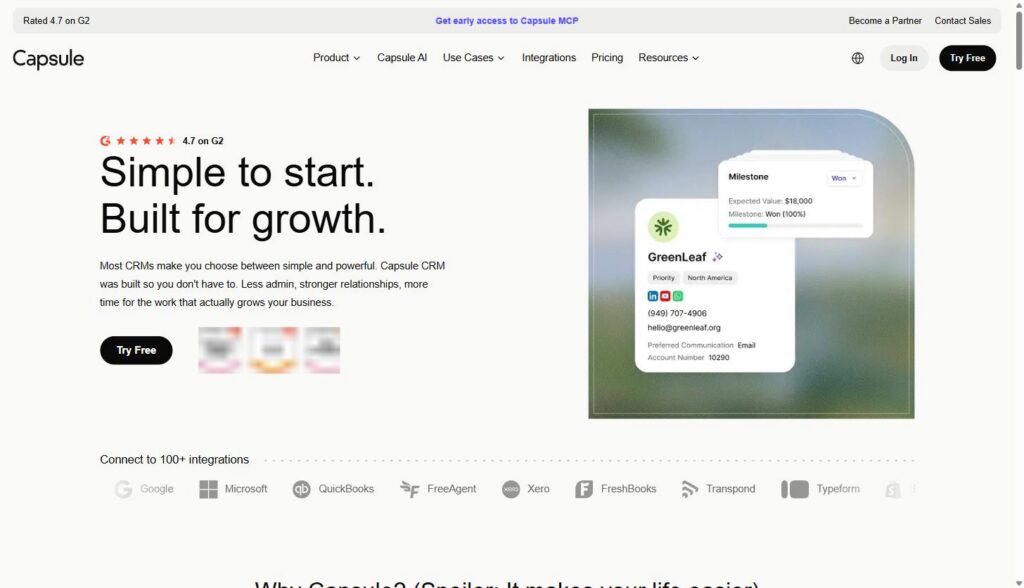
Capsule CRM is a contact, pipeline, and task management tool built for businesses with one to fifty employees that need to track deals and relationships without the setup overhead of an enterprise platform. It’s a practical fit for small B2B SaaS companies and agencies whose sales process is a handful of people, not a RevOps department.
Disclosure: MV3 Marketing participates in affiliate and partner programs, including Capsule CRM’s partner program. This post contains affiliate links, and we may earn a commission if you sign up through them, at no additional cost to you. We only recommend tools we’ve actually researched and believe are a genuine fit for the audience we write for.
If you run sales for a small SaaS company or you’re the account lead juggling five client relationships at an agency, you’ve probably hit the same wall twice. A spreadsheet stops being enough once you have more than a dozen live deals, but the “real” CRMs everyone recommends (Salesforce, HubSpot) come with an implementation timeline and an admin workload that doesn’t match a five-person team. Capsule sits in the space between those two extremes, and it’s worth understanding exactly what it does and doesn’t do before you commit to it.
What Capsule CRM Actually Does
Capsule’s own positioning is “simple to start, built for growth,” and after going through the product pages, that’s a fair description of the tradeoff it’s making. The core product covers four things: contact management, sales pipeline tracking, task management, and reporting. On top of that sit email tools (including Gmail and Outlook integrations), security and permissions controls, and a customization layer for fields, tags, and pipeline stages.
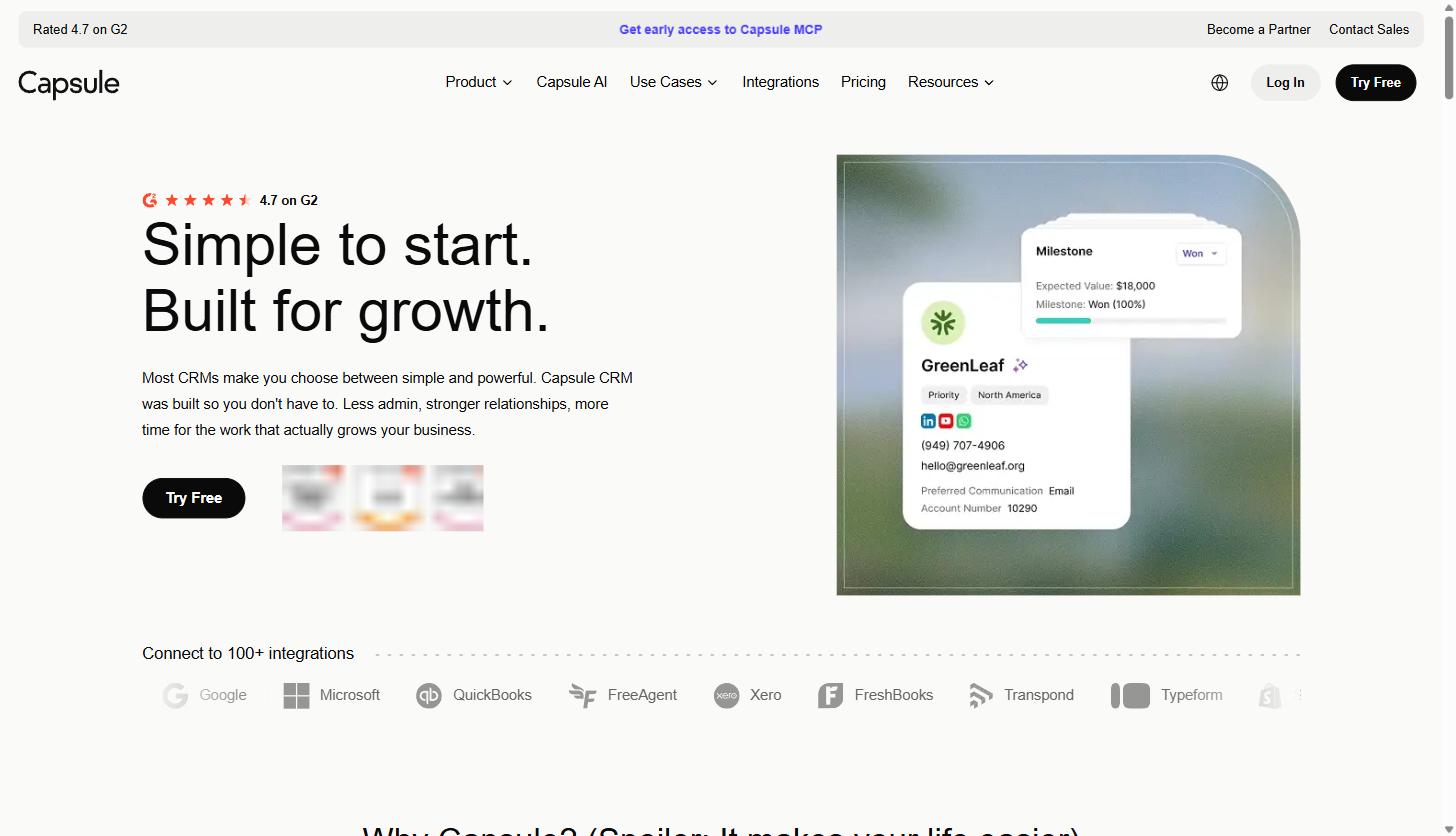
The company is rated 4.7 out of 5 on G2 based on user reviews, and it lists direct integrations with Google Workspace, Microsoft 365, QuickBooks, Xero, FreshBooks, and its own sister product Transpond, plus over 100 total integrations through its connectivity options and Zapier. None of that makes Capsule powerful in the way Salesforce is powerful. It makes it usable in the way a five-person sales team actually needs a tool to be usable, which is a different design goal entirely.
Contact and Pipeline Management, Without the Admin Tax
The sales pipeline is the part of Capsule most small teams will live in day to day. It gives you a Kanban-style visual pipeline where you drag opportunities between stages as they progress, a pipeline dashboard that tracks conversion rate and forecast in one view, and opportunity filtering by status, tag, or milestone. On paid plans above the entry tier, you can run multiple pipelines, which matters if your SaaS company sells more than one product or your agency runs a different sales process for retainer clients versus one-off projects.
Contact management itself covers the basics well: full-text search across notes and emails, auto-enriched profiles that pull in social network information, file attachments for proposals and agreements, and straightforward CSV or spreadsheet import for migrating existing contact lists. On the Growth and Advanced plans, Capsule adds AI-driven business and contact enrichment that fills in job titles, seniority, and LinkedIn profiles automatically, along with AI-generated summaries of the last activities on any contact, opportunity, or project record.
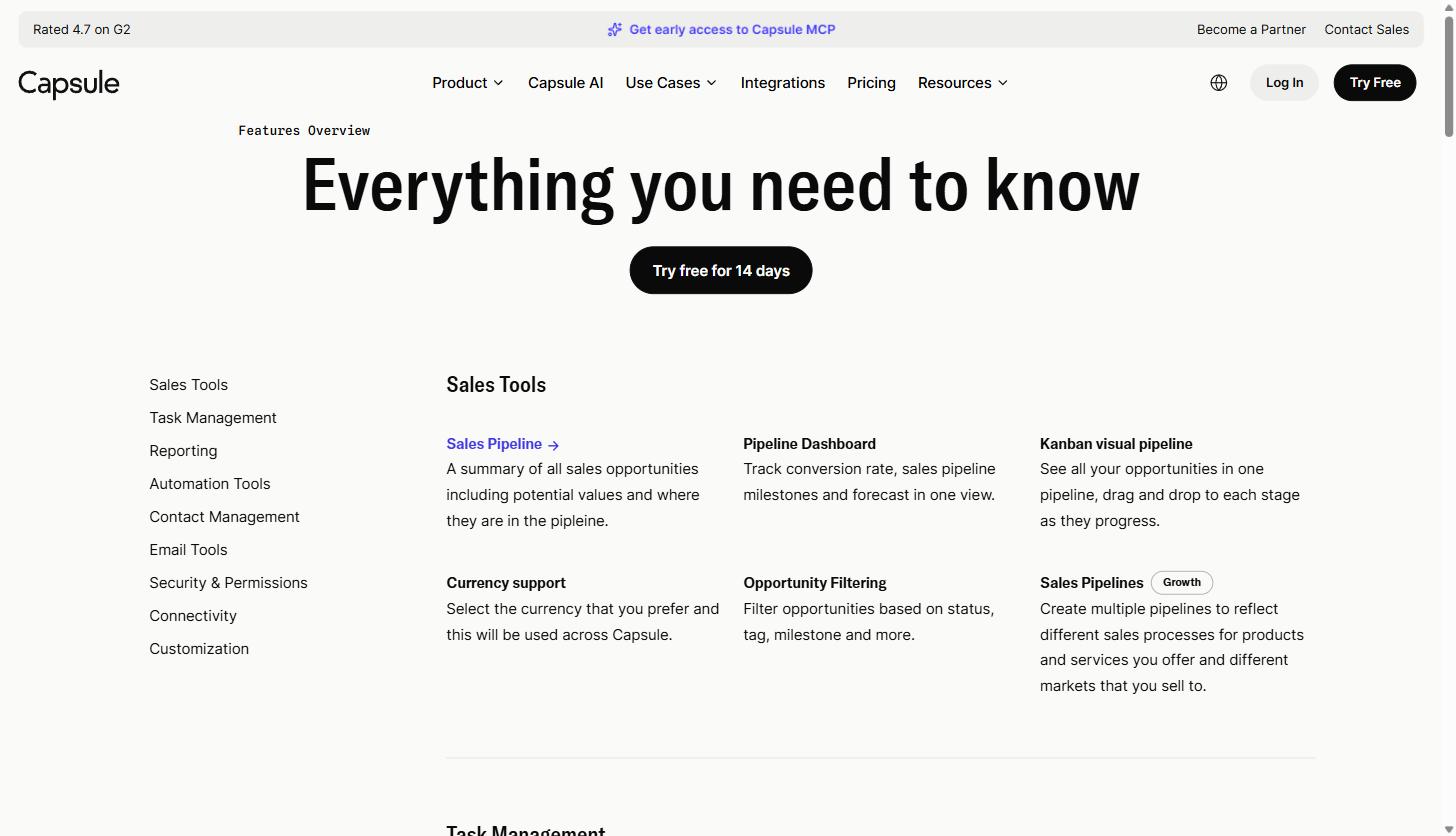
If your team has been tracking deals in a shared spreadsheet, this is the specific gap Capsule is built to close: a visual pipeline that updates in real time, that multiple people can see at once without version conflicts, and that doesn’t require someone to manually calculate conversion rates at the end of the month.
If you’re weighing Capsule against other CRM platforms for a small SaaS or agency team, it’s worth reading through how CRM platform buying decisions play out against incumbents like Salesforce before you pick a lane, since the right answer depends heavily on team size and sales complexity, not just feature count.
Task Automation That Doesn’t Require a Consultant to Set Up
Task management in Capsule covers tasks and calendar entries for appointments, calls, and deadlines, repeating tasks on a daily, weekly, or monthly cadence, and task reminder emails sent at the start of each day. The feature worth calling out specifically is Tracks, Capsule’s term for a series of tasks that activate one after another automatically. For a small sales team, that’s the difference between “someone has to remember to follow up three days after every demo” and having that follow-up task simply appear on the right person’s list without anyone setting a reminder.
Paid plans above Starter add Workflow Automations, which let you configure a series of tasks, email notifications, or pipeline stage changes as a repeatable process. This is meaningfully different from the automation builders you’d find in an enterprise CRM. It’s scoped to a small number of straightforward triggers and actions rather than a full visual workflow canvas, which is exactly the point for a team that doesn’t have someone whose job is CRM administration.
For a lean SaaS sales team or an agency account manager handling multiple client relationships, that kind of built-in follow-up discipline solves a real problem: deals and renewals that quietly go cold because nobody had a system forcing the next action to surface. If a simple, no-admin-overhead CRM like Capsule is something you’re evaluating for your team, the 14-day free trial doesn’t require a credit card to start, so you can test the pipeline and task automation against your actual sales process before committing to a plan.
Email Tools and Transpond
Capsule connects directly to Gmail and Outlook so reps can see contacts, conversations, tasks, and opportunities from inside their existing inbox rather than switching tools constantly. Email templates let a team save and reuse copy for common outreach, and a shared mailbox feature routes a shared inbox like sales@ or support@ through a single connected account so replies stay attributed to the right person.
Capsule also has a companion product called Transpond, built by the same company, for email marketing and automation. Transpond syncs contacts, tags, and custom fields with Capsule in close to real time, so a tag applied to a contact in Capsule shows up as a usable segment in Transpond almost immediately, and campaign engagement data (opens, clicks, bounces, unsubscribes) flows back into the Capsule contact record automatically. For a SaaS company running both a sales pipeline and a lightweight nurture sequence, that’s a meaningfully simpler setup than stitching together a CRM and a separate marketing platform that don’t talk to each other natively. Transpond is a separate add-on with its own pricing rather than something bundled free into every Capsule plan.
Reporting Without Building Your Own Dashboard
Capsule’s reporting starts with sales analytics covering the full sales cycle and activity reporting broken down by user and activity type. The Growth and Advanced plans add more than ten additional report types covering won and lost opportunities, pipeline growth, and average time to close, plus report filtering by time period, user, or team, and the ability to export report data or connect to Google Data Studio for teams that want to build their own dashboards on top of the raw numbers.
None of this replaces a dedicated business intelligence tool, and it isn’t meant to. It’s meant to answer the questions a five-person sales team actually asks in a Monday pipeline review: how many deals moved forward last week, where deals are getting stuck, and who on the team is following up consistently. That’s a narrower and more achievable target than building a custom reporting stack, and for most small teams it’s the right amount of reporting.
Integrations, Mobile Access, and Where Capsule Fits in Your Stack
Capsule lists direct integrations with more than 100 tools, with the most commonly used ones being Google Workspace, Microsoft 365, Xero, QuickBooks, FreshBooks, Mailchimp, and Wufoo. Beyond the native integrations, Zapier support connects Capsule to thousands of other business tools without custom development, and an open API lets teams with in-house developers build custom connections to homegrown or industry-specific software. There’s also a website form lead capture feature that routes leads from your own site’s forms directly into Capsule as new contacts or opportunities, which matters for a small SaaS company that doesn’t want to pay for a separate lead capture tool just to feed its pipeline.
For teams that work outside a desk, Capsule has iOS and Android apps that give access to contacts, pipeline, and tasks from a phone. That matters more for agencies and field-facing sales roles than for a purely desk-based SaaS sales team, but it’s a real gap-filler if part of your process happens at client sites or industry events.
Security, Permissions, and Data Control
For a small business evaluating whether a CRM is safe to put real customer data into, Capsule’s security and permissions feature set covers the fundamentals: two-factor authentication, single sign-on through Microsoft 365 or Google Workspace, and three tiers of user roles so you can control which team members see or edit specific records. Super administrators can restore deleted records within 30 days, which covers the common accidental-deletion scenario without requiring a full backup restoration process. Capsule states it maintains GDPR-compliant data processes, and data export is available at any time if you need your data for safekeeping or to migrate to a different system later. On the Growth and Advanced plans, you can further restrict which records each user role can see and edit, which becomes relevant once a team grows past the point where everyone needs to see every deal.
On the customization side, Capsule lets you configure custom fields, custom pipeline milestones, custom tags and lists, custom lost-reason tracking for closed-lost deals, and custom branding on the login screen. None of this requires a developer or a paid implementation partner. It’s built to be configured by whoever on your team is setting up the account, which again reflects the core design tradeoff: less power than an enterprise platform’s admin console, but a setup process a non-technical founder or ops person can actually complete in an afternoon.
Practical Use Cases for Small Service Business and Agency Sales Teams
A few specific situations where Capsule tends to fit well, based on how the product is actually built:
- A founder-led SaaS sales motion. One or two people closing deals who need a shared pipeline view without spending a week on CRM configuration before the first deal gets logged. The AI Pipeline Generator on the Starter plan can build a starting pipeline structure in seconds, which removes the blank-page problem that stalls a lot of CRM rollouts before they start.
- An agency managing multiple client relationships. Contact records, file attachments, and task Tracks give account managers a single place to see history and next steps for each client without digging through email threads. Multiple project boards on the Growth plan also let an agency track client delivery work in a kanban view alongside the sales pipeline, so the same tool covers both winning the client and doing the work.
- A small team replacing a spreadsheet. The migration path is direct: import contacts from a CSV or existing spreadsheet, build one or two pipeline stages that match your actual sales process, and start logging opportunities. There’s no multi-month implementation project, and the free plan or 14-day trial means you can test the migration before paying anything.
- A team that needs basic marketing and sales in one system. The Transpond integration means a lean team can run simple nurture campaigns and track engagement without adopting a second, disconnected platform that requires its own contact list to maintain.
- Quick onboarding for new sales hires. Because the interface is intentionally narrow in scope, new reps can generally get productive in the pipeline within a day rather than requiring formal CRM training. Email reminder digests and Tracks-based follow-up automation also mean a new hire doesn’t need months of experience to stay on top of their queue.
Support and onboarding also matter for a team without a dedicated CRM administrator. Capsule offers direct support channels for account setup questions, and because the feature surface is deliberately smaller than an enterprise CRM, most teams can complete initial setup themselves rather than requiring a paid onboarding package. That’s worth confirming against your own team’s needs before you buy, since setup complexity is one of the biggest hidden costs of any CRM decision.
Pricing Breakdown
Capsule’s pricing is published directly on its site and is billed per user, per month, with a discount for paying annually. As of this research, the tiers are:
| Plan | Price (billed annually) | Contacts | Built for |
|---|---|---|---|
| Free | $0 | Basic contact and opportunity management | Testing the product before committing |
| Starter | $18/user/month | 30,000 | Businesses with one to five employees |
| Growth | $36/user/month | 60,000 | Small businesses with a dedicated sales team |
| Advanced | $54/user/month | 120,000 | Bigger sales teams with more than one closer |
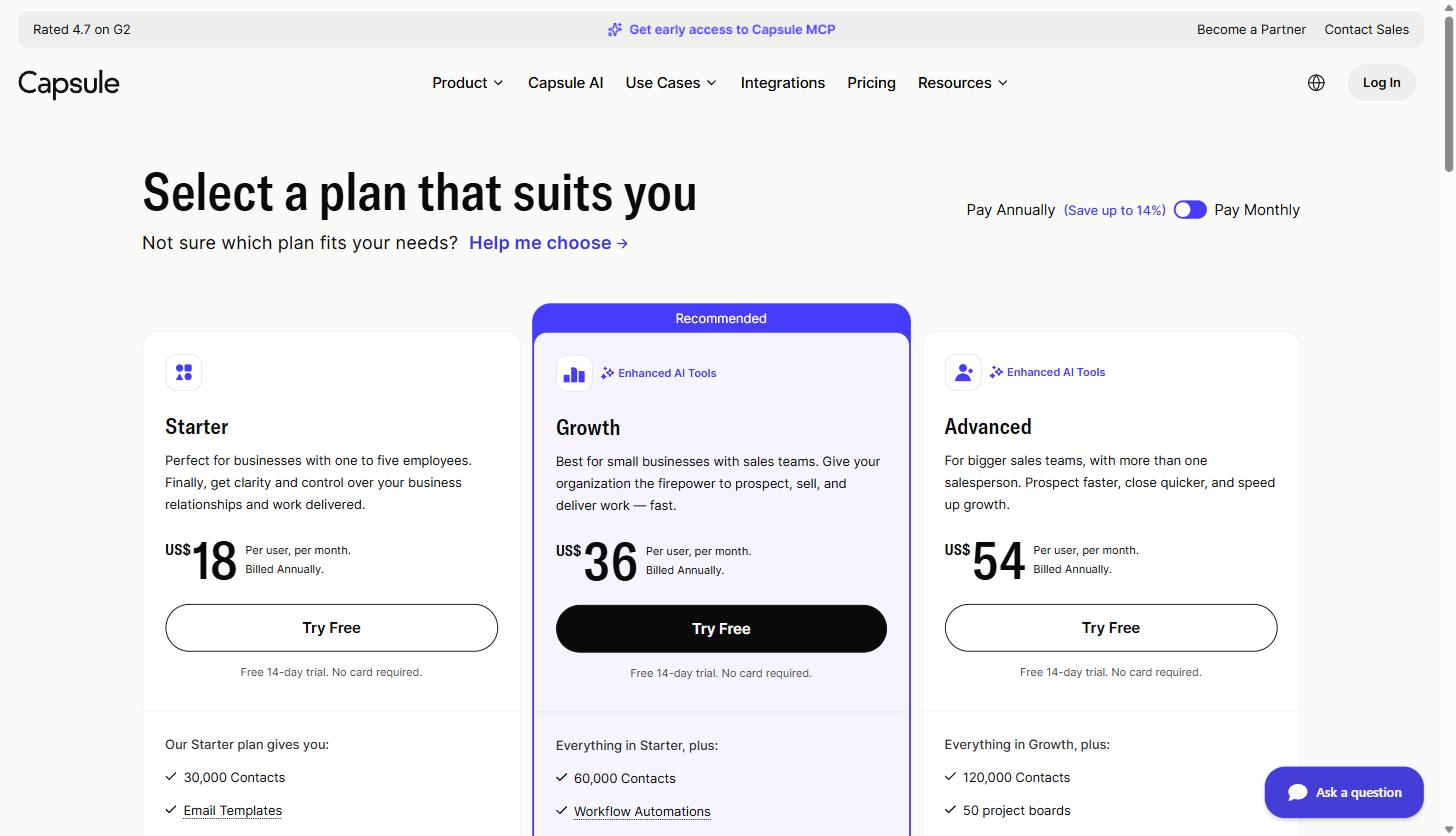
The Growth plan is the one Capsule recommends for most small businesses with a sales team, and it’s the tier where workflow automation, advanced reporting, and AI-based contact enrichment become available. The Marketing add-on (Transpond) is priced separately, starting from $11 per month. All paid plans include a 14-day free trial that doesn’t require a credit card. Note that Capsule prices in US dollars on its US pricing page, and published rates can vary by region and change over time, so confirm current numbers on Capsule’s pricing page before budgeting.
Capsule vs. a Spreadsheet, and vs. an Enterprise Platform
The honest comparison for most small SaaS and agency teams isn’t Capsule versus Salesforce. It’s Capsule versus whatever you’re doing right now, which for a lot of teams is a shared spreadsheet or a notes app. A spreadsheet has no automated follow-up, no shared real-time pipeline view once more than one person is editing it, and no way to see a contact’s full history without scrolling through old rows. Capsule solves that specific problem with a visual pipeline, task automation, and a searchable contact history, at a cost that scales with your team size rather than requiring a fixed platform fee.
The comparison against an enterprise platform like Salesforce or the higher tiers of HubSpot is a different tradeoff. Those platforms offer far more configurability, deeper custom object modeling, and reporting depth that a five-person team genuinely doesn’t need yet. That depth comes with a real cost: implementation time, ongoing admin, and a learning curve that a small team without a dedicated RevOps person will feel immediately. If your sales process is genuinely complex, multiple product lines, long enterprise sales cycles, a large team with role-based permissions, that complexity may be worth it. If your sales process is “a handful of people closing deals in a pipeline with a few clear stages,” a simpler tool that your whole team actually uses consistently will usually beat a powerful tool that half the team avoids opening.
Is Capsule CRM Right for Your Team
Capsule makes the most sense for small B2B SaaS companies and agencies with roughly one to twenty-five people involved in sales or client management, where the priority is getting the whole team actually using a shared system rather than building the most powerful CRM configuration possible. If you need deep custom object modeling, complex approval workflows, or you’re already running a mature RevOps function, Capsule’s simplicity will start to feel like a limitation rather than a feature.
For everyone else, the practical test is the free trial. Import a real slice of your contact list, build your actual pipeline stages, and run it for two weeks before you commit to a paid plan. You’ll know quickly whether the level of structure Capsule provides matches how your team actually sells. You can start a free 14-day Capsule trial here without entering a card number, which makes that test low-risk to run before you make a decision either way.
If you’re building out a broader go-to-market stack around a tool like this, it’s worth getting your terminology straight first. Our marketing and sales glossary covers CRM-adjacent terms like pipeline, lead scoring, and marketing automation if you’re standardizing how your team talks about the funnel before rolling out a new system.
Share this article

Ryan Brooks leads technical SEO at MV3 Marketing, specializing in schema architecture, entity graphs, crawlability, and the structural signals that determine whether AI answer engines cite a page.
Ready to audit your organic growth opportunity?
$2,500 flat. 5 business days. Six deliverables tied to pipeline , not rankings. No retainer required.
Get the Organic Growth Audit →