Disclosure: This article contains an affiliate link. If you sign up through it, MV3 Marketing may earn a commission at no extra cost to you. We only cover tools we’ve actually researched and used in client work.
If your B2B SaaS or agency team has ever watched a hot lead go cold because a form-fill sat in an inbox for six hours, you already understand the appeal of WhatsApp as a channel. Open rates on WhatsApp routinely beat email by a wide margin, and for companies selling into Latin America, India, Southeast Asia, the Middle East, or Europe, WhatsApp isn’t a “nice extra” channel. It’s where your buyers already are. Wati is one of the more established WhatsApp Business API platforms built to make that channel usable at a team level, not just a personal-phone-number level.
Most of the content written about Wati treats it as an ecommerce tool: abandoned cart recovery, order confirmations, catalog browsing. That’s a real and large part of Wati’s business. But a growing share of its customer base is B2B: SaaS companies running lead qualification on WhatsApp, agencies managing multi-client conversations from one shared workspace, and support teams that want AI to resolve routine tickets before a human ever sees them. This guide looks at Wati specifically through that lens: what it actually does, what the three flagship features look like in practice, what it costs at current published pricing, and who should look elsewhere.
What Wati.io Actually Is
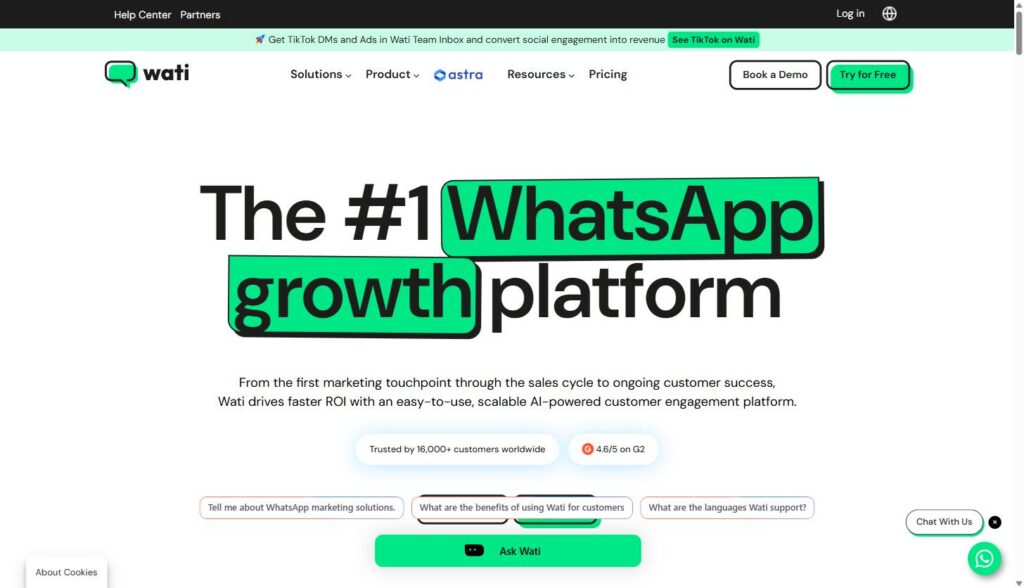
Wati (the name stands for WhatsApp Team Inbox) is a WhatsApp Business Solution Provider, meaning it sits on top of Meta’s official WhatsApp Business API and wraps it in a usable product: a shared inbox, a no-code chatbot builder, broadcast/campaign tools, and, more recently, a layer of AI agents branded “Astra” for lead qualification and support automation. The company is operated by Clare.ai Limited and states it serves more than 16,000 customers across 190+ countries, with a 4.6/5 rating on G2. Wati also reports processing over 10 billion messages with 99.999% historical uptime, which matters if you’re evaluating this as infrastructure rather than a marketing toy.
The platform organizes itself around three use cases, each with its own landing experience on the site: Marketing (acquisition and campaigns), Sales (pipeline and qualification), and Support (ticket deflection and resolution). For a B2B SaaS or agency team, the Sales and Support pillars are usually the more relevant entry points, with Marketing’s broadcast tooling used for nurture sequences and event/webinar reminders rather than promotional blasts.
What It Actually Does: Core Features
Strip away the marketing language and Wati is built around a handful of concrete capabilities:
- Shared Team Inbox: a single workspace where multiple reps can see, claim, and respond to WhatsApp conversations (and, if connected, Instagram DMs, Facebook Messenger, SMS, website chat, and TikTok DMs/ads) without stepping on each other.
- No-code chatbot builder: a visual flow builder for automating qualification questions, FAQ answers, and routing, with Wati stating it supports automations of up to 200 steps and the ability to interconnect multiple chatbots.
- AI Support Agent (Astra): an AI layer trained on your own PDFs and website content that answers customer questions directly, attempts full resolution rather than just a canned reply, and escalates to a human when it can’t.
- Campaigns / Broadcast: official, API-based bulk messaging with pre-approved templates, scheduling, and delivery/click analytics, positioned as the compliant alternative to spray-and-pray messaging that gets numbers banned.
- Catalog and Custom Notifications: commerce-oriented tools for product browsing and transactional messages, most relevant to companies with a Shopify/WooCommerce storefront rather than a pure B2B motion.
- CRM and workflow integrations: native connections to Salesforce, HubSpot, Zoho CRM, Zapier, Pabbly Connect, and Make (formerly Integromat), plus a documented API and webhooks for custom builds. Wati lists more than 100 apps in its integration directory.
- Multi-channel expansion: the same Team Inbox now also handles Instagram and Facebook Messenger, TikTok business messaging, and WhatsApp Business Calling, so agencies managing several social channels for a client aren’t forced into four separate tools.
For a B2B SaaS company, the practical pattern looks like this: a lead fills out a demo request form, gets an instant WhatsApp message instead of (or alongside) an email autoresponder, an AI agent asks two or three qualifying questions, and a qualified lead gets routed into the Team Inbox for a rep to close: all logged back to HubSpot or Salesforce automatically.
One feature worth calling out separately for demand gen and ABM teams: Click-to-WhatsApp ads (CTWA). Wati’s plan pages list CTWA lead capture as a Growth-tier feature and CTWA source tagging plus click tracking as a Pro-tier upgrade. In practice this means a Meta or Google ad can click straight into a WhatsApp conversation instead of a landing page form, with the resulting thread tagged back to the originating campaign for attribution. For agencies running paid social for SaaS clients, that’s a meaningfully different (and often higher-converting) alternative to a standard lead-gen form, provided the follow-up conversation is actually staffed or automated well, which is where the Team Inbox and AI Support Agent come back into play.
Feature Deep Dive: Shared Team Inbox
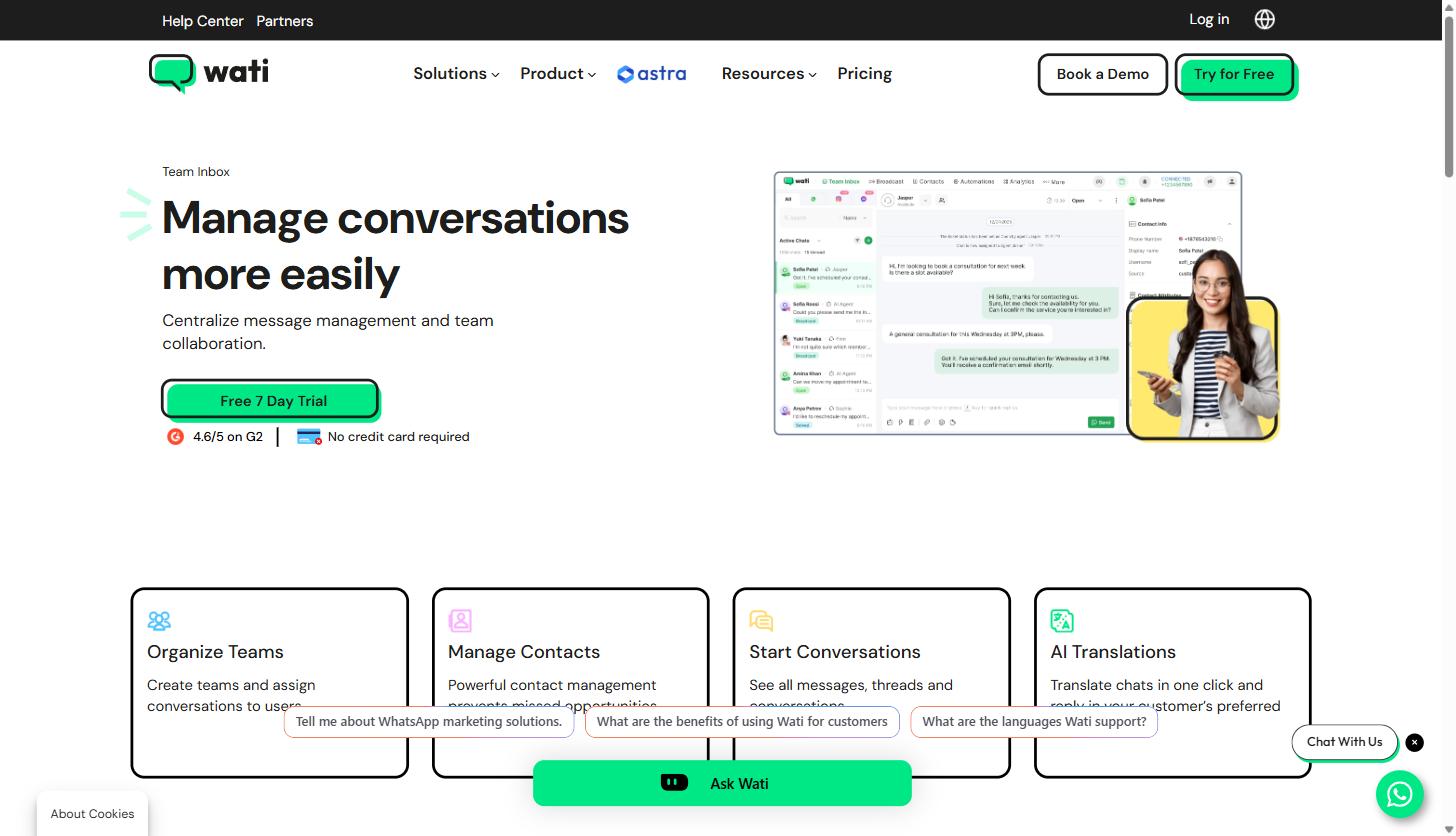
The Team Inbox is the part of Wati that most directly replaces the “someone’s personal WhatsApp Business app” workaround that a lot of growing companies start with. Instead of one phone with one login, the inbox centralizes every conversation into a workspace where you can:
- Organize teams: create separate groups for sales, support, or shift coverage, and assign specific conversations to specific users so nothing sits unowned.
- Manage contacts at scale: a contact list built to handle thousands of numbers, with CSV import/export and tagging (Wati’s own example is tagging VIP accounts) so reporting can slice by segment.
- See full conversation threads: every message, thread, and prior interaction is visible in one place rather than scattered across export files or someone’s phone.
- Translate in one click: AI-powered translation lets a rep reply in a customer’s preferred language without leaving the thread, which matters for any team selling across the 190+ countries Wati says it operates in.
For an agency running WhatsApp on behalf of several clients, this is the feature that actually makes the model workable: reps aren’t bouncing between logins, and conversation history persists even if a team member changes.
Feature Deep Dive: AI Support Agent
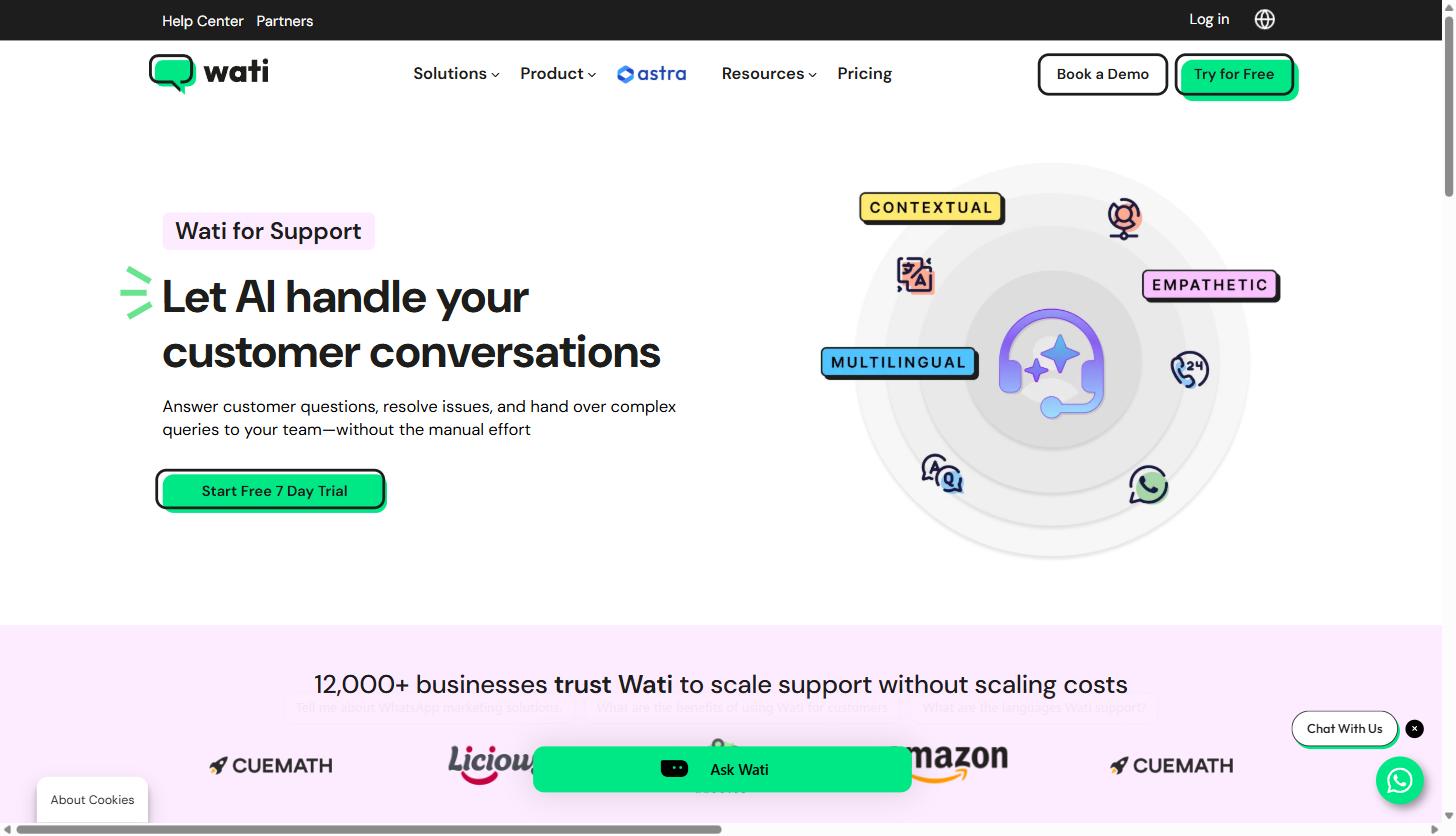
Wati’s support-facing AI agent (part of the Astra AI Agents suite) is built to do more than answer FAQs. According to Wati’s own product page, it’s designed to:
- Answer from your actual content: it pulls answers directly from your uploaded PDFs and website pages rather than a generic model response, which Wati claims can improve response time by up to 60%.
- Fully resolve, not just answer: the stated goal is end-to-end resolution of a customer issue, not a single reply that still requires a human follow-up.
- Follow up proactively: it can send reminders and resolution confirmations without a rep having to remember to circle back.
- Work 24/7 in multiple languages: support coverage outside business hours without staffing a night shift.
Wati’s stated numbers for the Support use case (from the homepage) are a 40% reduction in workload, 80% of FAQs resolved by AI, and 40% faster resolutions. Those are Wati’s own marketing figures, not independently audited, so treat them as directional rather than guaranteed, but the mechanism (RAG-style answers grounded in your own docs, with human handoff) is a legitimate and increasingly standard approach, not vaporware. For a SaaS company fielding “how do I reset my API key” or “what’s included in the Pro plan” questions at volume, this is the kind of ticket the AI agent is built to intercept before it reaches a human.
Feature Deep Dive: Campaigns and Broadcast
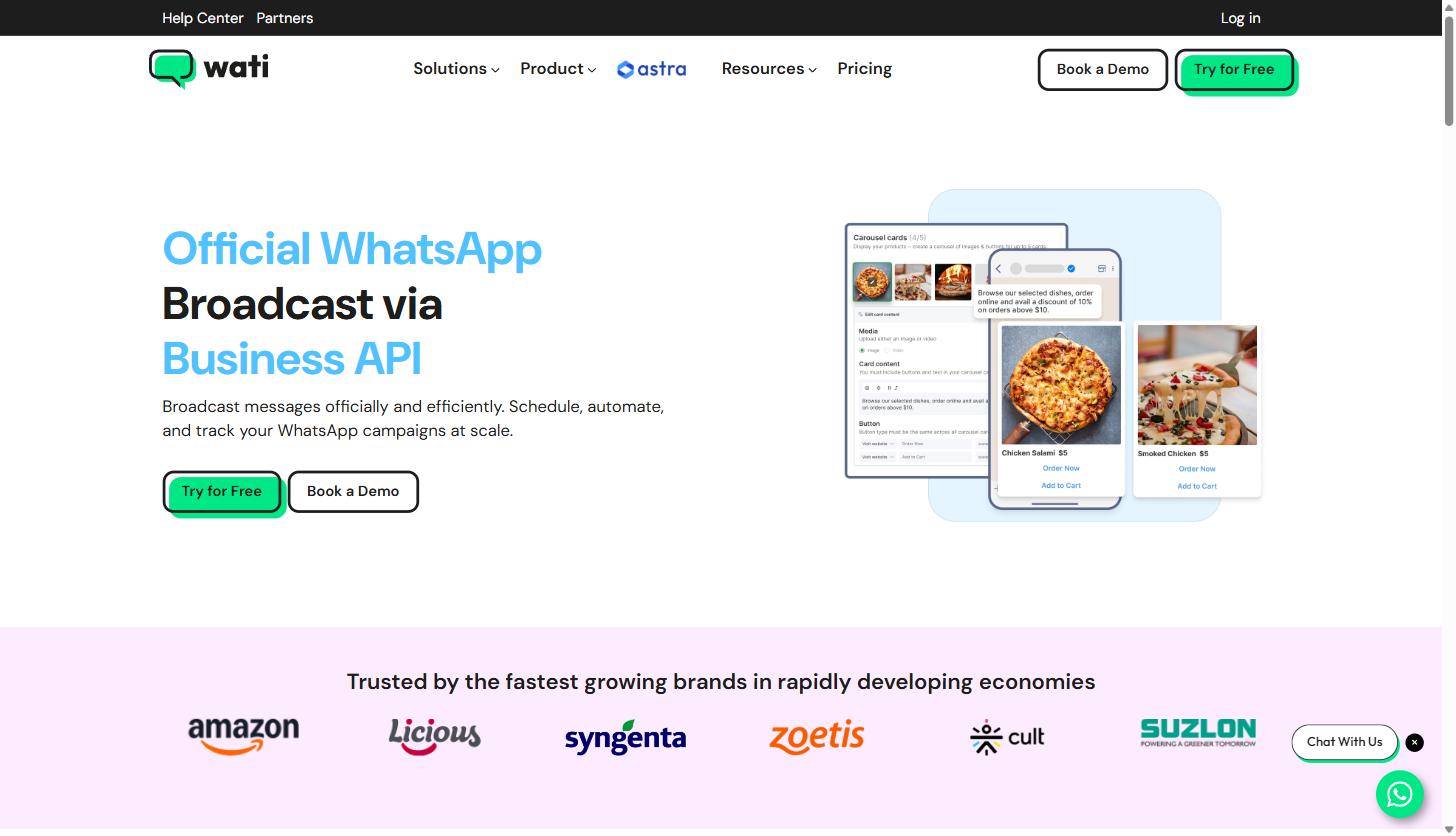
Broadcast is Wati’s term for compliant, template-based bulk messaging: the mechanism you’d use for a webinar reminder to your whole trial list, a product update to active users, or a re-engagement sequence to dormant accounts. Because it runs through the official WhatsApp Business API, every broadcast has to use a pre-approved message template, which keeps you inside WhatsApp’s policies and away from the number-blocking risk that comes with unofficial WhatsApp automation tools.
Wati’s product page cites three data points on why this channel performs well: WhatsApp messages get opened almost instantly (Wati cites a 98% open rate figure), WhatsApp has 2.7 billion+ active users globally, and well-timed broadcasts can see 50–60% click-through rates. The functional pieces that support this are:
- Broadcast to segmented contact lists: send personalized campaigns to thousands of contacts using tags and filters to control who receives what.
- Pre-approved message templates: a template library plus the ability to submit custom templates for approval.
- Real-time analytics: delivery, open, click, and response rate tracking per broadcast.
- Retargeting: campaigns triggered by customer behavior rather than a flat one-time send.
For a growth or lifecycle marketer at a SaaS company, this is closer to an email ESP than a spam tool: the constraint that every send needs an approved template and prior opt-in is a feature, not a limitation, because it’s what keeps deliverability high.
Pricing: What Wati Actually Costs
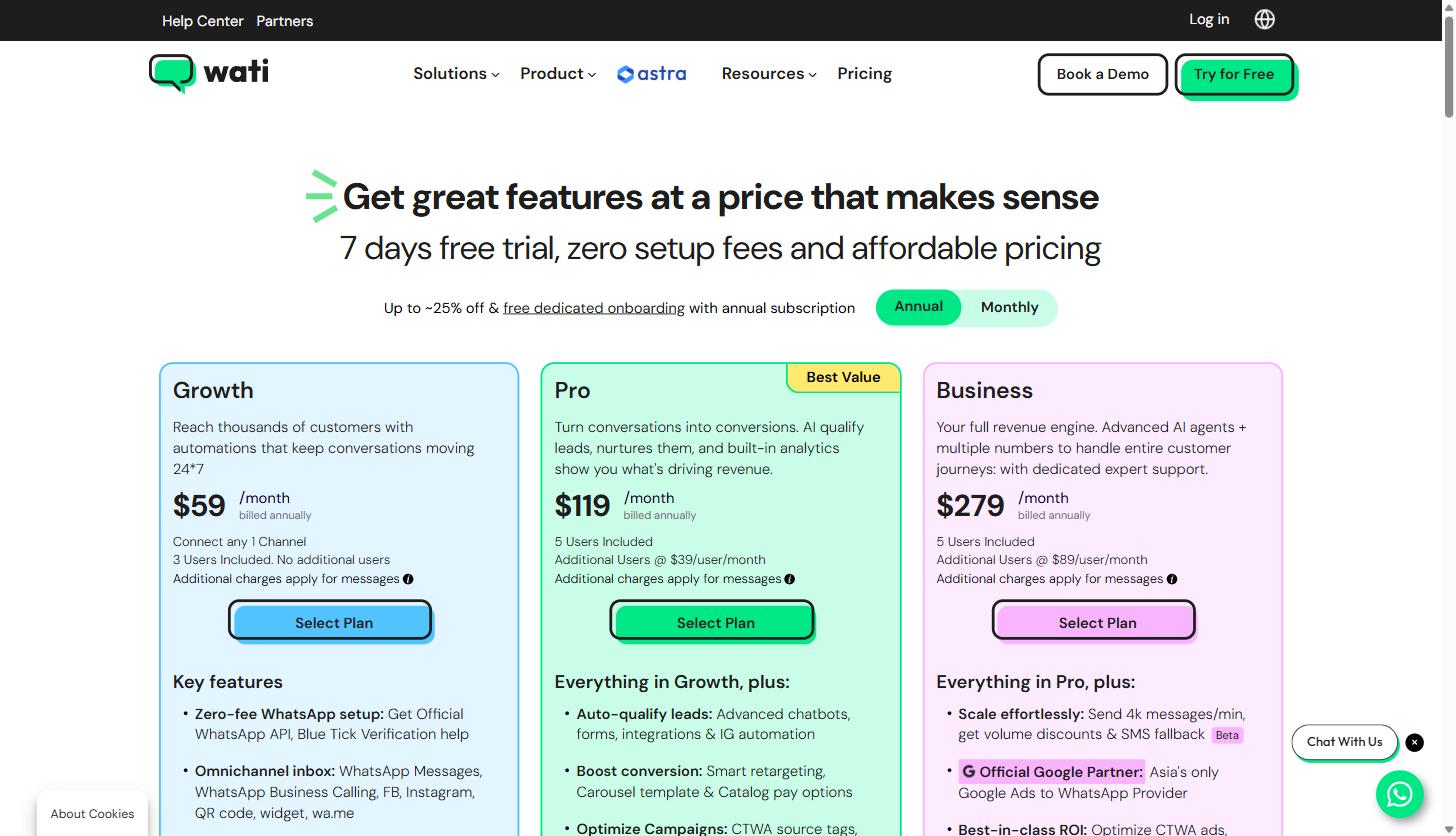
Pricing below reflects what was live on wati.io/pricing at the time of writing, on the annual billing toggle (Wati advertises up to ~25% off versus monthly billing, plus free dedicated onboarding, on annual plans). All plans include a 7-day free trial with no setup fee. Meta’s own per-message charges for marketing, utility, and authentication messages apply on top of every plan and vary by country. Wati publishes a separate rate card for those.
| Plan | Growth | Pro (Best Value) | Business |
|---|---|---|---|
| Price (billed annually) | $59/month | $119/month | $279/month |
| Users included | 3 (no additional users allowed) | 5 (+$39/user/month) | 5 (+$89/user/month) |
| Broadcasts | 15,000/month, standard rates | Unlimited, standard rates | Unlimited, volume discounts |
| Automation triggers/month | 1,000 free | 2,000 free | 5,000 free |
| CRM/commerce integrations | 2 selected integrations | 5 integrations, incl. HubSpot | Unlimited, incl. Salesforce |
| API calls/month | 10,000, no webhooks | 200,000, limited webhooks | 20,000,000, extensive webhooks |
| AI Co-pilot credits/month | 250 free | 500 free | 1,500 free |
| Notable extras | Zero-fee WhatsApp setup, omnichannel inbox, CTWA ad leads, 24×5 email support | Advanced chatbots/forms, smart retargeting, Astra AI Agents (add-on priced separately), 24×7 email + chat support | 4k messages/min sending, Google Ads-to-WhatsApp (Asia), dedicated CSM, phone number masking, IP whitelisting, priority 24×7 support |
Beyond the three core plans, Wati sells usage add-ons for teams that outgrow their included quotas: an additional 1,000 automation triggers for $40/month, an additional 1,000 AI Co-pilot credits for $30/month, Shopify integration for $4.99/month, and additional WhatsApp numbers for $29/month each. There are also three custom-quoted services: Dedicated Onboarding (one-time fee, included free with annual plans), Technical Account Management (annual fee, Business plan only), and Professional Services (hourly, for custom automation/CRM builds).
The detail worth flagging for a B2B SaaS buyer specifically: the HubSpot integration is only available on the Pro plan and above, and AI conversation summaries plus automatic task creation inside HubSpot are Business-plan-only features, confirmed directly on Wati’s HubSpot integration page. If your team runs on HubSpot and wants WhatsApp conversations logged automatically with AI-generated summaries, budget for at least the $119/month Pro tier, and likely Business at $279/month if you want the task-automation piece.
Who Wati Isn’t For
Wati is a genuinely capable platform for teams that need WhatsApp as a real operating channel, but it’s not the right fit for everyone:
- Teams that don’t already have opt-in contacts on WhatsApp. The WhatsApp Business API requires prior consent before you can message someone, and Wati’s own FAQ confirms this. If your pipeline is entirely cold outbound with no opt-in mechanism, WhatsApp broadcast tooling won’t solve that: you’d need to build consent capture first, typically via a click-to-WhatsApp ad, a website widget, or a QR code at a physical/webinar touchpoint.
- Very small teams on a tight budget. The entry-level Growth plan caps out at 3 users with no way to add more, which is limiting the moment a sales and support function need separate seats. And core B2B features (HubSpot integration, Astra AI Agents, deeper webhook access) sit behind the Pro and Business tiers, so a lean $59/month setup won’t get you the full CRM-sync story.
- Companies that already run all customer messaging through a single unified inbox tool (e.g., an existing Intercom or Zendesk setup handling chat, email, and social in one place) may find Wati adds a parallel system rather than replacing one, unless they’re willing to route WhatsApp-specific volume through it and integrate the two.
- Teams needing WhatsApp voice at scale today. WhatsApp Business Calling is listed as a supported channel, but it’s a newer addition to the platform relative to messaging, so voice-heavy support operations should scope that capability carefully during a trial rather than assume parity with a dedicated voice platform.
If your team’s actual bottleneck is CRM data quality, or top-of-funnel lead volume rather than response speed, WhatsApp automation won’t fix the underlying problem: it’ll just make an existing process faster, for better or worse.
Frequently Asked Questions
Does Wati require the official WhatsApp Business API, or does it use an unofficial/automated WhatsApp client?
Wati operates as an official WhatsApp Business Solution Provider on top of Meta’s Business API. That’s the reason broadcast messages require pre-approved templates and prior customer opt-in: it’s what keeps your number from getting banned, unlike many “WhatsApp automation” tools built on unofficial, ToS-violating methods.
Can I keep my existing business WhatsApp number when I switch to Wati?
Yes, but per Wati’s own FAQ, you have to delete the consumer WhatsApp account tied to that number first (via the WhatsApp app’s account deletion flow) before it can be provisioned on the Business API. Note that WhatsApp chat backups cannot be imported into Wati. Conversation history starts fresh from go-live.
Which plan do I need for HubSpot or Salesforce integration?
HubSpot is available starting on the Pro plan ($119/month annually); AI conversation summaries and automatic task creation in HubSpot require the Business plan ($279/month annually). Salesforce is listed as part of the “unlimited integrations” included at the Business tier.
Is there a setup fee, and what happens if I need to cancel?
There’s no setup fee for the WhatsApp API itself. Wati operates as pay-as-you-go with no cancellation fees, though it does not refund payments already made for an existing subscription or credit balance.
Where This Fits in Your Stack
For a B2B SaaS company or agency evaluating WhatsApp as a serious channel, not a side experiment, Wati’s combination of a shared team inbox, a documented API/webhook layer, and native HubSpot/Salesforce sync makes it one of the more B2B-credible options in this category, provided you budget for at least the Pro tier to get the CRM integration and automation depth that make it worth adopting in the first place. The Growth tier is a reasonable way to test the waters with a small team, but the real value for a SaaS or agency use case shows up once qualification and support workflows are actually connected to your CRM.
If you’re weighing WhatsApp-based lead engagement or support automation as part of a broader growth or GEO strategy, that’s exactly the kind of channel-mix decision our team works through with clients every week. Book a strategy call with MV3 Marketing and we’ll help you map out whether WhatsApp automation belongs in your stack, and how to sequence it against the rest of your pipeline.
Share this article

Jordan Reeves leads account-based marketing and outbound pipeline strategy at MV3 Marketing, specializing in account selection, intent-signal targeting, and multi-channel orchestration for B2B companies.
Ready to audit your organic growth opportunity?
$2,500 flat. 5 business days. Six deliverables tied to pipeline , not rankings. No retainer required.
Get the Organic Growth Audit →