Disclosure: This article contains an affiliate link. If you sign up through it, MV3 Marketing may earn a commission at no extra cost to you.
If you sell to businesses, you already know the math: the first vendor to respond to an inbound lead wins an outsized share of the deals. Email sits in an inbox for hours. Phone calls go to voicemail. Text messages get opened in minutes, and a growing number of B2B SaaS sales and support teams are routing lead follow-up, renewal reminders, and customer support through SMS instead of fighting for space in an already-crowded inbox.
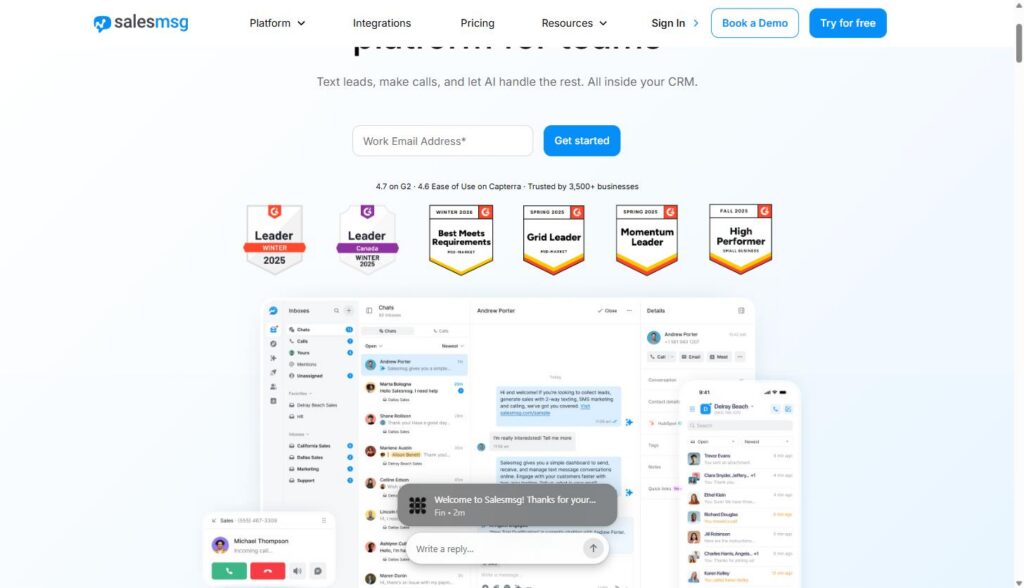
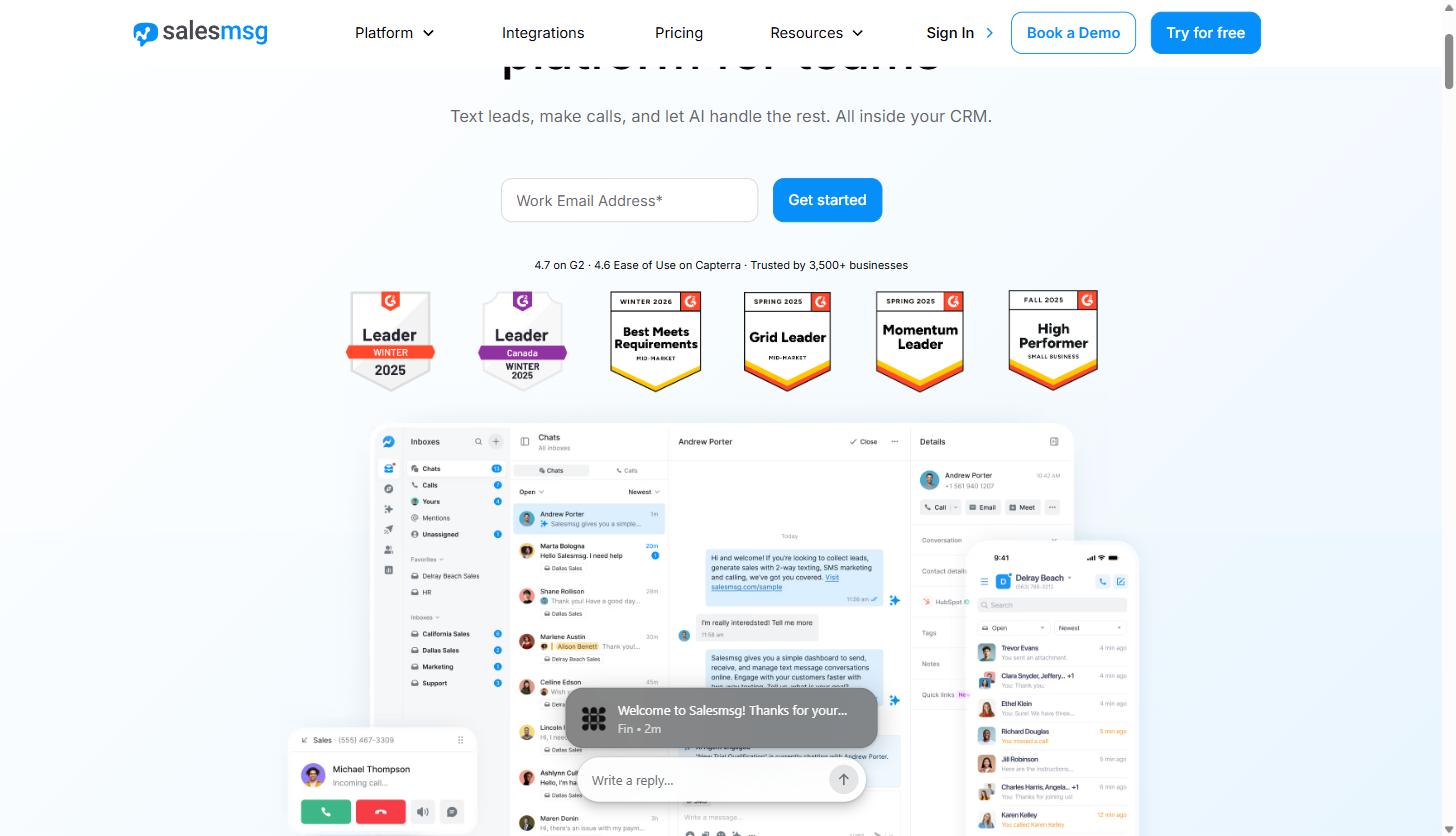
Salesmsg (the product is branded Salesmsg, the company is Salesmessage, Inc.) is a business texting and calling platform built specifically for revenue teams (sales, marketing, and support) who need two-way SMS tied directly into a CRM, not a bolt-on marketing blaster. It reports being trusted by more than 3,500 businesses, with a 4.7 rating on G2 and 4.6 for ease of use on Capterra as of this writing.
This guide is written for B2B SaaS companies and the agencies that support them: sales teams that need faster lead response, customer success teams that need a reliable way to send renewal and onboarding reminders, and support teams that want text as a real channel instead of an afterthought. We navigated the live product pages, pricing page, and compliance documentation on salesmessage.com to pull the specifics below: plan pricing, credit allotments, and feature names are what we found on the site, not estimates.
What Salesmsg actually does
At its core, Salesmsg gives your team a business phone number that can text and call, with every conversation logged to your CRM automatically. From there, the platform layers on the pieces a revenue team actually needs day to day:
- Two-way texting: send and receive SMS and MMS (images, video, file attachments) from a computer, the mobile app, or a Chrome Extension that lets you text from any webpage.
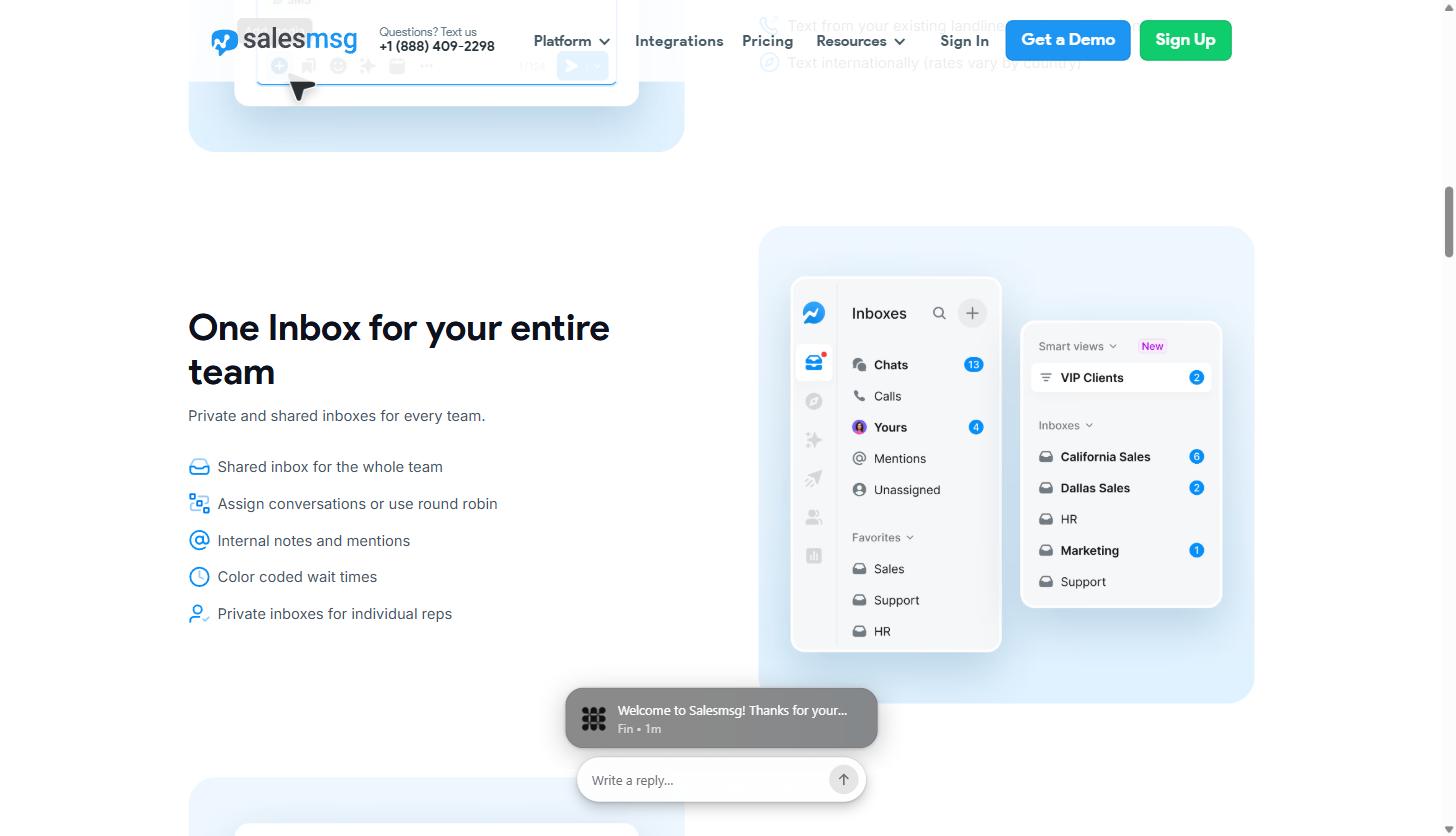
- Shared team inbox: one inbox multiple reps can work from, with conversation assignment, round robin distribution, internal notes, @mentions, and color-coded wait times, plus private inboxes for individual reps.
- Business calling: outbound and inbound calls from the same business number, recorded, transcribed, and synced to the CRM contact record the moment a call ends, with smart call routing (round robin, HubSpot owner assignment, or a custom IVR tree) and a Power Dialer.
- Broadcasts and campaigns: one-time SMS/MMS broadcasts to a segment, or multi-step drip campaigns combining SMS and ringless voicemail with delays and dynamic send dates tied to each contact’s own timeline (renewal date, onboarding day, webinar date).
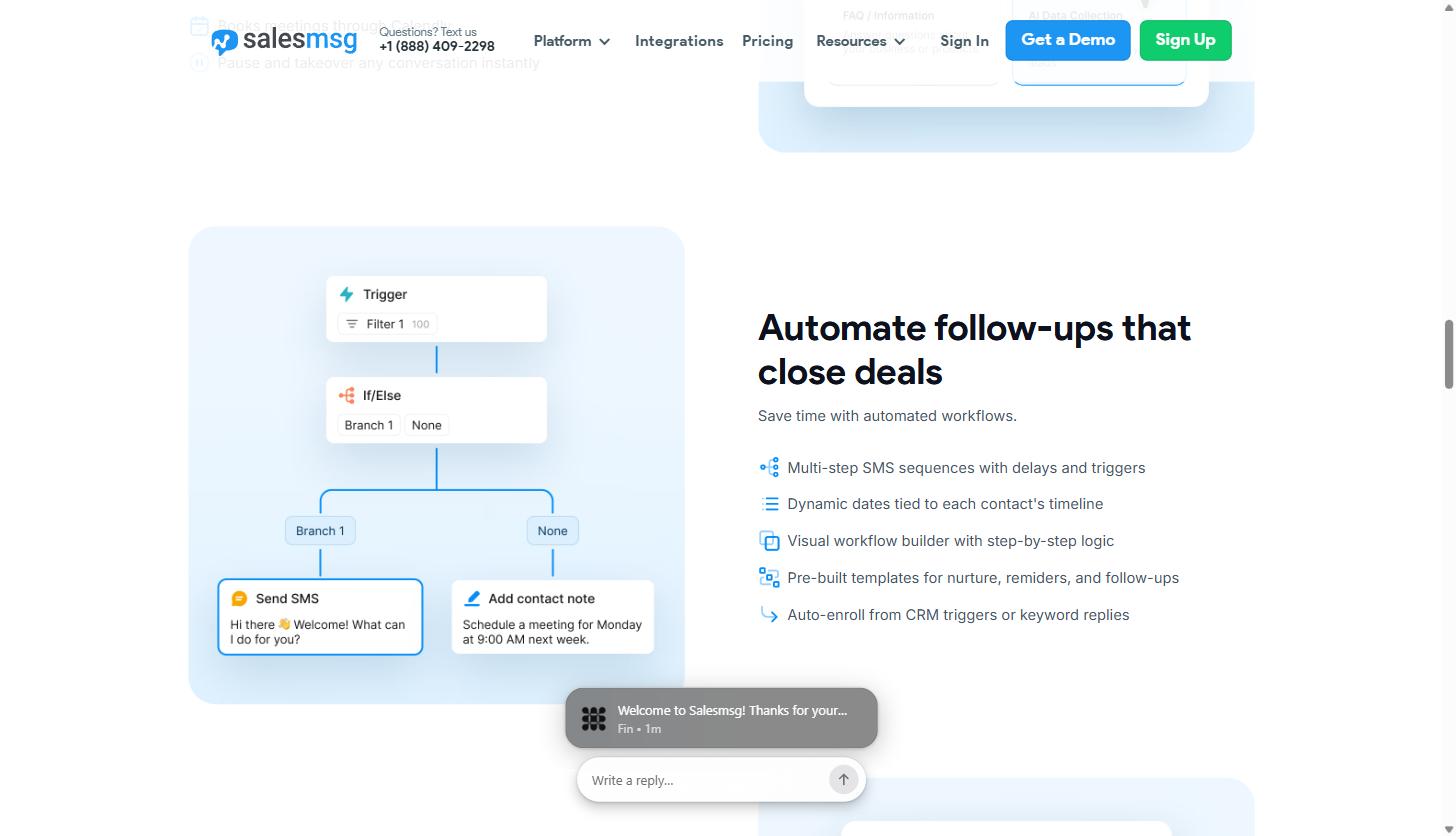
- Workflows: a visual, drag-and-drop automation builder that fires texts and calls off CRM triggers, with pre-built templates for nurture sequences, reminders, and follow-ups.
- AI Agents: a Texting Agent, Calling Agent, and Booking Agent that can respond to inbound messages, qualify leads against your criteria, and book meetings directly on a rep’s calendar, 24/7.
- CRM integrations: native two-way sync with HubSpot and Salesforce, plus 20-plus other integrations (ActiveCampaign, Pipedrive, Zoho, Close, Intercom, Slack, Zapier, Make, n8n, and more).
None of that is exotic on its own. Plenty of SMS tools do some version of shared inboxes or CRM sync. What’s worth digging into is how Salesmsg handles the three things that actually matter for a B2B SaaS team: keeping a whole team’s conversations organized without leads falling through the cracks, automating the follow-up cadence so reps aren’t manually re-texting the same sequence, and using AI to cover the hours when nobody’s at a desk.
Feature deep dive: the shared team inbox
The single biggest failure mode for teams that try to text customers without the right tooling is exactly what you’d expect: a lead texts back, and nobody sees it because it landed on one rep’s personal phone. Salesmsg’s shared inbox is built to close that gap.
Every inbound and outbound message lands in a shared workspace organized into individual inboxes: you can see “California Sales,” “Dallas Sales,” “HR,” “Marketing,” and “Support” as separate inboxes in Salesmsg’s own product screenshots, which gives a sense of how teams typically split things up by territory or function rather than dumping everything into one undifferentiated stream. Inside each inbox, conversations can be assigned to a specific rep or distributed through round robin, so lead ownership isn’t a guessing game.
A few details make this more than a generic shared inbox: internal notes and @mentions let a rep loop in a manager on a tricky conversation without the customer seeing it, color-coded wait times flag conversations that have been sitting too long before anyone replies, and “Smart views” let a manager build a filtered view, like a “VIP Clients” queue, that pulls from multiple inboxes at once. Reps who need to work solo also get private inboxes, so this isn’t an all-or-nothing shared model.
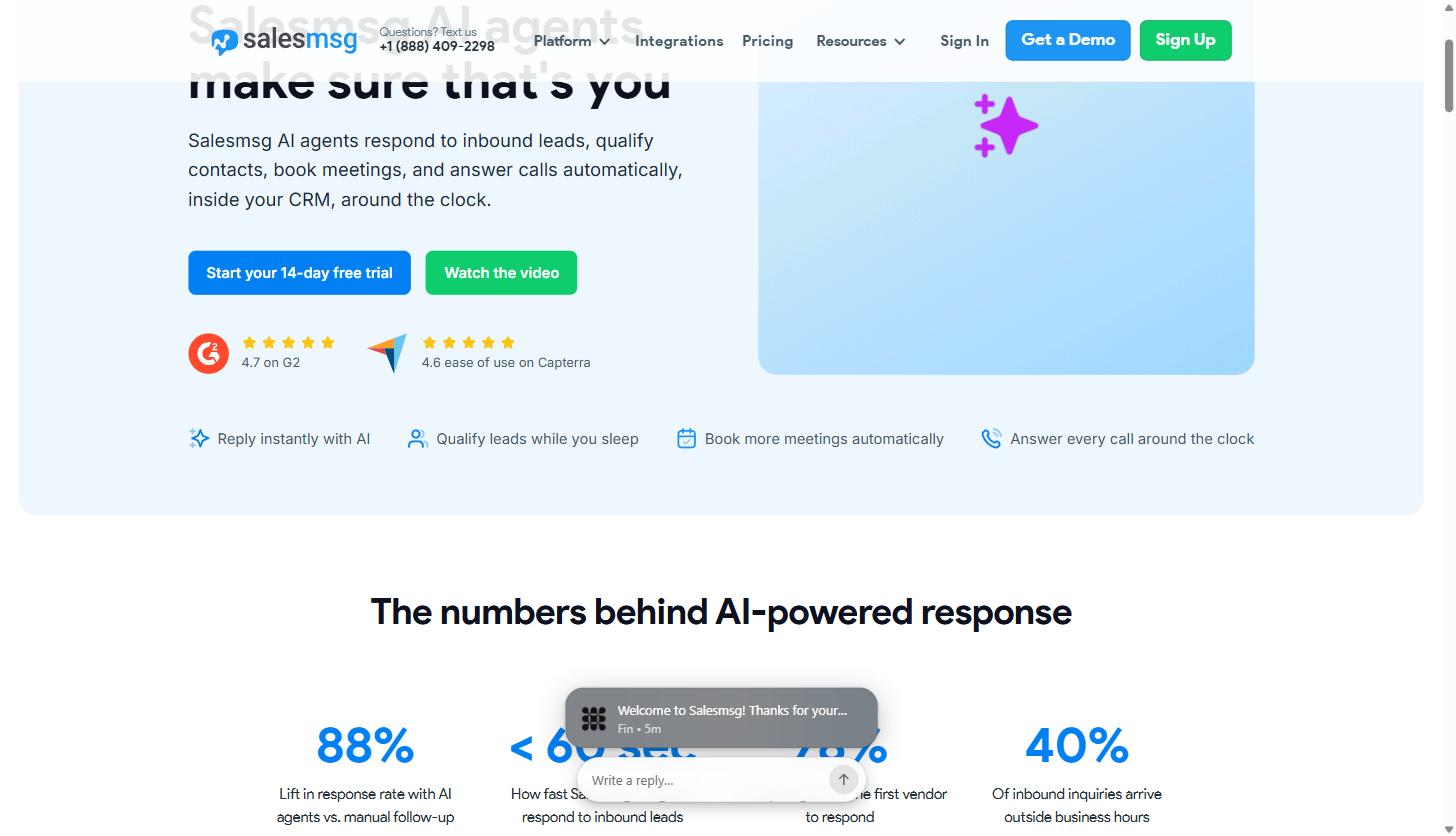
For a B2B SaaS sales team specifically, the practical benefit is speed to first response. Salesmsg’s own product marketing cites an 88% lift in response rate when AI agents are layered onto this inbox versus manual follow-up alone, and notes that Salesmsg’s texting-agent response time for inbound leads is typically under 60 seconds, worth keeping in mind given that 78% of buyers report going with whichever vendor responds first, according to the stat Salesmsg publishes on its own AI Agents page. We’re citing that as Salesmsg’s own reported figure, not an independently audited benchmark, but it lines up with what most B2B sales orgs already know about response-time decay.
Feature deep dive: automated workflows and campaigns
Manually texting every lead the same three-touch follow-up sequence doesn’t scale past a handful of reps, so Salesmsg builds automation directly into the platform through two connected features: Campaigns and Workflows.
Campaigns are multi-step SMS sequences with delays between steps, and (this is the detail that matters for renewal and onboarding use cases) dynamic send dates tied to each contact’s own timeline rather than a fixed calendar date. That means a renewal reminder campaign can fire 30 days before each customer’s actual renewal date instead of a single batch date that’s wrong for everyone except the customers who happen to renew that month.
Workflows add a proper visual, drag-and-drop builder with branching logic: the kind of trigger/filter/if-else/action structure you’d expect from a marketing automation platform, not just a linear drip. A workflow can start from a CRM trigger (a deal stage change, a form fill, a tag applied) or a keyword reply, run a filter, branch on an if/else condition, and then take an action like sending an SMS or adding a contact note with a scheduled follow-up. Salesmsg ships pre-built templates for nurture sequences, reminders, and follow-ups so a team isn’t building every workflow from a blank canvas.
For a SaaS company, this is where lead-response speed and customer success cadence live in the same platform: a sales team can auto-enroll a new demo request into a follow-up campaign the moment it hits the CRM, while customer success runs a completely separate onboarding-day or renewal-date workflow off the same contact record, both logged back to the CRM automatically.
Feature deep dive: AI Agents for lead response and meeting booking
The feature most relevant to a B2B SaaS sales motion is Salesmsg’s AI Agents suite, which breaks into three distinct agents rather than one generic chatbot: an AI Texting Agent, an AI Calling Agent, and an AI Booking Agent.
The Texting Agent responds to inbound SMS conversations using a knowledge base you train it on (docs, URLs, FAQs, your website) and it ships with five templates depending on the job: Book Appointments, AI Data Collection, FAQ, Support, and Custom. It asks qualifying questions in natural conversation, evaluates the contact against your criteria, stores the answers directly on the CRM record, and either routes a qualified lead to a rep with full context or closes out an unqualified conversation with a configured final message. Salesmsg is explicit that this is different from a rules-based chatbot: the agent generates context-aware replies from the full conversation history and knowledge base rather than following a fixed decision tree, and a rep can pause the agent and take over a conversation manually at any point, then resume it later with the AI picking up full context.
The Booking Agent connects to Calendly or HubSpot Meetings, collects the lead details it needs before confirming a time, sends booking confirmations the moment a slot is locked, and handles cancellations and reschedules without a human touching the calendar. The Calling Agent covers the inbound-call side of the same problem: it answers calls with a natural AI voice, pulls answers from the same knowledge base, and (importantly for a SaaS company fielding after-hours inquiries) Salesmsg’s own data shows 40% of inbound inquiries arrive outside business hours, which is exactly the gap these agents are built to cover. Missed calls still get logged: the agent captures caller name, number, and message, and stores it in the inbox so a rep has full context before calling back.
All of this logs natively to HubSpot: AI agent conversations attach to the contact record, and workflows can trigger off agent outcomes without a rep leaving the CRM.
Pricing: what Salesmsg actually costs
Salesmsg’s pricing runs on a credit system rather than a flat per-message rate: an SMS costs 1 credit and an MMS costs 2 credits, with credits starting around 4 cents each and volume discounts kicking in on higher plans, according to the FAQ on Salesmsg’s own texting platform page. Here’s what we found live on salesmessage.com/pricing, with both the annual (billed yearly) and month-to-month rates:
| Plan | Billed Yearly | Billed Monthly | Credits | Includes |
|---|---|---|---|---|
| Basic | $21/mo | $25/mo | 6,000/year (500/mo) | 1 seat, 1 number |
| Pro | $277/mo | $329/mo | 120,000/year (10,000/mo) | 1 seat, 1 number |
| Enterprise | Contact for pricing | Contact for pricing | Custom | Custom seats, custom numbers |
Every plan comes with a 14-day free trial and what Salesmsg calls a “risk-free 30 day money back guarantee”: cancel within 30 days and they’ll refund the account less any message credits already used, no cancellation penalty. There’s also a live chat and a phone number (+1 888-409-2298) listed directly on the pricing page if you want pricing questions answered before you start a trial.
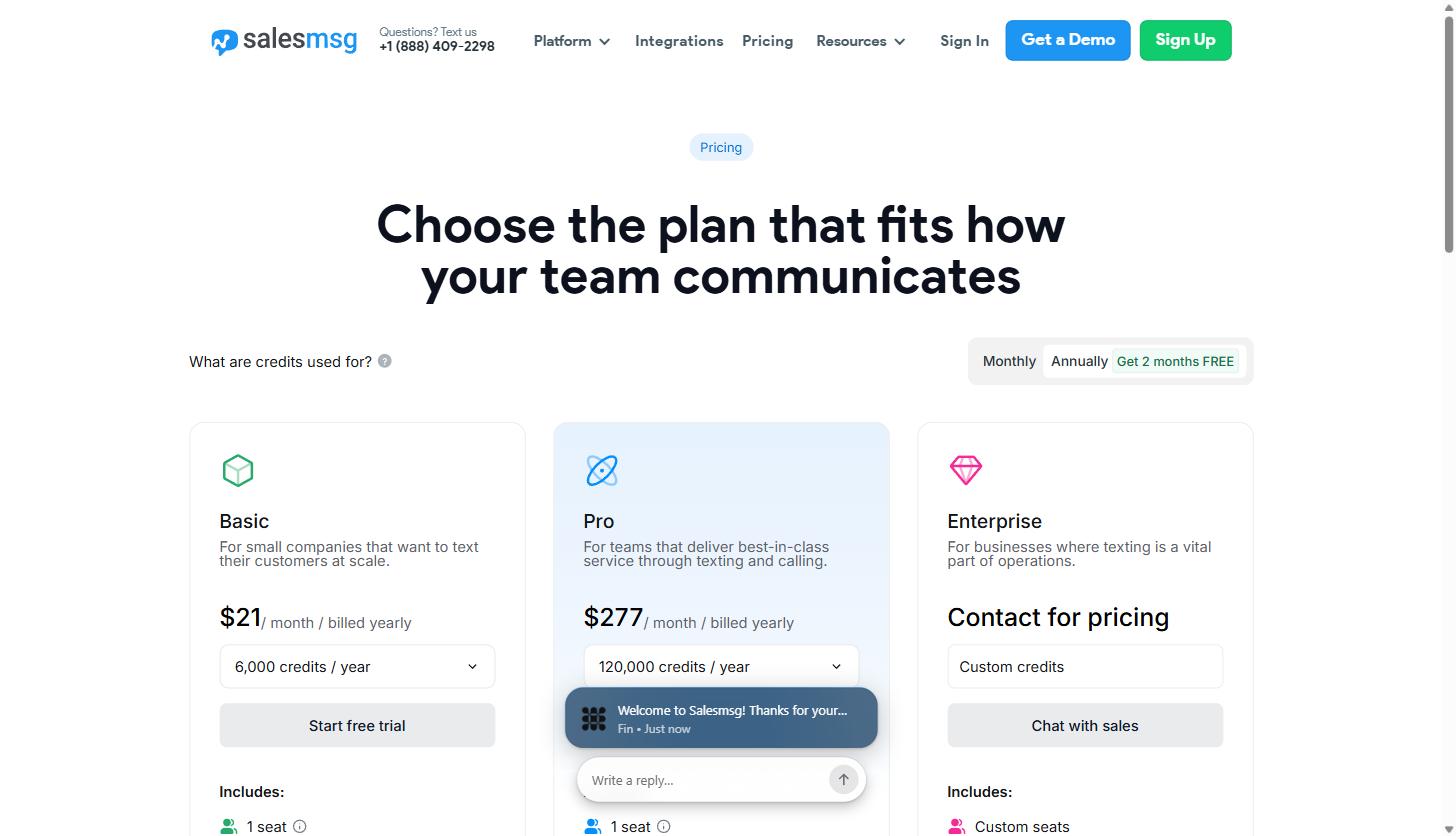
One number worth flagging for budgeting purposes: both Basic and Pro list “1 seat, 1 number” as the included allotment on the pricing page itself. If your team needs multiple reps texting from shared inboxes (which is the whole point of the shared-inbox feature covered above), you should expect to add seats and possibly additional numbers on top of the listed base price, and the jump from Basic’s 500-6,000 monthly-equivalent credits to Pro’s 10,000+ is a meaningful step up in both cost and volume. Confirm current seat and add-on pricing directly with Salesmsg during a trial, since the base plan price alone won’t tell you the full monthly cost for a multi-rep team.
Who Salesmsg isn’t for
Salesmsg is built around CRM-tied, conversational SMS for revenue teams: sales follow-up, support, renewals, appointment reminders. It’s not the right fit for every texting use case:
- Pure bulk marketing blasters on a tight budget. If all you need is occasional one-way promotional blasts to a large list with no CRM sync and no two-way conversation requirement, a credit-metered platform built around shared inboxes and CRM contact records is more infrastructure than you need. A simpler, high-volume-focused SMS marketing tool may be cheaper per message at scale.
- Teams that want a flat, unlimited-messaging price. Salesmsg’s credit model (1 credit per SMS, 2 per MMS, with volume-based per-credit pricing) means costs scale with usage rather than being a flat number-of-contacts fee. High-volume senders should model out actual expected message volume against the credit allotments in the pricing table above before committing to a plan.
- Solo operators who just need one phone number to text from. The platform’s real strength (shared inboxes, round robin assignment, workflows tied to CRM triggers) is built for teams, not a single person managing their own text conversations. A one-person operation may be paying for coordination features they won’t use.
- Developers who want to build a fully custom messaging product on raw carrier APIs. Salesmsg is a finished application layered on top of the underlying SMS infrastructure, not a raw messaging API/SDK like Twilio (though Salesmsg does integrate with Twilio numbers and offers its own API for teams that want to extend it).
Frequently asked questions
Is Salesmsg TCPA compliant, and what does that actually mean for my texting program?
Salesmsg states on its own site that the platform is “equipped with opt-out management, double opt-in, and 10DLC registration” and describes itself as “compliant by default” on TCPA. In practice that means the platform includes built-in tools: automatic opt-out (STOP) handling, a double opt-in flow to confirm consent before messaging, and guided 10DLC (10-digit long code) business and campaign registration, which U.S. carriers require for application-to-person text messaging. Using a platform with these tools is a meaningful step toward TCPA compliance, but TCPA compliance ultimately depends on how your team collects consent and what you send: a texting tool provides the mechanism, not a legal guarantee. If your SaaS company is texting leads or customers at any volume, it’s worth having your own legal counsel confirm your specific consent-collection and messaging practices meet TCPA requirements, in addition to using a platform that supports the technical side.
Does Salesmsg integrate with HubSpot and Salesforce?
Yes, natively for both. Salesmsg describes the HubSpot integration as a “native two-way sync” where texts, calls, and AI summaries log directly to the contact timeline, and the Salesforce integration logs texts, can trigger messages from Salesforce flows, and syncs contact data in real time. Beyond those two, Salesmsg lists 20-plus integrations on its App Marketplace page, including ActiveCampaign, Pipedrive, Zoho, Close, Intercom, Keap, Zapier, Make, and n8n, plus a public API for anything not natively supported.
Is Salesmsg HIPAA compliant?
Salesmsg offers a dedicated HIPAA mode that, per its compliance page, covers a signed Business Associate Agreement (BAA) for qualifying accounts, AES-256-GCM encryption with a dedicated AWS KMS key per organization, a full audit trail of ePHI access retained for 6-plus years, and mandatory two-factor authentication with automatic idle session logout across web and mobile. This is more relevant to healthcare-adjacent SaaS companies than a typical B2B SaaS sales use case, but it’s worth knowing the option exists if your customer base includes healthcare providers who need HIPAA-safe patient texting.
How is the AI Texting Agent different from a basic chatbot?
Per Salesmsg’s own FAQ, the distinction is that a traditional chatbot follows a fixed decision tree, while Salesmsg’s AI agents generate context-aware replies based on the full conversation history and a knowledge base you train it on (docs, URLs, FAQs, custom text). The agent adapts to what a contact actually writes rather than routing them through pre-set buttons, and a human rep can pause and take over any conversation at any point, then hand it back to the AI with full context preserved.
Getting started
If lead response speed, renewal reminders, or customer support texting are a gap in your current sales and CRM stack, Salesmsg is worth evaluating on its 14-day free trial: you can see the shared inbox, workflow builder, and AI agents against your own contact data before committing to a plan. You can start a Salesmsg free trial here.
And if you’re trying to figure out where business texting fits into a broader B2B SaaS demand-gen and lifecycle strategy, not just which tool to buy, book a call with our team and we’ll help you map the whole follow-up and retention system, not just the SMS piece.
Share this article

Ryan Brooks leads technical SEO at MV3 Marketing, specializing in schema architecture, entity graphs, crawlability, and the structural signals that determine whether AI answer engines cite a page.
Ready to audit your organic growth opportunity?
$2,500 flat. 5 business days. Six deliverables tied to pipeline , not rankings. No retainer required.
Get the Organic Growth Audit →