Most B2B SaaS product marketing teams do not have a video production team. They have a product launch on Thursday, a changelog that needs a clip by Friday, and a customer success lead asking for an updated onboarding walkthrough because the last one still shows a UI from two redesigns ago. ngram is built for exactly that gap: an AI video platform that takes documents, URLs, screen recordings, images, or plain text and turns them into a scripted, storyboarded, voiced, on-brand video, without a production queue in between.
This guide walks through what ngram actually does, based on time spent on ngram.com itself: the real input formats, the workflow, two feature areas that matter most for SaaS product marketing (launch/changelog videos and onboarding/demo videos), the current published pricing, and where it falls short. If you run product marketing, growth, or customer success at a B2B SaaS company and you’re evaluating whether this replaces a chunk of your video backlog, this is meant to save you the hour of clicking around the site yourself.
Disclosure: MV3 Marketing participates in affiliate and partner programs, including with ngram. This post contains an affiliate link, and if you sign up through it, we may earn a commission at no extra cost to you. Everything below reflects what we found directly on ngram’s own site as of this writing, including the current published pricing.
What ngram actually is
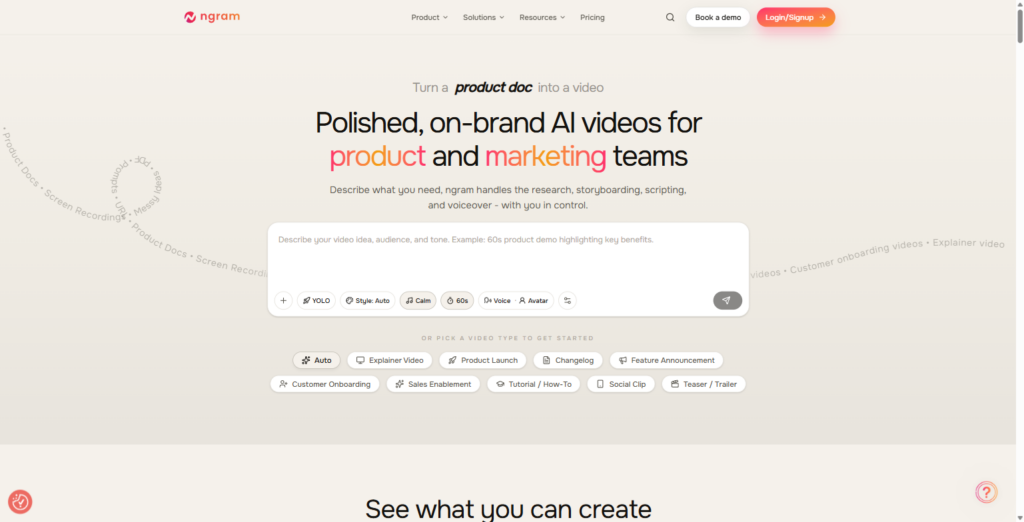
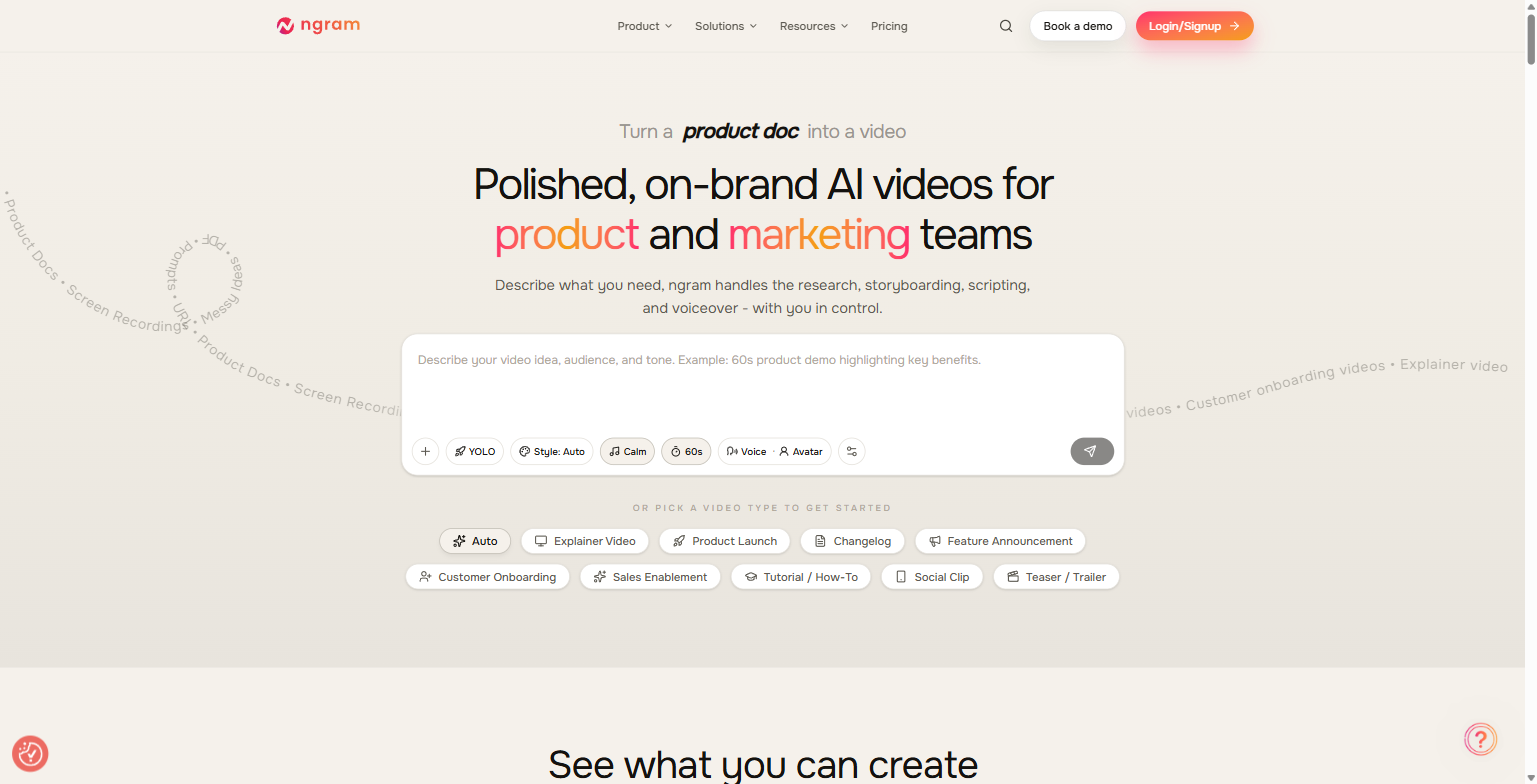
ngram positions itself as a tool for “polished, on-brand AI videos for product and marketing teams.” The pitch on the homepage is direct: describe what you need, and ngram handles the research, storyboarding, scripting, and voiceover, while you stay in control of the result. It’s built around a specific workflow problem: product and marketing teams generate a constant stream of source material (release notes, product docs, decks, screen recordings, blog posts) that never becomes video because turning any one of those into a finished asset usually means briefing an editor, waiting on a production queue, or learning a timeline-based editor yourself.
The customer logo strip on ngram.com lists companies including Veeva Systems, DP World, Genpact, HubSpot, Zapier, Deel, SafetyCulture, and Demandbase, alongside a G2 rating of 4.8/5 across 15 reviews shown on the current pricing page. The site organizes its target users into six groups: Product Marketing, Growth & Marketing, Product Managers, Sales Enablement, Customer Success, and Founders & Solopreneurs, which maps closely onto the teams inside a typical B2B SaaS org that are usually starved for video output relative to how much video they actually need.
What it actually does: the input-to-video workflow
ngram’s own framing of its process is “Input, Define, Ship,” and each stage maps to a real, distinct part of the product rather than being three names for the same button.
Input. The site lists the accepted source formats explicitly: PDFs, prompts, URLs, product docs, screen recordings, text, and images, what the homepage calls “messy ideas.” Beyond raw uploads, ngram exposes dedicated converters for specific source types, each with its own page: PPT to Video, Release Notes to Video, URL to Video, Blog to Video, Docs to Video, Product Docs to Video, plus Text to Video, Image to Video, Screenshots to Video, and PDF to Video. The Release Notes to Video converter is described as turning release notes into “a watchable changelog the day you publish,” which is the direct answer to the changelog-video use case most product marketing and PM teams are chasing.
Define. Before anything renders, you specify audience, goal, style, and length. On the “Product Marketing Managers” solutions page, ngram is explicit that it drafts “a script, scene breakdown, and storyboard you review before anything renders,” and that you can iterate in plain language, with the example phrase “shorten scene 2,” rather than reopening a timeline editor. That review step is the actual differentiator versus a pure text-to-video generator: you’re approving a script and shot list before ngram spends render time on it, not discovering the result only after generation finishes.
Ship. The output stage covers storyboard execution, AI voiceover, music, captions, and brand application. ngram lets you set a BrandKit once (logo, colors, fonts, intro/outro) and export the same project in 16:9, 9:16, and 1:1 ratios, which covers a website hero, a vertical social cut, and a square placement from a single source project instead of three separate exports.
One caveat worth flagging directly, because it’s on ngram’s own homepage in plain text: the “raw screen recording to polished walkthrough” editing layer (auto-cutting dead air, smart zoom on clicks, cursor emphasis, callouts and step labels) is marked “Coming Soon” on the site as of this writing, and the Product Demos use-case copy repeats that with “(Editing features coming soon)” in parentheses. Screen recordings are an accepted input today; the fully automated cleanup of a raw recording is not yet shipped according to ngram’s own site.
Product launch and changelog videos: shipping inside the launch window
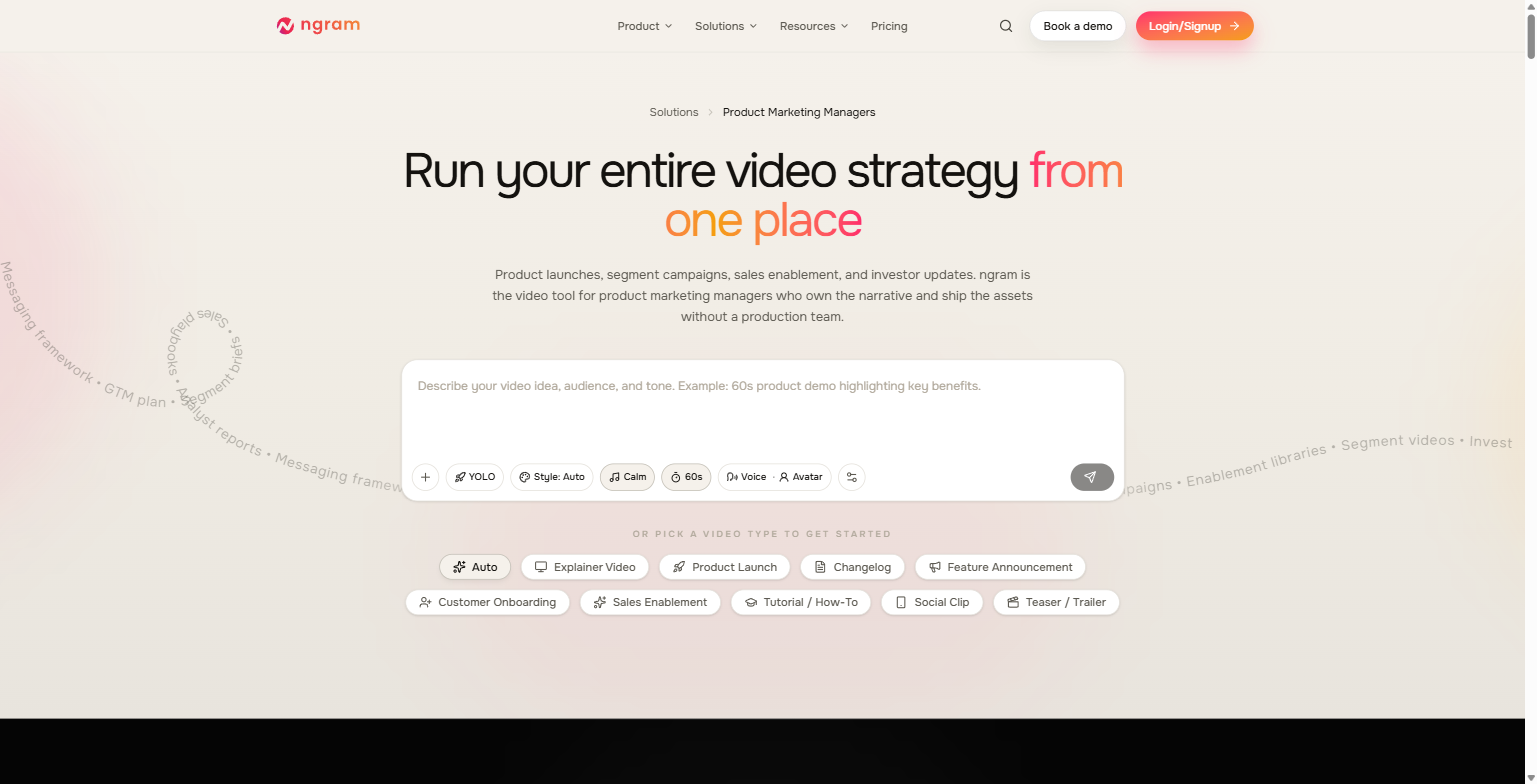
This is the use case ngram’s own site is most vocal about, and it’s the one that lines up most directly with a B2B SaaS product marketing calendar. The homepage’s video-type picker includes Product Launch, Changelog, and Feature Announcement as distinct, named options, not sub-categories of a generic “explainer,” and ngram’s “Product Marketing Managers” solutions page builds an entire narrative around the actual failure mode teams run into: “You wrote the GTM brief, aligned product on timing, and locked positioning. The launch video showed up two weeks after announcement day.” The pitch is that starting from a GTM brief, a messaging framework, a competitive battlecard, or release notes you already have, rather than a blank prompt, is what gets a video out inside the actual launch window instead of after it.
Two specifics on this page are worth calling out because they’re concrete rather than generic marketing language. First, the “Launch Campaigns” workflow describes shipping a full suite on day one (teaser, hero announcement, walkthrough, social cuts, and a recap clip) from a single source project, so the messaging doesn’t drift between the press post and the sales deck. Second, “Segment-Specific Campaigns” describes forking one core narrative into enterprise, mid-market, SMB, and vertical variants that keep the same brand spine but swap pain points and proof points, which is a real problem for SaaS companies selling into more than one buyer persona with one launch video that tries to speak to everyone and lands with no one.
On the automation side, ngram lists working integration templates for this exact use case: a Zapier template triggers a launch video suite when a row lands in a launch tracker; an n8n template auto-generates a launch teaser when a release pipeline tags a build as launch-ready; and a listed MCP Server integration lets an agent (the site names Claude and ChatGPT specifically) call ngram directly from a launch workflow and get back a finished MP4 and shareable link. For a SaaS company already running release automation, that’s the difference between “someone remembers to make a launch video” and the video generating itself off the same event that ships the feature.
Customer onboarding and demo videos: coverage without scaling headcount
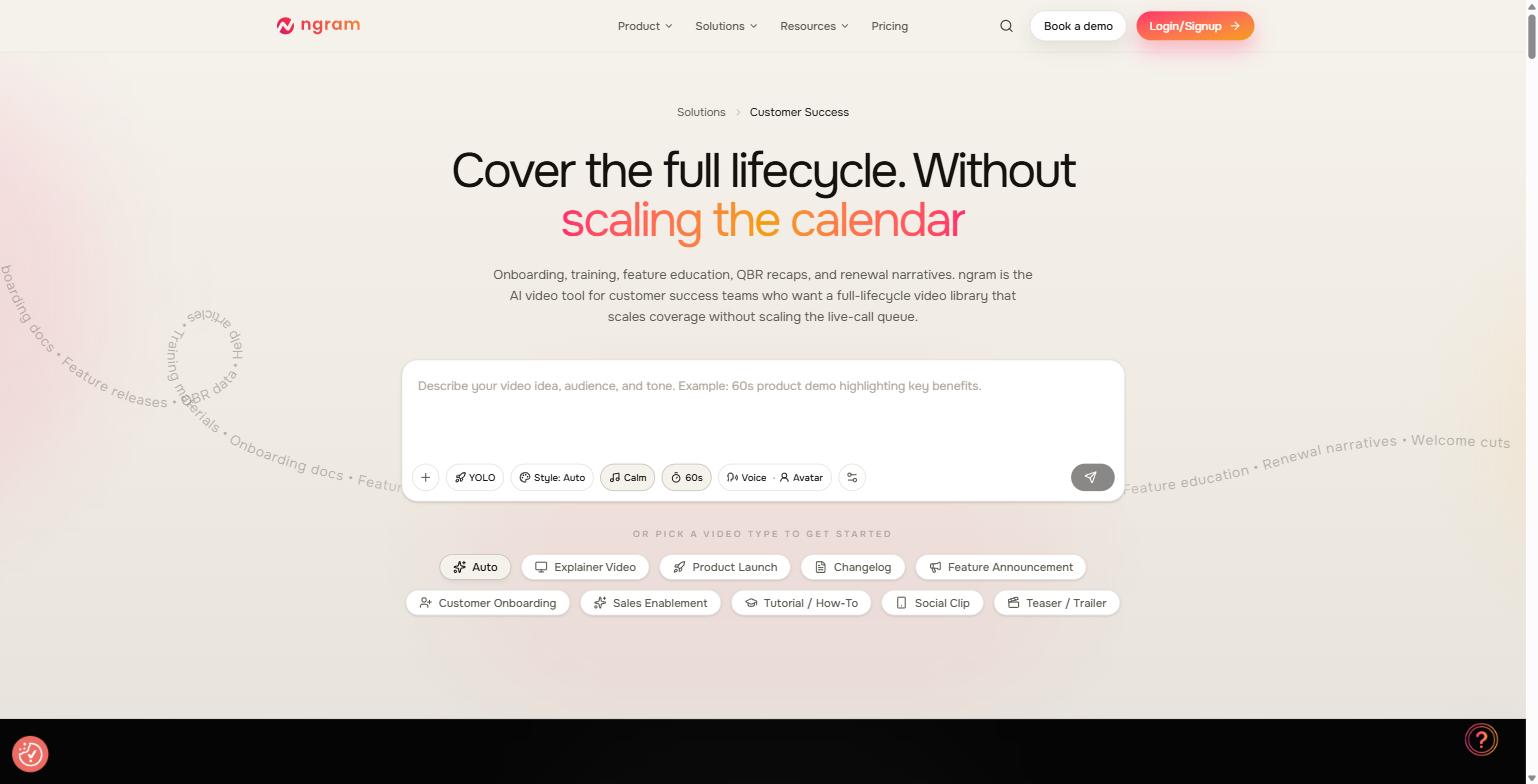
The customer success side of ngram is framed around the opposite failure mode from launch videos: not “too slow,” but “doesn’t scale.” ngram’s dedicated Customer Success solutions page headline is “Cover the full lifecycle. Without scaling the calendar,” and the source-material framing on that page (onboarding docs, training materials, feature releases, QBR data, help articles) is exactly the pile of internal documentation most CS teams already have sitting in a shared drive and never turn into video because there’s no time to storyboard it manually.
Concretely, the video types tied to this workflow are Customer Onboarding, Tutorial/How-To, and Sales Enablement, alongside a specific “Sales Demo Followup” use case described on the homepage: “Walk through the key features they cared about. Show next steps clearly. ngram polishes your recording into a professional video their whole team can watch.” That’s a narrower, more specific pitch than a generic “make onboarding videos” claim: it’s built around the actual moment after a sales demo call where a rep needs to leave behind something better than a recap email.
For teams converting existing documentation rather than starting from a screen recording, the Docs to Video and Product Docs to Video converters are the relevant entry points: ngram describes PRDs and product specs becoming “customer-facing walkthroughs” without maintaining a second source of truth, and internal positioning docs or competitive battlecards becoming “enablement videos sales reps actually share” instead of a static deck nobody opens. The practical value here is less about any single video and more about the update problem: when the underlying doc changes, you regenerate from the updated source instead of re-briefing an editor on what changed.
The point tools and integrations sitting around the core generator
Beyond the main prompt-to-video flow, ngram.com lists a set of standalone point tools that share the same underlying engine, which matters for a product marketing team because it means you’re not locked into starting from a full storyboard every time. The listed tools include an AI Avatar Video Generator (type a script, get a presenter on screen, useful when an executive can’t record on the launch timeline, or a segment variant needs its own face), a Screen Recorder (captures a demo flow with cursor smoothing and smart zoom, per the site’s own description), an Auto Subtitle Generator (burned-in or .srt captions), a Video Translator for localizing an existing asset into other languages, an AI Voice Generator for studio-grade voiceover on demand, a Video Editor described as editing “by transcript instead of timeline,” an Eye Contact AI tool for fixing off-camera glances on a talking-head take, a Background Remover, and an Audio to Text transcription tool that feeds interview or call transcripts back into ngram as source material for the next video.
On the automation side, ngram lists working integration templates beyond the launch-specific ones already covered: Zapier and Make.com scenarios, a self-hosted n8n option, direct publishing integrations for LinkedIn, X, and YouTube, a Chrome Extension that turns a competitor or press page into a video from inside the browser tab you’re already on, and both an MCP Server and a REST API for teams that want to wire ngram into their own release pipeline or CRM rather than using a pre-built template. ngram’s own copy claims a custom integration can be built “in ~30 lines,” though that’s a vendor claim about their own API rather than something we independently verified.
What ngram actually costs
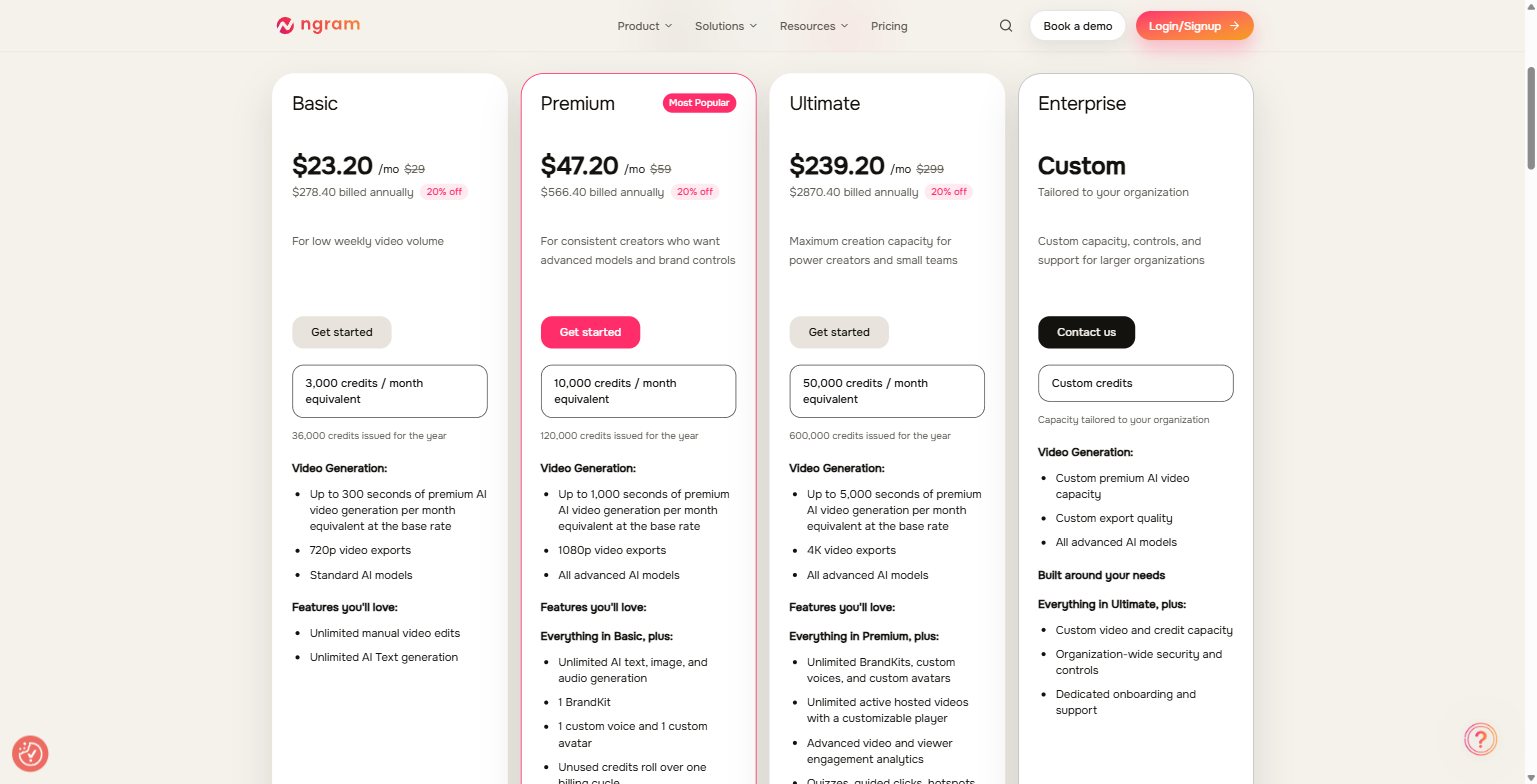
ngram publishes real, specific pricing rather than gating everything behind “contact sales”: only the top Enterprise tier is quote-based. Pricing below reflects the annual-billing rate shown live on ngram.com/pricing, which carries a 20% discount versus paying monthly (the monthly rate is shown alongside it, struck through).
| Plan | Price (annual) | Monthly rate | Credits / month | Video generation | Exports |
|---|---|---|---|---|---|
| Basic | $23.20/mo ($278.40/yr) | $29/mo | 3,000 | Up to 300 sec premium AI video/mo, standard models | 720p |
| Premium (Most Popular) | $47.20/mo ($566.40/yr) | $59/mo | 10,000 | Up to 1,000 sec/mo, all advanced AI models, 1 BrandKit, 1 custom voice + avatar | 1080p |
| Ultimate | $239.20/mo ($2,870.40/yr) | $299/mo | 50,000 | Up to 5,000 sec/mo, unlimited BrandKits/voices/avatars, viewer analytics, quizzes & hotspots | 4K |
| Enterprise | Custom | Custom | Custom | Custom capacity, org-wide security controls, dedicated onboarding | Custom |
A few things worth flagging directly from that table. The credit allowances scale roughly linearly with price across Basic, Premium, and Ultimate (3,000 → 10,000 → 50,000), but the feature gates matter as much as the credits: BrandKits, custom voices, and custom avatars are capped at one each on Premium and only become unlimited on Ultimate, which matters for a company running segment-specific launch variants or multiple product lines under one brand. Ultimate is also the tier where hosted video analytics, quizzes, guided clicks, hotspots, and branching show up: features that matter more for a CS or sales enablement library that lives on a hosted player than for a one-off launch teaser you’re exporting to LinkedIn. Every paid tier includes unlimited AI text generation and manual video edits; unlimited AI text, image, and audio generation starts at Premium.
Who this isn’t for
ngram is not a fit if you need frame-accurate, hand-animated motion graphics or a fully custom brand film: the output is AI-generated and storyboard-driven, which is a different craft than a bespoke agency production. It’s also not the right tool yet if your primary need is turning a messy raw screen recording into a polished walkthrough with zero manual cleanup: as covered above, ngram’s own site marks the automated smart-zoom/dead-air-removal editing layer for screen recordings as “Coming Soon,” so today that workflow still needs manual editing on your end, or a different point tool, until that ships. It’s also overkill, dollar for dollar, for a team that needs one video a year rather than a recurring pipeline: the entry-level Basic tier still runs a real monthly or annual cost, and the value case here is built on volume and update frequency, not a single asset. Finally, ngram is not a substitute for owning your positioning: every workflow described on the site starts from a document, brief, or URL you already have. If your team doesn’t have a messaging framework, GTM brief, or product docs to feed it, ngram has less to work with than the marketing copy implies.
FAQ
How is this different from Loom or Descript?
Per ngram’s own FAQ: “Loom is great for quick screen recordings but doesn’t help with structure or polish. Descript is powerful but requires editing skills. ngram starts from your intent (who it’s for, what it should achieve) and builds a complete video with structure, visuals, and polish. You describe, we create.”
Can I use my own brand colors, fonts, and logo?
Yes. ngram’s BrandKit lets you set logo, colors, fonts, and intro/outro once and apply it across projects. Premium includes one BrandKit; Ultimate and Enterprise include unlimited BrandKits, which matters if you’re running video for more than one product line or sub-brand.
What video formats can I export?
ngram exports 16:9, 9:16, and 1:1 from the same project: covering a website hero or YouTube upload, a vertical cut for Reels/TikTok/Shorts, and a square placement, without rebuilding the video per platform.
Is this just for marketing videos, or does it work for product and CS teams too?
It’s built for both, with dedicated solutions pages and video types for each. Product Launch, Changelog, and Feature Announcement are aimed at product marketing and PM workflows; Customer Onboarding, Tutorial/How-To, and Sales Enablement are aimed at CS and sales; Explainer Video and Social Clip sit closer to general growth marketing use.
The bottom line
For a B2B SaaS product marketing or customer success team that already generates release notes, GTM briefs, product docs, and screen recordings as a normal part of the job, ngram’s actual value is turning material that already exists into video without adding a production step. The launch-video and changelog workflow is the most fleshed-out part of the site, with real integration templates for triggering video generation off a release pipeline or launch tracker. The onboarding and CS side is credible but leans more on document conversion today than on the fully automated screen-recording cleanup that’s still marked as coming. Pricing is transparent and reasonably priced at the Basic and Premium tiers for a small team testing the workflow, with the feature gates (BrandKits, custom voices, hosted-video analytics) that matter for a real production pipeline arriving at Ultimate.
If you want a second set of eyes on whether a tool like ngram actually fits your launch cadence and content backlog, or where it should sit next to the rest of your GTM stack, book a strategy call with MV3 Marketing and we’ll walk through it with you.
Ready to see what ngram can do with your own product docs or last release notes? Try ngram and turn your first doc into a video.
Share this article

Alex Carter leads SEO and content strategy at MV3 Marketing, specializing in generative engine optimization, technical SEO, and AI-driven content systems for B2B companies.
Ready to audit your organic growth opportunity?
$2,500 flat. 5 business days. Six deliverables tied to pipeline , not rankings. No retainer required.
Get the Organic Growth Audit →