
To get Google Ads certified, create a free Skillshop account, pick the certification that matches your work, study the Skillshop course, and pass the timed assessment with a score of 80% or higher. Certifications are valid for one year. This guide walks through each step, the exact rules, and how renewal works.
Before you start
You need: a Google account and a Skillshop account, both free. Time: the assessment itself is 75 minutes; study time depends on how much you already manage in Google Ads. Skill level: beginner to advanced, since each exam covers its own campaign type. You end with: a certificate and digital badge that stay valid for one year.
What Is the Fastest Way to See the Whole Process?
Watch the 50 second walkthrough below, then use the steps in the rest of this guide for the detail. The video has no sound; each step is captioned on screen.
What Is Google Ads Certification?
According to Google Ads Help, Ads certifications are professional accreditations that Google offers to individuals who demonstrate proficiency in basic and advanced aspects of Google Ads. You earn them through Skillshop, Google’s learning and certification platform, by passing a timed, scored assessment. It is a knowledge test, not a video course and not a performance audit.
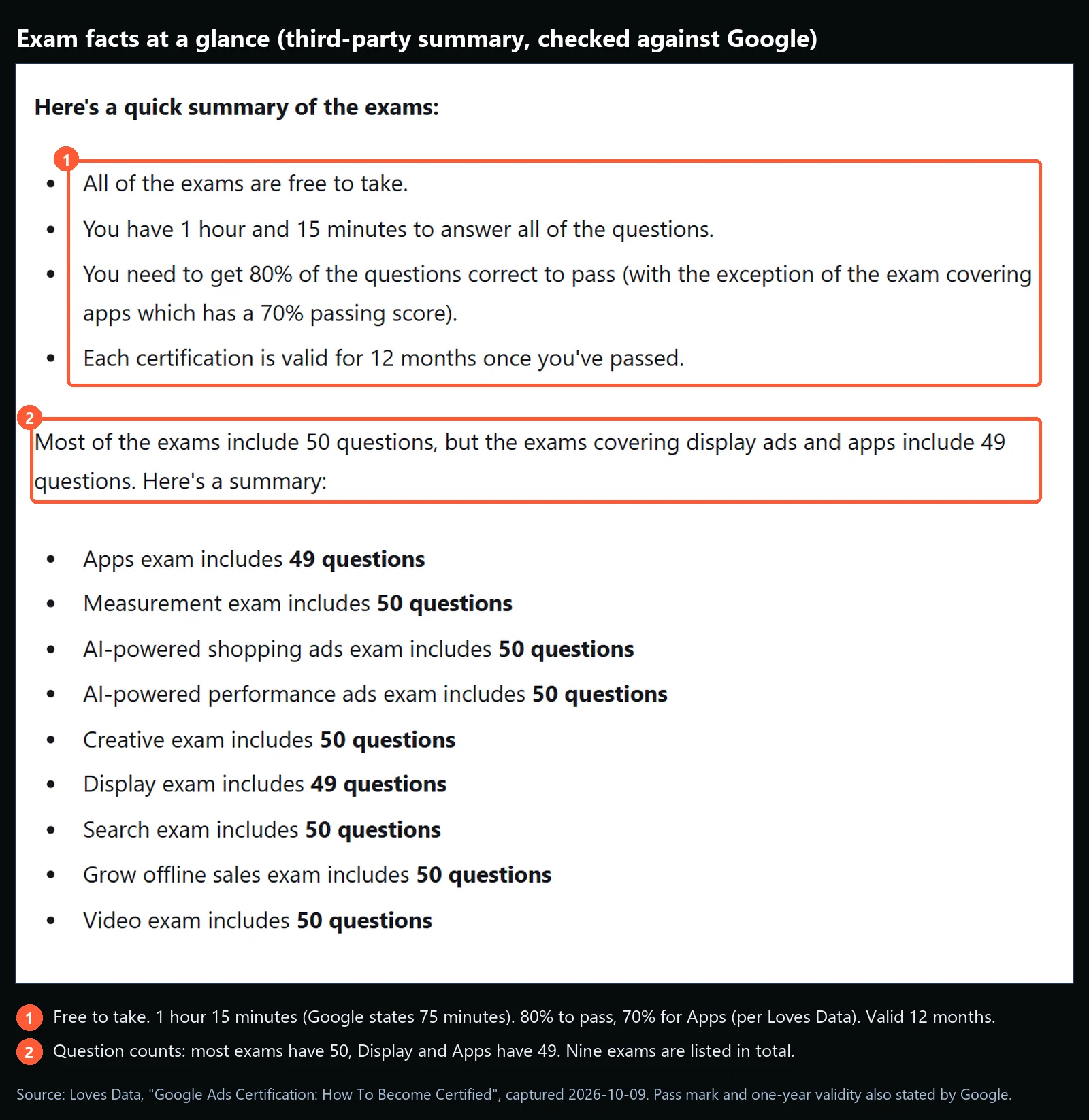
There is no free option versus paid option to choose between. Loves Data reports that all of the exams are free to take, so the real cost is your time. Google also says a certification is personal: you may only call yourself certified if you, personally, passed the assessments. A colleague’s certification or your agency’s badge does not count.
Which Google Ads Certifications Are Available?
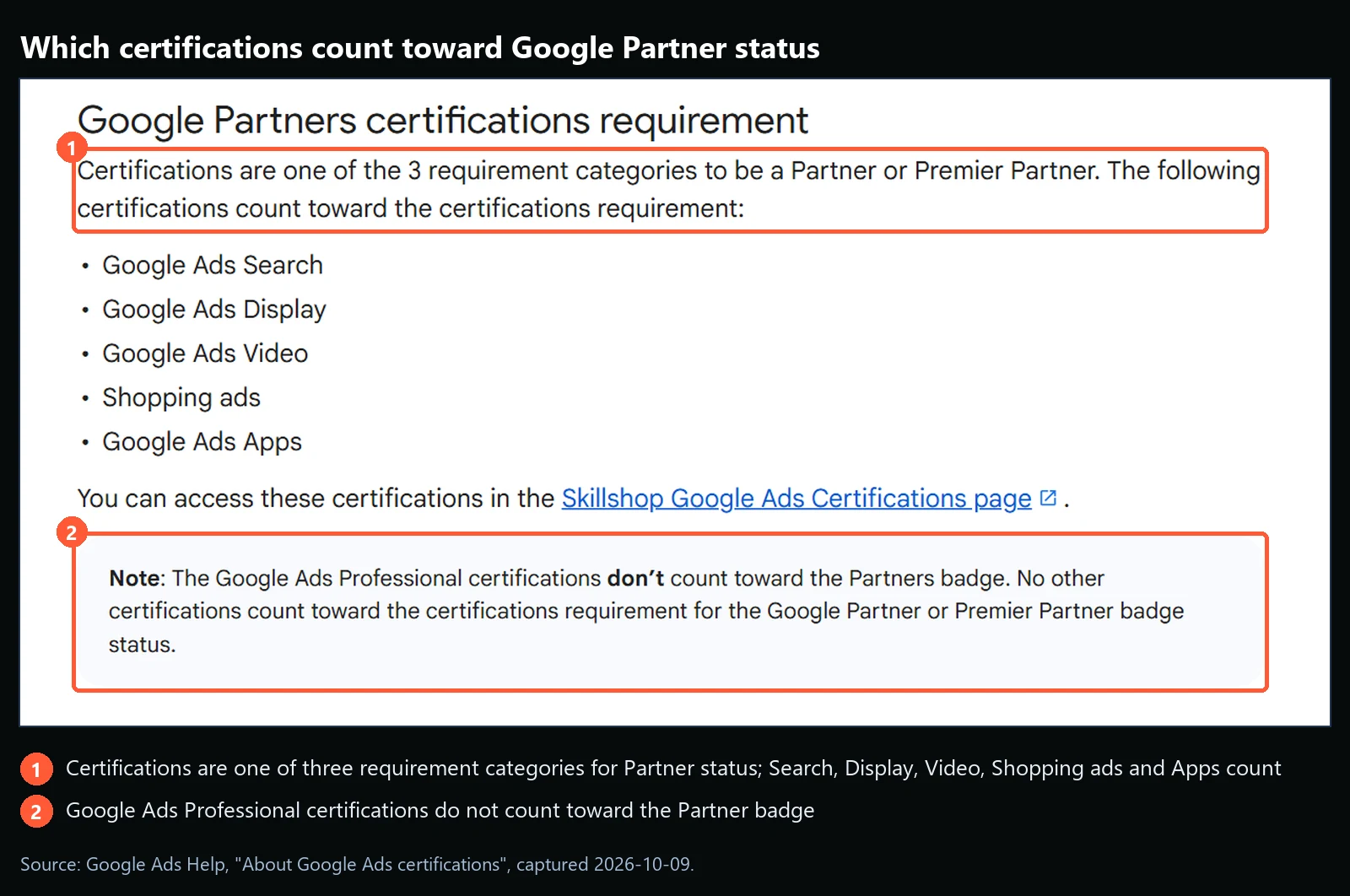
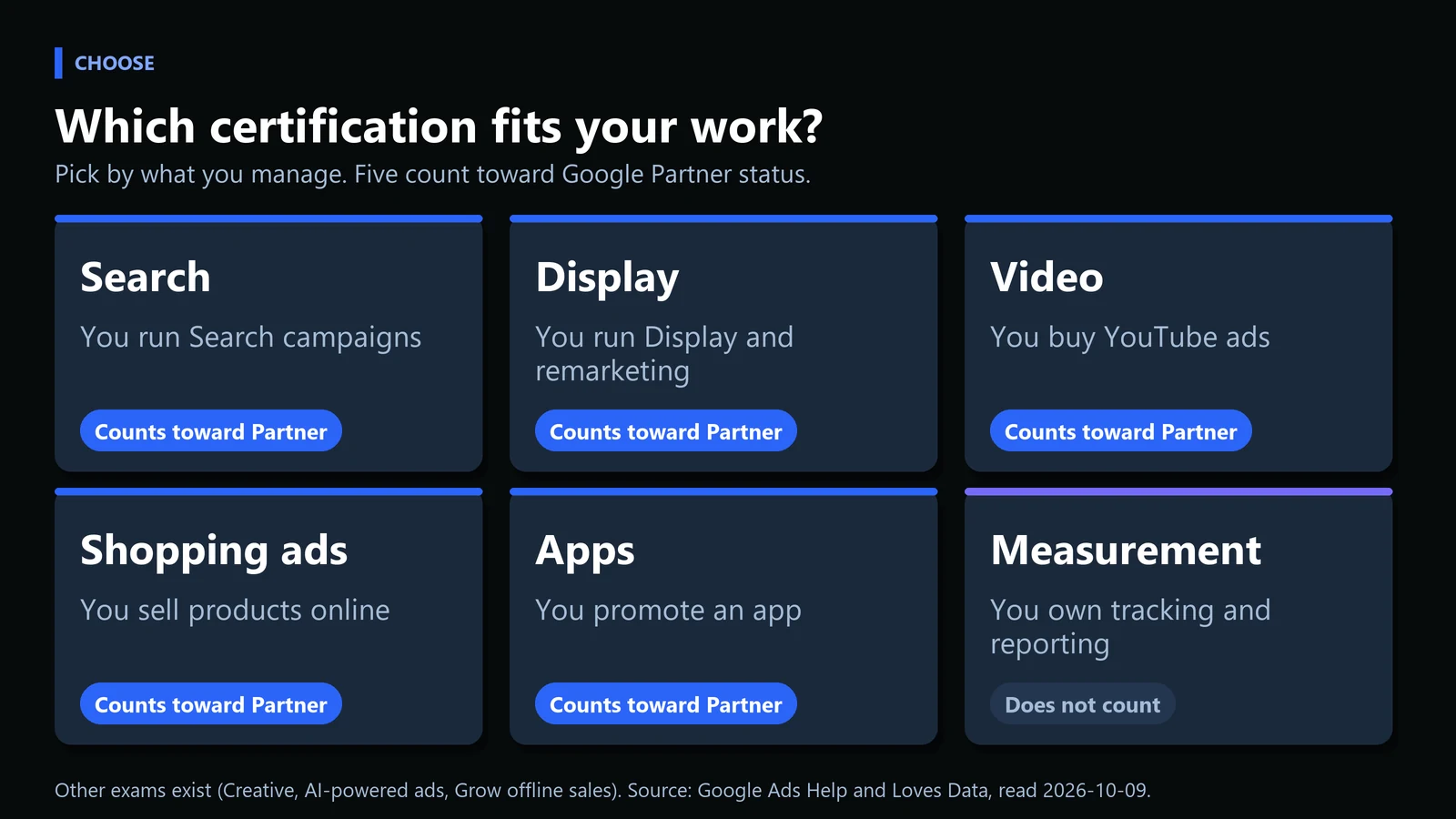
Google lists five certifications that count toward Google Partner status: Search, Display, Video, Shopping ads and Apps. Google adds that the Google Ads Professional certifications do not count toward the Partner badge. Other exams exist beyond those five, and the table shows the full list with question counts as of the date we checked.
| Exam (as listed by Loves Data) | Questions |
|---|---|
| Search | 50 |
| Display | 49 |
| Video | 50 |
| AI-powered shopping ads | 50 |
| AI-powered performance ads | 50 |
| Apps | 49 |
| Measurement | 50 |
| Creative | 50 |
| Grow offline sales | 50 |
Question counts from Loves Data, read 2026-10-09. Google names the Partner-qualifying exam “Shopping ads”; check the Skillshop catalog for the current exam title.
How Do You Get Google Ads Certified?
Six steps, in order. Each one ends with something you can check before moving on.
Step 1: Pick the certification that matches your work
Choose one exam to start. If you build Search campaigns, take Search. If you run YouTube ads, take Video. Starting with the exam closest to your daily work makes the study material easier to connect to real accounts. Check it worked: you can name the one exam you will sit first. Common mistake: signing up for several exams at once and finishing none.
Step 2: Create your Skillshop account
Go to Skillshop and sign in with a Google account. Google says that if you do not have a Skillshop account you need to create one to access the Google Ads assessments. From the home page, open the Google Ads tile, which leads to the Google Ads courses and certifications.
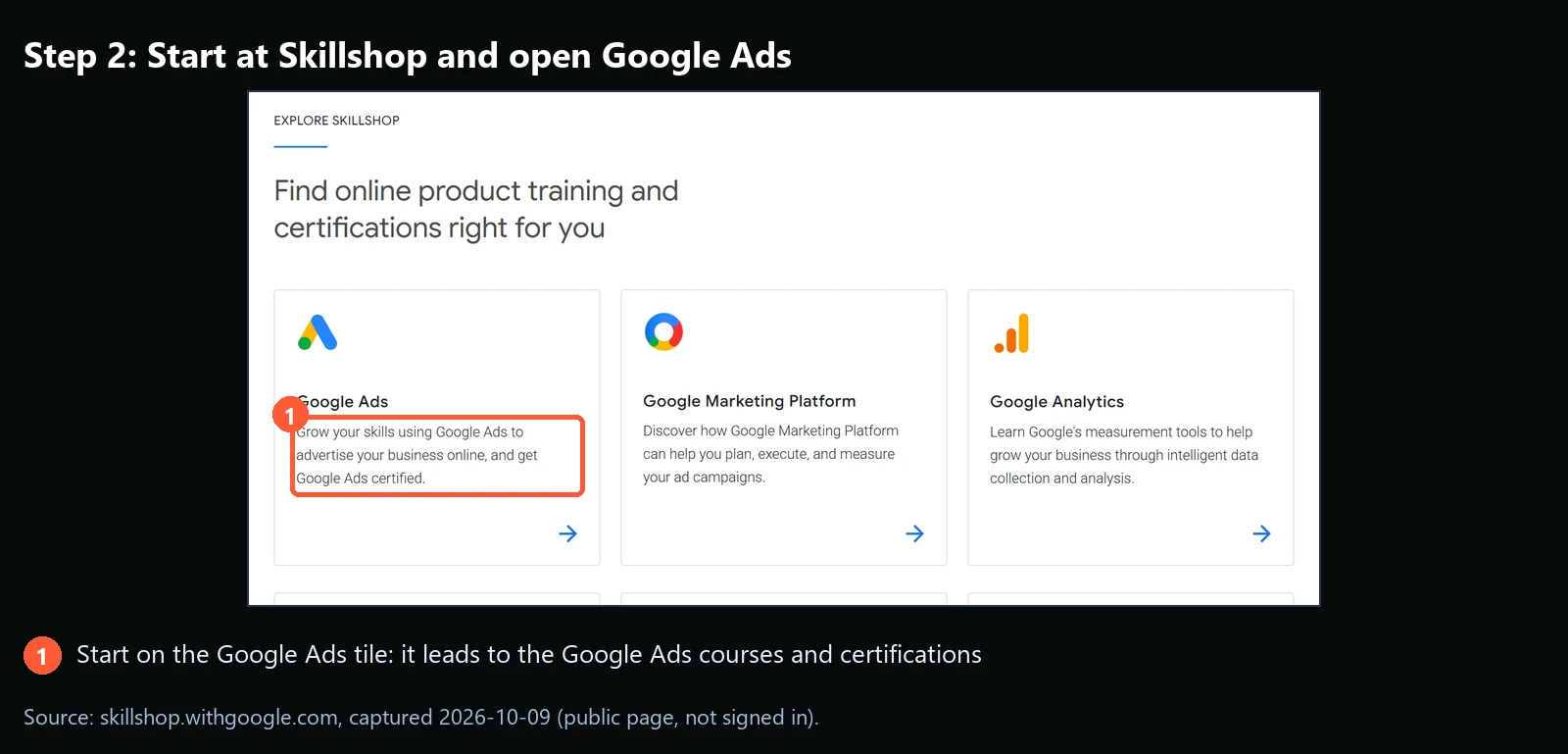
Check it worked: you can see the Google Ads courses once signed in. Common mistake: using a Google account you may lose, such as a former employer’s. Your badge and certificate attach to the account, so use one you control.
Step 3: Study the course and practice in a real account
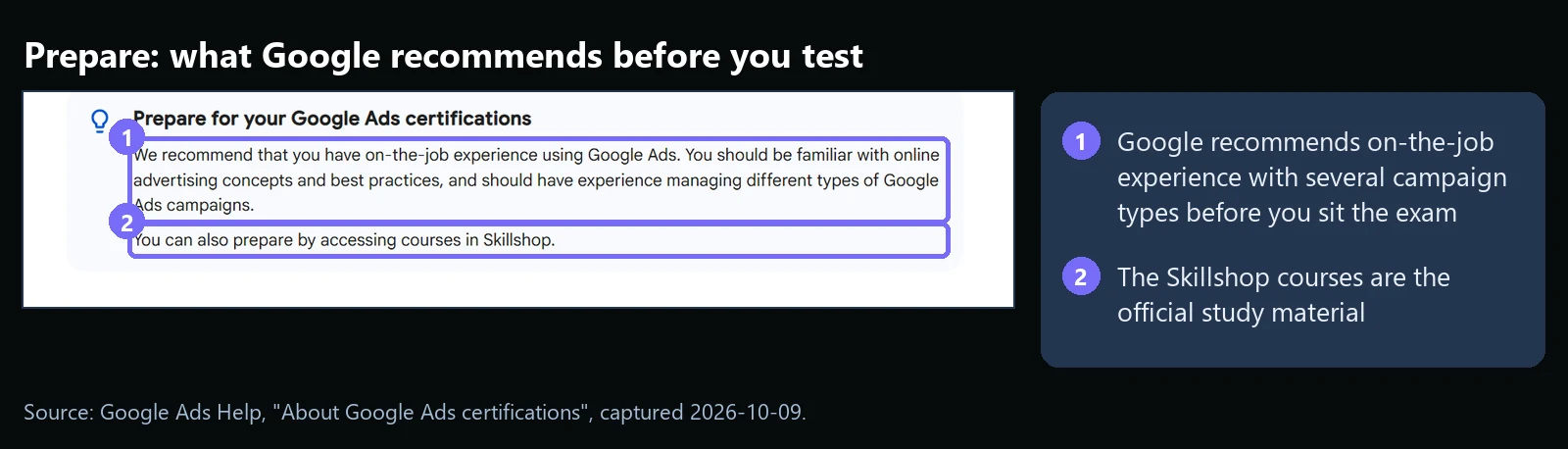
Google recommends on-the-job experience: familiarity with online advertising concepts and best practices, and experience managing different types of Google Ads campaigns. You can also prepare through the courses in Skillshop. Loves Data, writing from experience of taking the exams, reports that the questions are mostly single or multiple choice with a few ordering and matching questions, and that more questions were scenario based than in older versions.
| Session | What to do | Output |
|---|---|---|
| 1 | Read the course outline for your exam and list topics you have never touched | A gap list |
| 2 | Work through the Skillshop modules for the first half of the gap list | Notes in your own words |
| 3 | Repeat the exercise in a live or sandbox account where you can | A campaign or setting you built yourself |
| 4 | Finish the remaining modules and review the topics you noted as weak | A short summary sheet |
| 5 | Timed run of practice questions: 50 questions in 75 minutes is 1.5 minutes per question | Your pace and your weak spots |
A suggested study plan from MV3 Marketing, not a Google requirement. Adjust the number of sessions to what you already know.
Check it worked: you can explain each topic on the course outline without reading your notes. Common mistake: memorizing terms without ever opening the interface.
Step 4: Take the assessment
Block out 90 minutes with no interruptions. Google states you need a score of 80% or greater and you have 75 minutes. A timer starts when you begin and you cannot pause it. If you leave the assessment, for example by closing the browser or if your computer shuts down, the timer expires immediately and you must wait a day to try again.
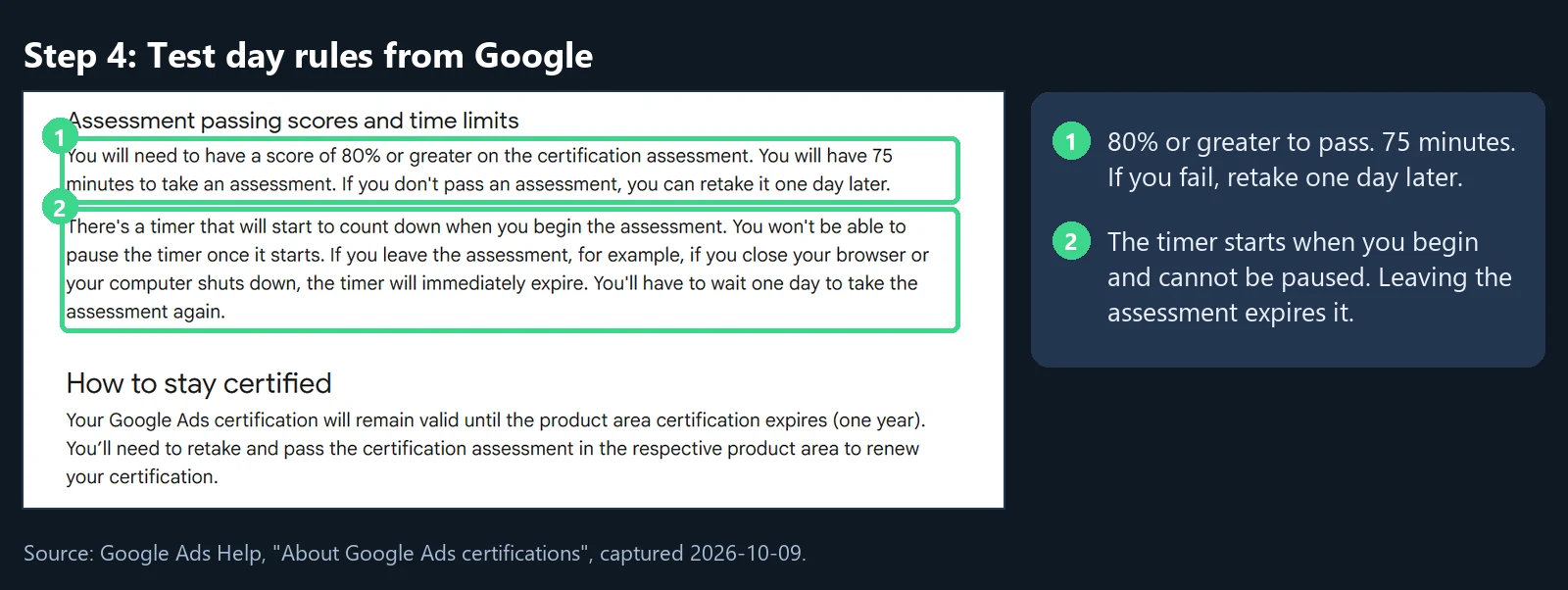
Check it worked: Skillshop shows your result. Common mistake: running out of time on long scenario questions, so keep an eye on the pace you practiced.
Step 5: If you fail, wait one day and retake
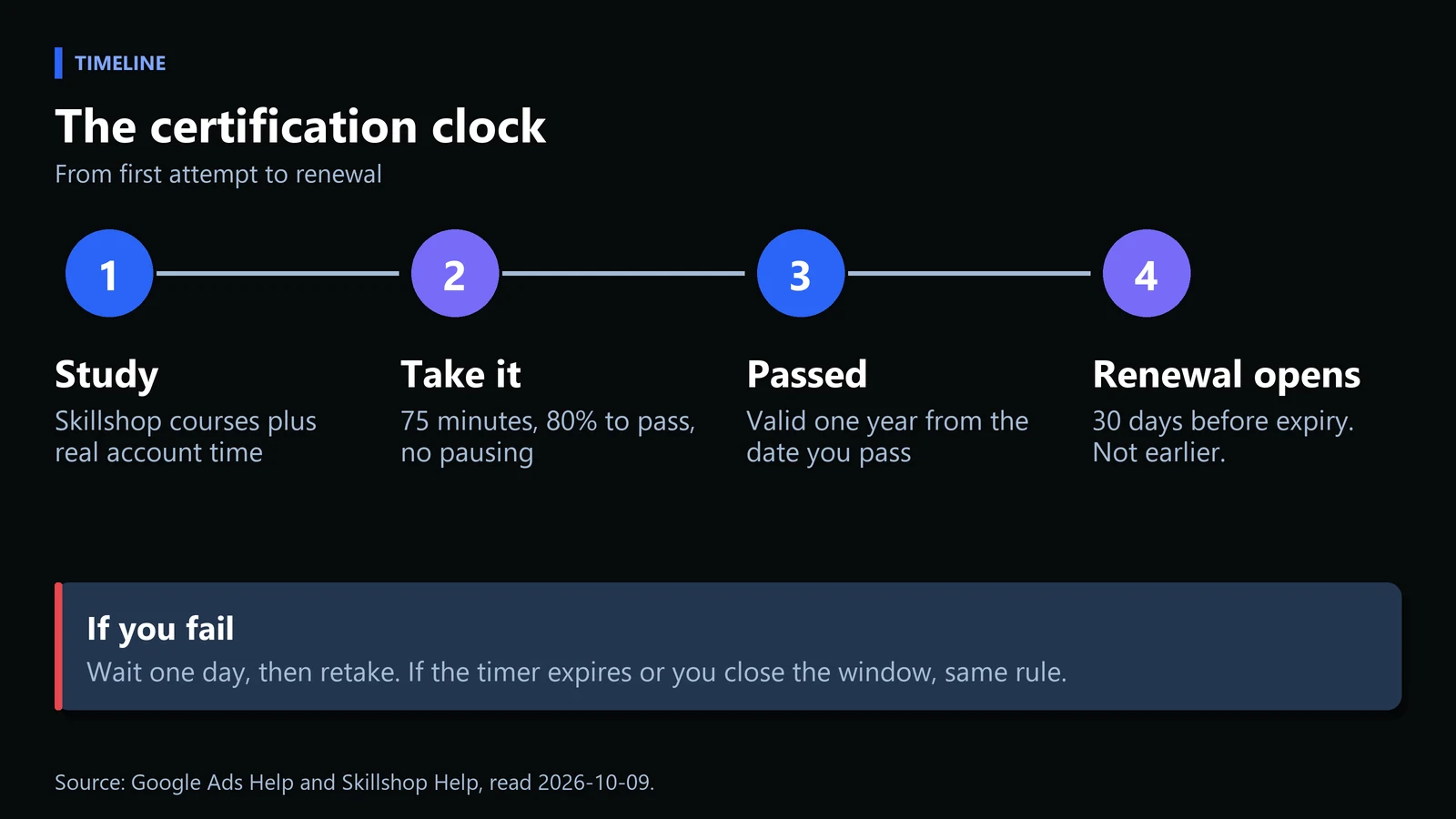
Google says that if you do not pass an assessment you can retake it one day later. Loves Data adds that there is no penalty for failing, and that because there are several exams you could take a different one while you wait. This corrects a common claim that retakes are unlimited with no wait: the published rule is a one day wait.
Step 6: Claim your badge and plan the renewal
Shortly after you pass, Skillshop emails instructions for claiming your digital badge. Badge visibility is private by default, and you change it in your profile if you want it public. Certifications are valid for one year from the date of certification. Skillshop says you will be notified before expiry. You can only retake the same exam once you are inside the recertification period, which starts 30 days before the expiration date. Trying earlier can lead to a rejected result, a denied certificate or badge, or restrictions.
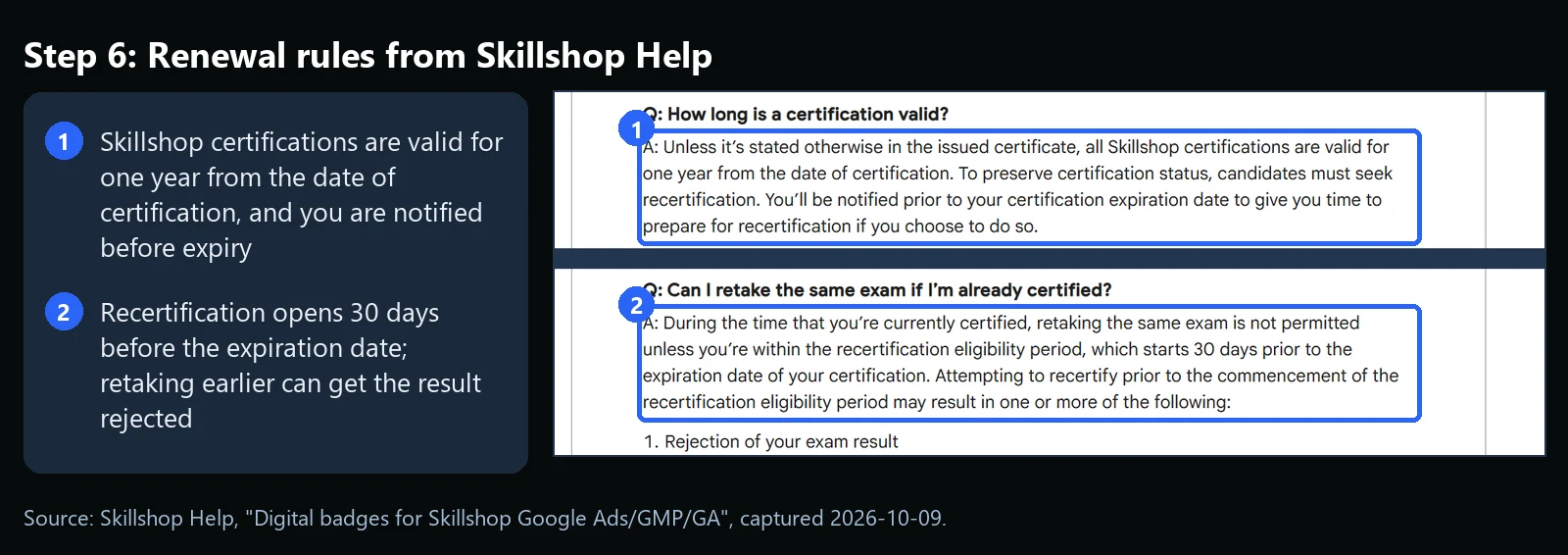
Check it worked: you have the badge email and a calendar reminder 30 days before the expiry date. Common mistake: retaking early to be safe. That can backfire under the rules above.
What If Something Goes Wrong?
| Symptom | Likely cause | Fix |
|---|---|---|
| Assessment ended before you finished | Timer expired because you left the page or your device shut down (per Google) | Wait one day, then retake and keep the window open |
| The exam will not let you start | You are inside the one day wait, or you hold the certification and are outside the 30 day window | Wait for the day to pass, or wait for the renewal window |
| No badge email | Email filtered, or not yet sent | Check spam, then contact Skillshop Support as Skillshop Help advises |
| Badge is not visible to others | Badge visibility is private by default | Change the visibility setting in your Skillshop profile |
| You keep missing the pass mark | Gaps on the course outline, or pace | Review the weak topics, do a timed run, retake after the one day wait |
Does Certification Help You Win Business or Get Hired?
On its own, certification does not guarantee results, since it is a knowledge test and not a performance audit. It does show that someone has worked through the platform, and Google counts certifications as one of three requirement categories for Partner or Premier Partner status, alongside other requirements. It sets a floor rather than a ceiling. Hiring managers still look at accounts managed and results. For what the role involves day to day, see our guide to what a Google Ads specialist does. If you want paid campaigns coordinated with organic search, our SEO services team can work alongside whoever runs your ads, and you can book a call to talk it through.
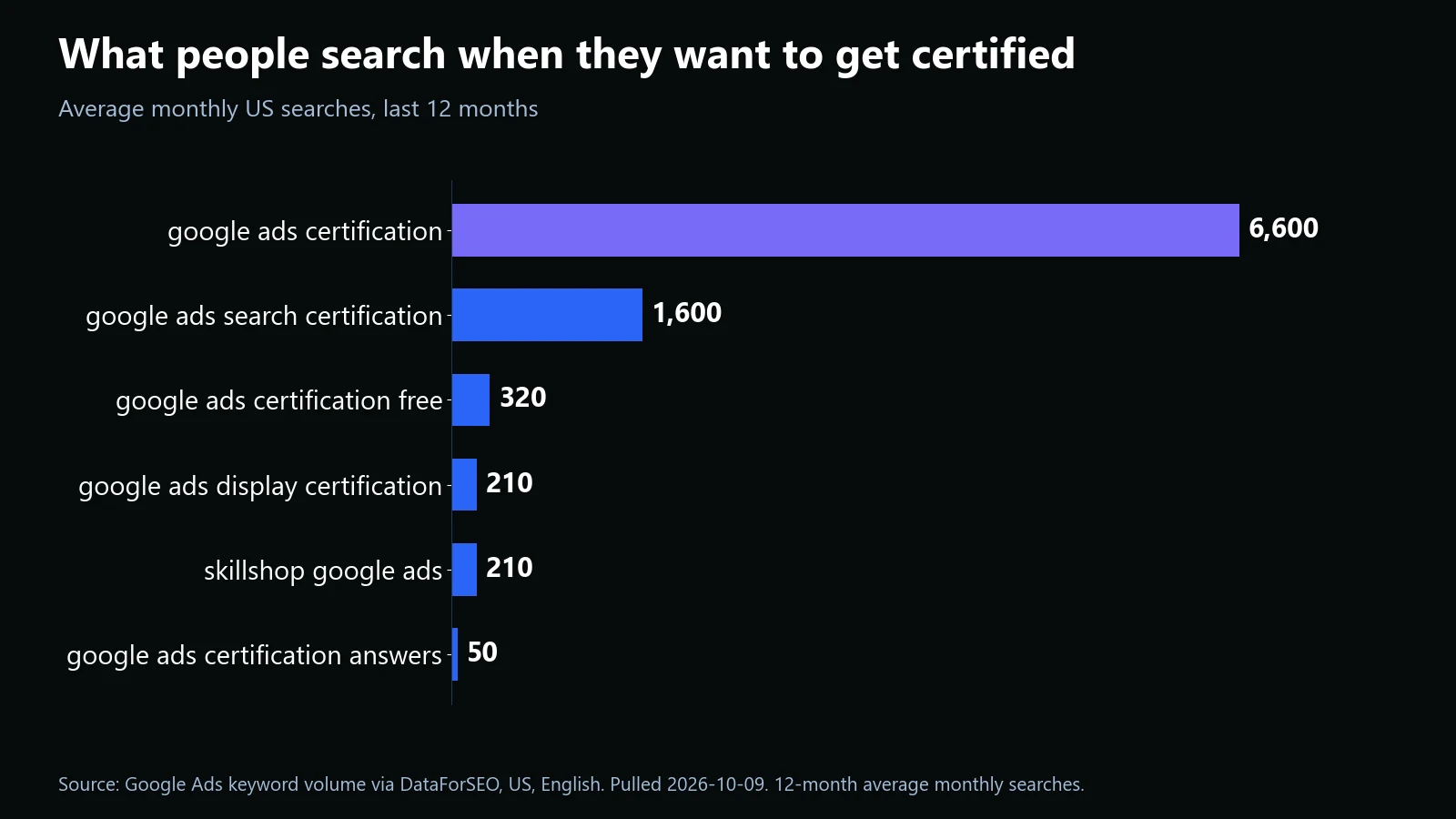
One more signal of demand: people search for the credential far more than for most related terms.
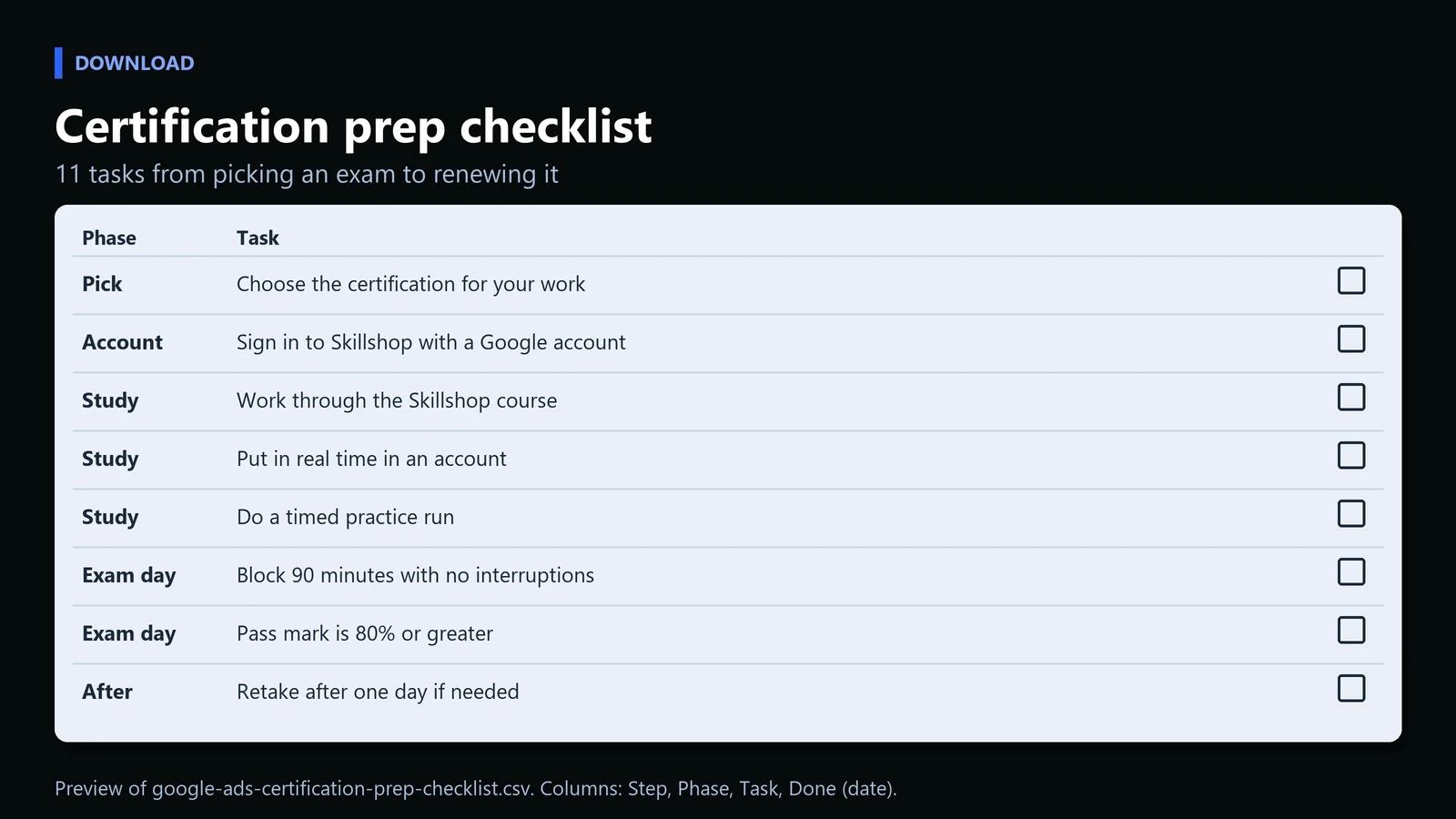
Checklist
Download: Google Ads certification prep checklist (CSV, 11 tasks). It covers choosing an exam, studying, test day and renewal.
Frequently Asked Questions
Is Google Ads certification really free?
Yes. Loves Data reports that all of the exams are free to take, and Skillshop Help says digital badges carry no fee. The cost is your study time.
How long does a Google Ads certification last?
One year from the date you pass. You can retake the exam once you are within the recertification period, which starts 30 days before the expiration date.
How many questions are on the exam?
Most Google Ads exams have 50 questions. Loves Data lists the Display and Apps exams at 49. Google states you have 75 minutes to complete an assessment.
What score do I need to pass?
Google states a score of 80% or greater. Loves Data reports that the Apps exam has a 70% pass mark.
Do I need a Google Ads account to get certified?
Google states that you need a Skillshop account. It recommends on-the-job experience with Google Ads but does not list a Google Ads account as a requirement.
Sources:
Google Ads Help, About Google Ads certifications
Skillshop Help, Digital badges for Skillshop Google Ads/GMP/GA
Loves Data, Google Ads Certification: How To Become Certified
Skillshop by Google
Search volumes: Google Ads keyword data via DataForSEO, US, pulled 2026-10-09.
Share this article

Vance Moore is Chief Growth Officer at MV3 Marketing and leads its team of SEO professionals, engineers and auditors.
Ready to audit your organic growth opportunity?
$2,500 flat. 5 business days. Six deliverables tied to pipeline , not rankings. No retainer required.
Get the Organic Growth Audit →