MindStudio is a no-code AI agent builder that lets marketing, ops, and product teams design, test, and deploy AI-powered tools without writing code. It connects to over 200 AI models through a single interface, and it’s built for SaaS companies and agencies that need custom AI tools faster than a dev team can realistically ship them.
Most B2B SaaS and agency teams have the same problem right now. Everyone wants “an AI agent” for something, whether that’s a client-facing chatbot, an internal research assistant, or a tool that turns a pile of call transcripts into usable content. Almost nobody has the engineering bandwidth to build it. That gap is exactly what MindStudio is built to close, and after spending time in the actual product, testing its capability catalog, and pulling apart its pricing and feature matrix, this guide covers what it actually does, where it’s genuinely useful for SaaS and agency teams, and where the limits are.
Disclosure: MV3 Marketing participates in affiliate and partner programs, including MindStudio’s. This post contains affiliate links, and we may earn a commission if you sign up through one of them, at no additional cost to you. We only write about tools we’ve actually researched and used, and our opinions here are our own.
What MindStudio Actually Is
MindStudio is a visual, drag-and-drop platform for building what the company calls “AI agents,” which in practice means multi-step AI workflows with a defined start, a series of logic and generation steps, and an end point that returns a result, triggers an action, or hands off to a human. You describe what you want the workflow to do, wire together the building blocks that make it happen, and MindStudio handles the plumbing between AI models, data sources, and delivery channels.
The core pitch is model flexibility without model management. Instead of signing up for OpenAI, Anthropic, and Google accounts separately and juggling API keys, MindStudio routes requests through what it calls the MindStudio Service Router, giving builders instant access to more than 200 AI models without requiring their own API keys (you can still bring your own keys if you’d rather manage billing directly with a provider). That single detail removes a surprising amount of the setup friction that normally keeps non-technical teams from experimenting with different models for different jobs.
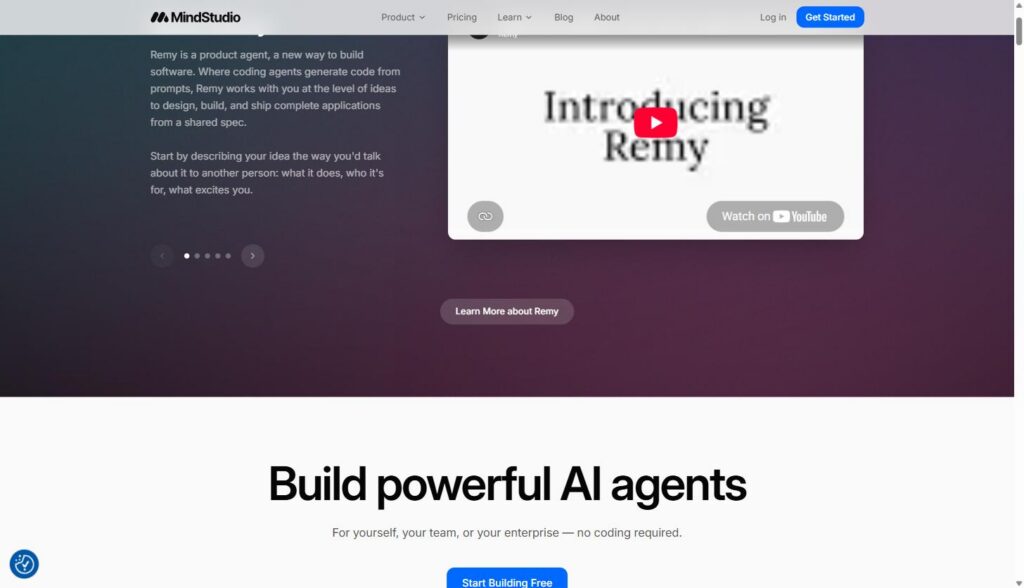
Here’s the homepage, which frames the product plainly: build for yourself, your team, or your enterprise, no coding required.
The platform comes from a team with real reps in this space. MindStudio was launched by a company called YouAi in 2023, founded by CEO Dmitry Shapiro and founding engineer Dima Rostopira, the same team behind the creator-economy tool Koji before it was acquired by Linktree. That background shows up in the product’s emphasis on speed to a usable result over deep technical configuration, it’s built by people who previously built consumer-facing creation tools, not enterprise AI infrastructure for its own sake. According to MindStudio’s own site, the platform now has more than 400,000 AI agents deployed across SMBs, enterprises, and government organizations, with over 1,000 pre-built integrations available.
The Building Blocks: 200+ Capabilities You Snap Together
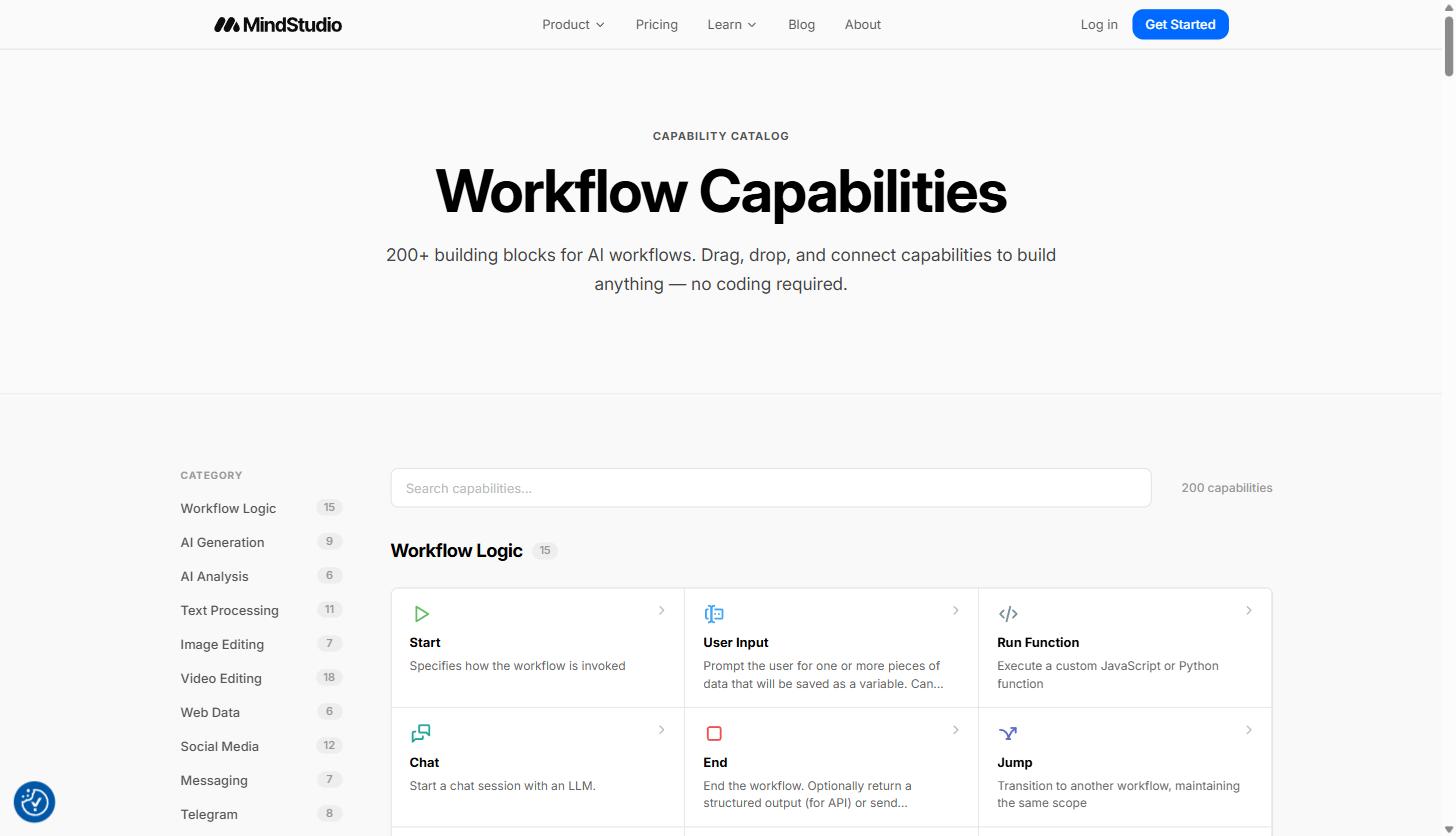
The screenshot above is MindStudio’s Workflow Capabilities catalog, and it’s a good way to understand what the platform can actually do before you build anything. Every agent is assembled from these blocks, organized into categories: Workflow Logic (Start, User Input, Run Function, Chat, End, Jump), AI Generation, AI Analysis, Text Processing, Image Editing, Video Editing, Web Data, Social Media, Messaging, and more, adding up to over 200 distinct capabilities according to the platform’s own capability catalog.
A few categories matter most for SaaS and agency use cases:
- Data sources: scraping and extracting data from URLs, connecting to SQL databases, creating and querying vector databases, web search, YouTube search and transcript extraction, Google Sheets integration, and CRM connections including Salesforce, HubSpot, and ActiveCampaign.
- Content generation: generating HTML and full websites, PDFs, Excel/CSV files, Word documents, and audio/podcast content, with delivery via a global CDN.
- Human-in-the-loop: custom user interfaces for agents, direct input collection, file upload and processing mid-workflow, approval checkpoints, and real-time clarification of user intent.
- Custom code: you can drop in custom JavaScript or Python functions when a building block doesn’t cover what you need, and MindStudio can auto-generate code snippets from a plain-language description.
- Testing and QA: automated diagnostics, a built-in debugger, side-by-side model comparison, evaluation test suites, and version history tracking.
That combination, pre-built blocks plus an escape hatch into real code, is what separates this from a rigid template tool. You’re not locked into whatever the vendor anticipated; you can extend a workflow with a custom function the moment a use case gets specific.
If you want to see how this compares against building the same kind of workflow from scratch, our practical guide to n8n for marketing automation covers the more technical, self-hosted end of this same problem space.
Ready to see the building blocks in your own workspace? Start building on MindStudio for free and browse the capability catalog before you commit to a paid plan.
From Templates to Production: How Teams Actually Build
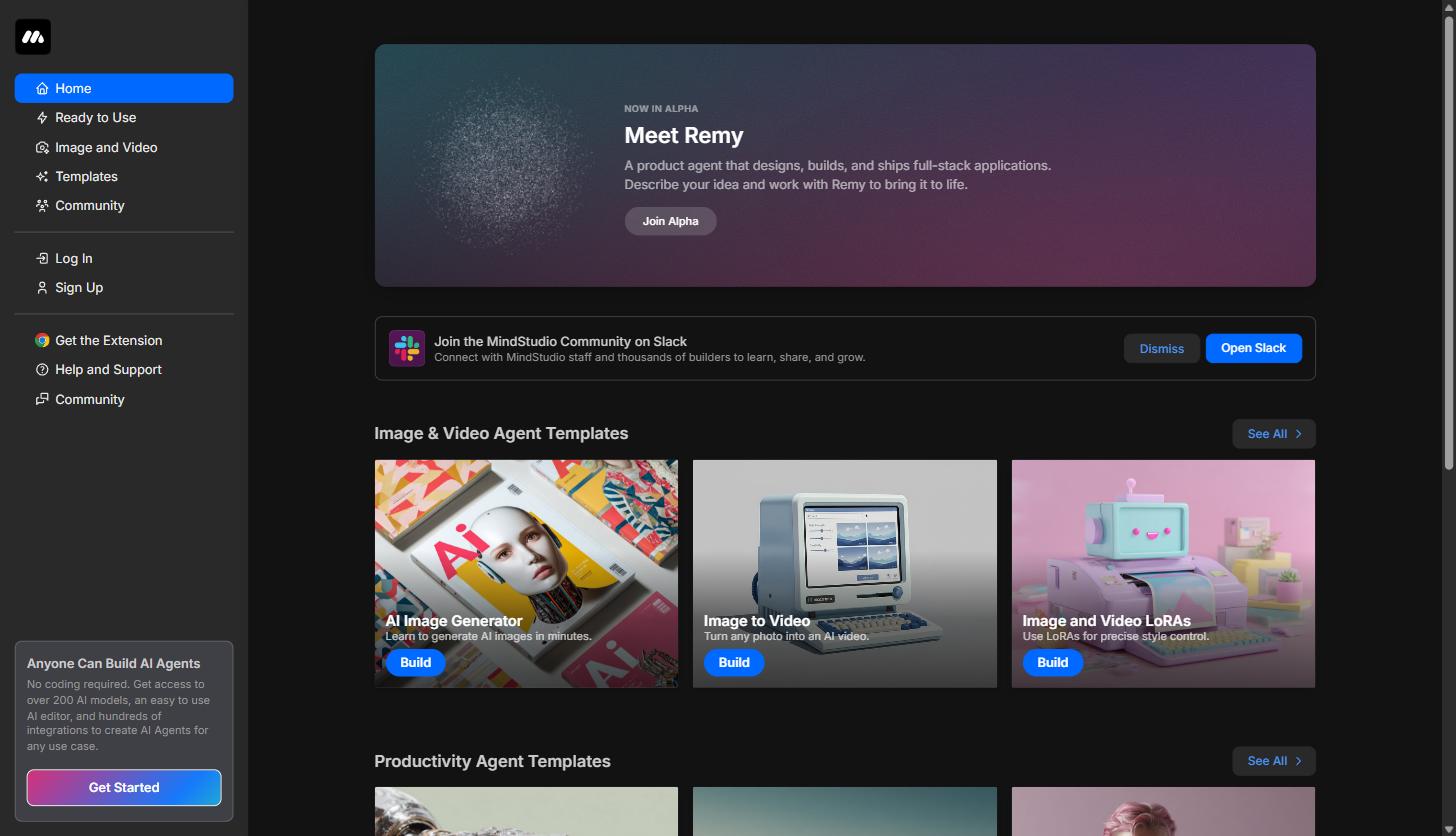
The app itself (at app.mindstudio.ai) opens into a template-first home screen rather than a blank canvas, which matters for teams without a dedicated AI builder on staff. Instead of staring at an empty workflow editor, you land on categorized template galleries, Image and Video Agent Templates, Productivity Agent Templates, and more, each with a one-click “Build” button that clones the template into your own workspace as a starting point.
Once an agent is built, deployment isn’t limited to “run it inside MindStudio.” According to the platform’s own feature matrix, agents can be triggered on demand, via scheduled runs (for example, daily at a set time), through email, via API calls, from Node.js applications, or through webhooks. On the delivery side, agents can be embedded on your own website, run through the MindStudio Chrome Extension, published to the agent marketplace, or connected outward to Zapier, Make, or n8n and to any third-party API. For SaaS and agency teams, that range of trigger and delivery options is what turns a demo into something you can actually put in front of a client or a colleague without asking them to log into a separate tool.
Every paid tier also includes access to a debugger and side-by-side model comparison, so you’re not guessing whether GPT-4o or Claude handles a given prompt better inside your specific workflow; you can test it directly against real inputs before you ship.
It’s also worth noting that agents don’t have to stay private experiments. Builders can publish finished agents to MindStudio’s marketplace, where more than 100 pre-built agents are already available for other users to run or adapt, and the platform explicitly supports monetizing agents you build. For an agency, that opens a secondary use case beyond internal tooling: packaging a workflow you built for one client into a reusable, sellable asset.
Real Numbers From Teams Already Using It
Case studies and vendor stats are easy to inflate, so it’s worth sticking to what’s directly attributable and specific. Advance Local, a media and local news organization, reports that its AI agents built on MindStudio complete more than 800 tasks every week, and that the automation saves staff between 13 and 400 hours weekly depending on the workflow, according to a quote from the company’s Senior Director of AI Innovation published on MindStudio’s own site. That’s a wide range, which makes sense: a simple weekly report generator saves a predictable, small amount of time, while an agent that replaces a multi-day research and drafting process saves considerably more.
Reviewers from teams at Microsoft, Adobe, Intel, and Oracle describe a similar pattern in their own published feedback: the barrier isn’t whether the AI models are capable enough, it’s whether someone without engineering time can actually wire a working, testable workflow together. That’s consistent with what the product itself is optimized for, reducing the distance between “we have an idea for an AI tool” and “we have a working version of it,” rather than optimizing for maximum configurability at the infrastructure level.
Practical Use Cases for Service Businesses and Agency Teams
The most useful way to evaluate a platform like this isn’t a generic feature tour, it’s mapping capabilities to the actual work that clogs up a SaaS marketing team or a service agency. A few patterns come up repeatedly:
Client-Facing AI Tools
Agencies building custom deliverables for clients, an SEO audit tool, a competitor tracker, a lead qualification chatbot, can build the agent once, embed it on the client’s site or deliver it as a branded web app, and skip the custom development cycle entirely. Because agents can be deployed as standalone web apps or embedded directly, the same build can double as a lightweight product offering rather than a one-off internal script.
Internal Ops Automation
Recurring internal tasks are a natural fit: pulling structured data out of inbound form submissions, monitoring competitor websites for changes and summarizing what changed, triaging support tickets by category and urgency, or generating a first-pass weekly report from Google Sheets or a connected database. Scheduled triggers mean these can run unattended on a cadence rather than needing someone to remember to kick them off.
Content Generation Agents
Because MindStudio has native content generation blocks for HTML, PDFs, and documents, teams building content operations at scale can construct an agent that takes a brief, pulls supporting research from a connected data source, drafts the piece, and outputs it in the format the team actually needs, without stitching together three or four separate point tools to get there.
Multi-Model Workflows Without Vendor Lock-In
Because the Service Router provides instant access to 200-plus models, teams can route different steps of the same workflow to whichever model handles that particular task best, a fast, cheap model for a simple classification step and a stronger reasoning model for the step that actually needs it, without managing separate billing relationships for each provider.
Want to test one of these use cases against your own workflow? Get started with MindStudio’s free plan and clone a template close to what you’re trying to build.
Pricing: What You Actually Get at Each Tier
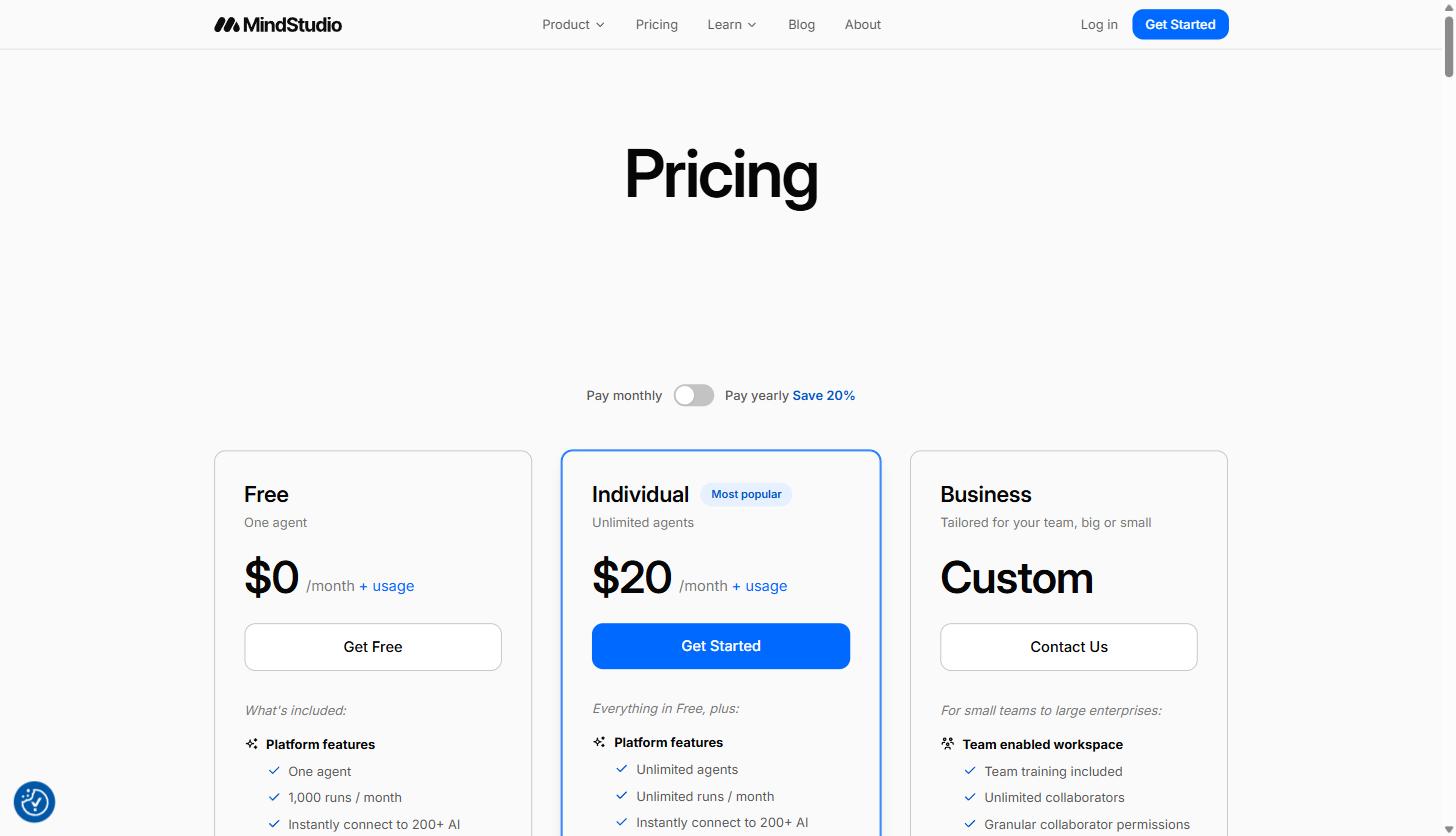
MindStudio’s pricing page lists three tiers, billed monthly or with a 20 percent discount for annual billing:
| Plan | Price | What’s Included |
|---|---|---|
| Free | $0/month + usage | One agent, 1,000 runs/month, instant access to 200+ AI models via the Service Router, ability to bring your own API keys, self-paced training library |
| Individual | $20/month + usage | Unlimited agents, unlimited runs/month, everything in Free, plus access to the MindStudio Slack community |
| Business | Custom pricing | Team workspace with unlimited collaborators, granular permissions, SSO, custom SLAs and MSAs, audit logs and usage budgets, self-hosting, and custom domains |
Two things are worth flagging for a SaaS or agency budget owner. First, model usage is billed separately from the subscription and priced per token, following the same input/output pricing structure most model providers use directly (pricing is typically quoted per one million tokens, with input and output tokens priced differently since generation is more computationally expensive than reading a prompt). That means the $20/month Individual tier is a platform fee, not an all-you-can-use ticket for every model on the router. According to MindStudio’s own FAQ, the platform does not mark up the cost of using AI models beyond what the provider charges, and builders can set spend limits on individual agents and see exactly how much each one is costing per run, which matters for an agency trying to keep a client-facing tool’s operating cost predictable.
Second, the Business tier is where the compliance and access-control features that actually matter to an agency working with client data live: SSO, audit logs, spend budgets and alerts, and the ability to control which AI models and third-party services a workspace can reach. MindStudio also lists SOC 2 Type II compliance and GDPR-compliant infrastructure among its security features. If you’re building anything client-facing that touches sensitive data, that’s the tier to scope out before committing a team to the platform.
No-Code Agent Building vs. Custom Development
The honest comparison here isn’t MindStudio versus some rival no-code tool, it’s MindStudio versus a custom-built internal tool with a developer behind it. Custom development gives you full control over architecture, data handling, and integration depth, and it’s the right call when a tool needs to be deeply embedded in a proprietary product or handle genuinely novel logic. But it also means sprint planning, a maintenance burden, and weeks (often longer) before something client-facing is ready to test.
A no-code builder like MindStudio trades some of that control for speed and accessibility. A marketing ops lead or account strategist, not just an engineer, can build, test, and iterate on an agent in the same afternoon, and because the platform includes its own debugger and model comparison tools, “testing” doesn’t mean shipping blind. The tradeoff is that you’re working inside the vendor’s building blocks and their model routing layer rather than a fully custom stack, which is a real constraint for teams with unusual data infrastructure or strict self-hosting requirements (though the Business tier’s self-hosting option narrows that gap for larger teams).
MindStudio’s own comparison against workflow-automation tools like n8n is a useful reference point too, since that’s the closest adjacent category. According to MindStudio’s published comparison, the Individual plan runs $20/month with unlimited projects and unlimited runs against n8n’s roughly $24/month for one project and a capped run allowance, and MindStudio bundles 200-plus AI models into that price where a self-hosted automation tool typically requires you to bring and pay for your own model access separately. The real differentiator isn’t price so much as intent: tools like n8n are built primarily to move data between systems and trigger actions, while MindStudio is built specifically around AI reasoning steps, multi-turn chat, and generation as first-class building blocks rather than an add-on.
Neither approach is universally right. Teams already running heavy automation infrastructure in a tool like n8n often use it alongside MindStudio rather than instead of it, triggering a MindStudio agent as one step in a larger automated pipeline.
Where MindStudio Fits (and Where It Doesn’t)
For a B2B SaaS marketing team, the clearest fit is internal tooling that would otherwise sit in a developer’s backlog for months: report generation, competitive monitoring, lead research assistants, and first-draft content agents. For an agency, the clearest fit is building repeatable, brandable deliverables, audit tools, research agents, client-facing chat assistants, that can be assembled once and reused or lightly customized across accounts.
Where it’s a weaker fit: workflows that need extremely tight control over latency and infrastructure, or applications where the AI reasoning step is a small piece of a much larger, already-built software product with its own deployment pipeline. In those cases, the model-routing convenience matters less than deep integration with an existing codebase, and a custom build (or a hybrid, MindStudio for the AI layer, custom code for the rest) tends to make more sense.
If the use case is “we need an AI-powered tool and we need it built by people who aren’t full-time engineers,” that’s squarely where this product is designed to work.
One more practical note for agency teams specifically: because the Business tier supports custom domains and controlling which AI models and third-party services a workspace can access, it’s possible to standardize on an approved set of models and integrations across an entire account team, then let individual builders assemble agents within those guardrails rather than having each person make separate, inconsistent vendor decisions. That’s a meaningfully different operating model than handing every team member their own OpenAI account and hoping usage stays sane.
Curious whether your specific workflow fits? Try building it on MindStudio’s free tier before scoping a custom build, it costs nothing to find out.
Getting Started
The practical path for a SaaS or agency team evaluating this seriously: start on the Free plan, clone a template close to your actual use case rather than starting from a blank canvas, and use the built-in debugger to test it against real inputs before showing it to a client or a teammate. Because the Individual tier is only $20/month for unlimited agents and unlimited runs, the jump from testing to a working internal tool is a low-commitment decision, and the Business tier is there once you need team permissions, SSO, and usage controls around client data.
Sign up for MindStudio and clone your first template today, or check the MV3 Marketing digital marketing glossary if you’re still mapping out where AI agents fit into your broader martech stack before you build anything.
Building AI tools without a dev team isn’t a novelty anymore, it’s becoming table stakes for teams that need to move faster than their engineering roadmap allows. Whether MindStudio ends up being the permanent home for that work or the fastest way to prototype something before a proper build, it’s a reasonable place to start testing the idea without asking anyone for a sprint slot.
Share this article

Ryan Brooks leads technical SEO at MV3 Marketing, specializing in schema architecture, entity graphs, crawlability, and the structural signals that determine whether AI answer engines cite a page.
Ready to audit your organic growth opportunity?
$2,500 flat. 5 business days. Six deliverables tied to pipeline , not rankings. No retainer required.
Get the Organic Growth Audit →